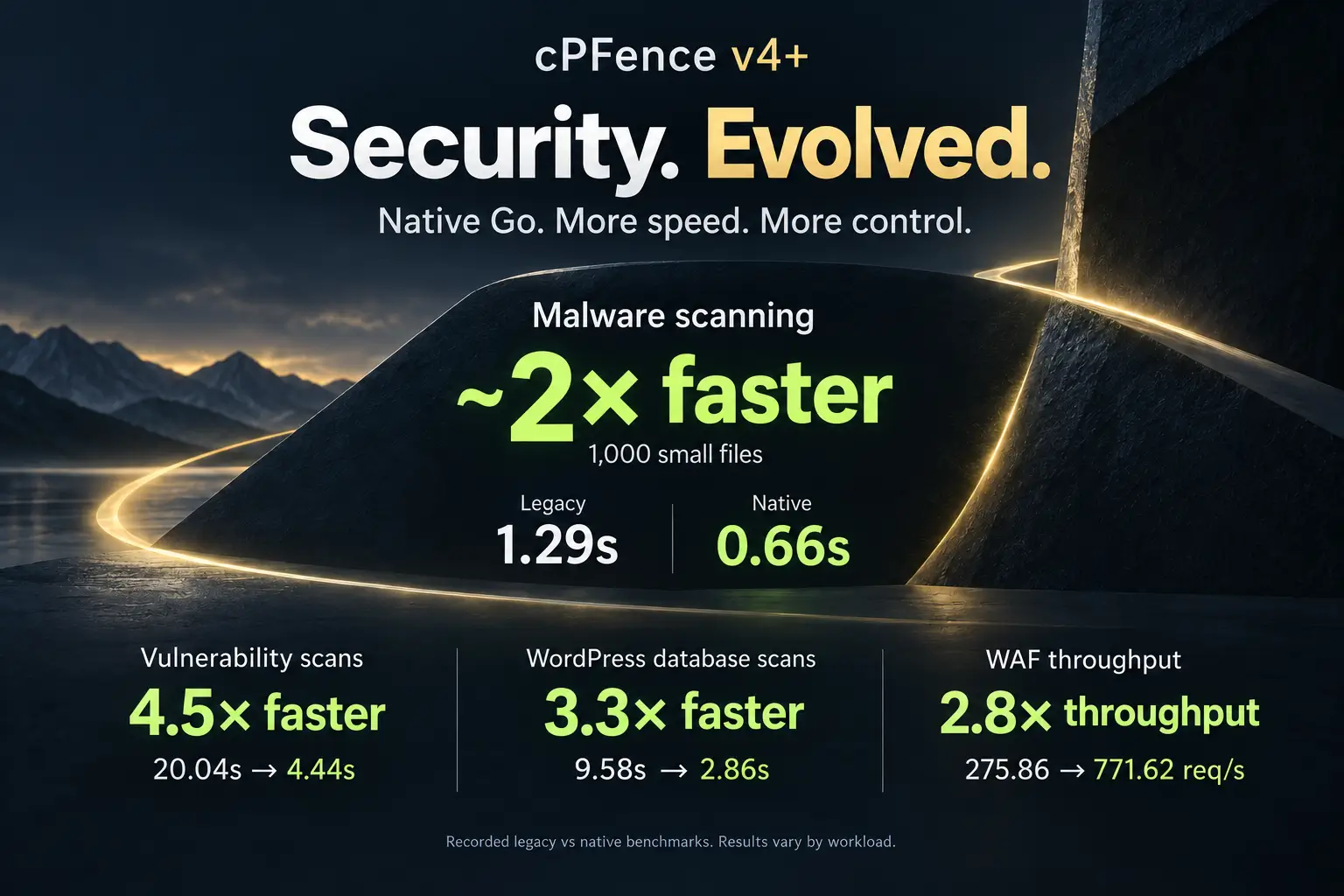
IPv6 Security & Database Scanning: Why cPFence Leads the Way
When it comes to securing hosting environments, staying ahead of emerging threats is essential. The latest cPFence update introduces two groundbreaking features that set a new standard in server security: Full IPv6 Compatibility and Advanced Database Malware Scanning. While competitors are still struggling to catch up, cPFence leads the way with complete IPv6 protection and enhanced database security—giving hosting companies and VPS owners the tools they need to stay fully protected.
Full IPv6 Compatibility – Securing the Future of Hosting
IPv6 adoption is rapidly increasing, yet many security solutions still offer limited or no support. cPFence is now 100% IPv6-compatible, making it the first security solution in the shared hosting industry to provide unrestricted IPv6 protection. Unlike others that only partially support IPv6 or charge a premium, cPFence delivers comprehensive IPv6 security without additional costs.
Key Benefits of Full IPv6 Support in cPFence:
- IPv6 Blacklisting & Whitelisting – Block or allow IPv6 addresses with the same ease as IPv4.
- Country Blocking Module – Now fully IPv6-ready, ensuring complete enforcement of country-based restrictions.
- Brute Force Protection – Secure SSH, FTP, and web services against IPv6-based attacks (including current SSH/Dovecot authentication protection).
- Real-Time IPv6 Threat Intelligence – Our IPDB now fully supports IPv6, helping detect and block malicious IPv6 traffic dynamically.
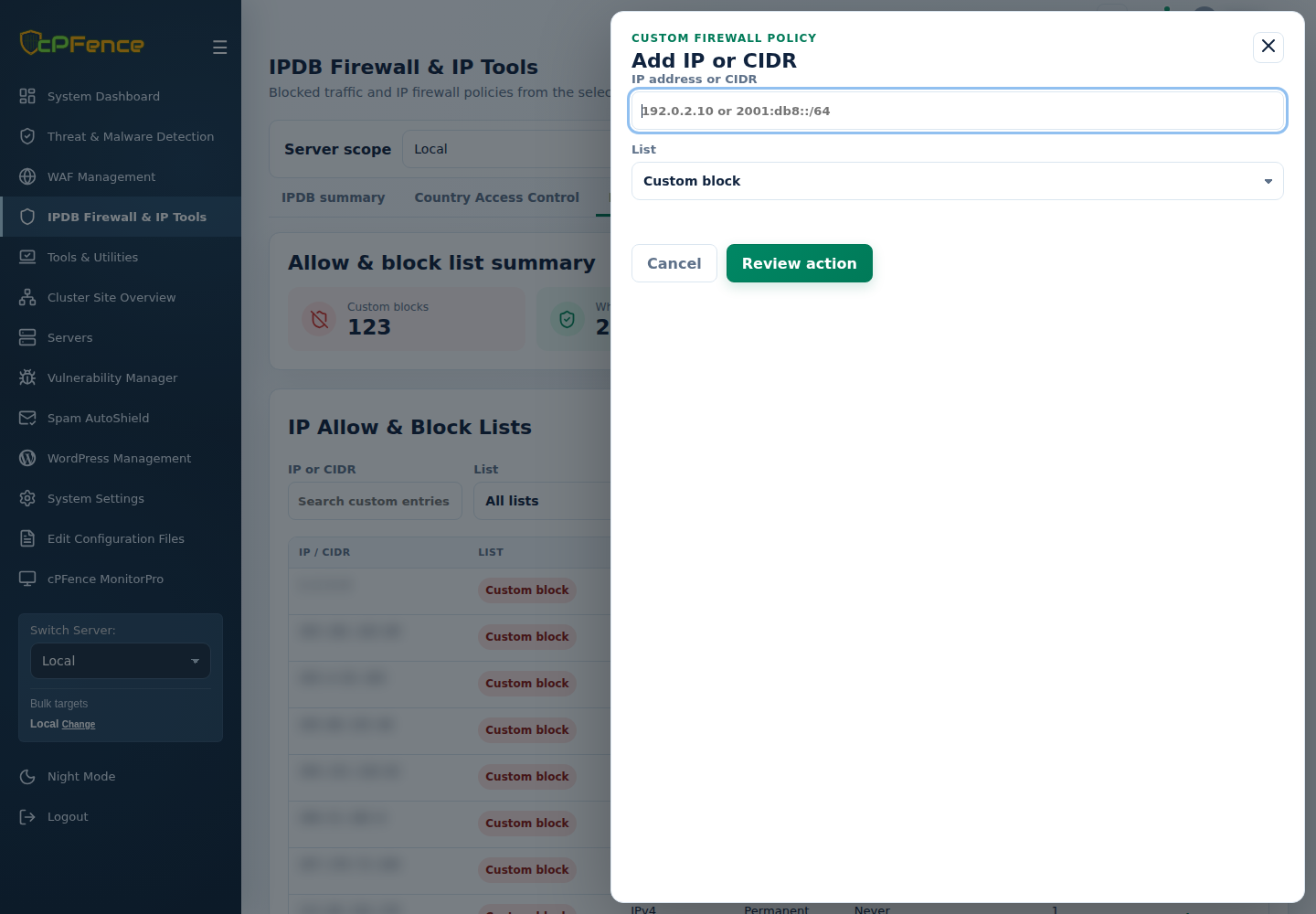
In the cPFence v4+ WebUI, open IPDB Firewall & IP Tools → IP Allow & Block Lists → Add IP or CIDR. Enter the intended IPv6 address or CIDR, select the correct list, review the policy and server, then confirm. Keep alternative administrator access when changing access rules, and check IPv4 and IPv6 connections separately.
With the rapid growth of IPv6 usage, relying on outdated security measures that ignore this protocol is a serious risk. cPFence ensures your servers remain protected from both IPv4 and IPv6 threats, without compromise.
Database Malware Scanning – A Critical Layer of Defense
Web application security isn’t just about protecting files—it’s about safeguarding databases too. Attackers often inject malicious payloads directly into databases, bypassing traditional file-based security measures. That’s where cPFence’s advanced database scanning comes in, offering unparalleled protection against malware and injection attacks.
Why Database Scanning is Essential
Consider this scenario: You hire a developer or freelancer to work on your website. You give them temporary access, and after the job is done, you reset the password. You assume your site is secure again—but what if a malicious payload was already injected into your database? Without an advanced database security solution, your site could be compromised long after the attacker’s access was revoked.
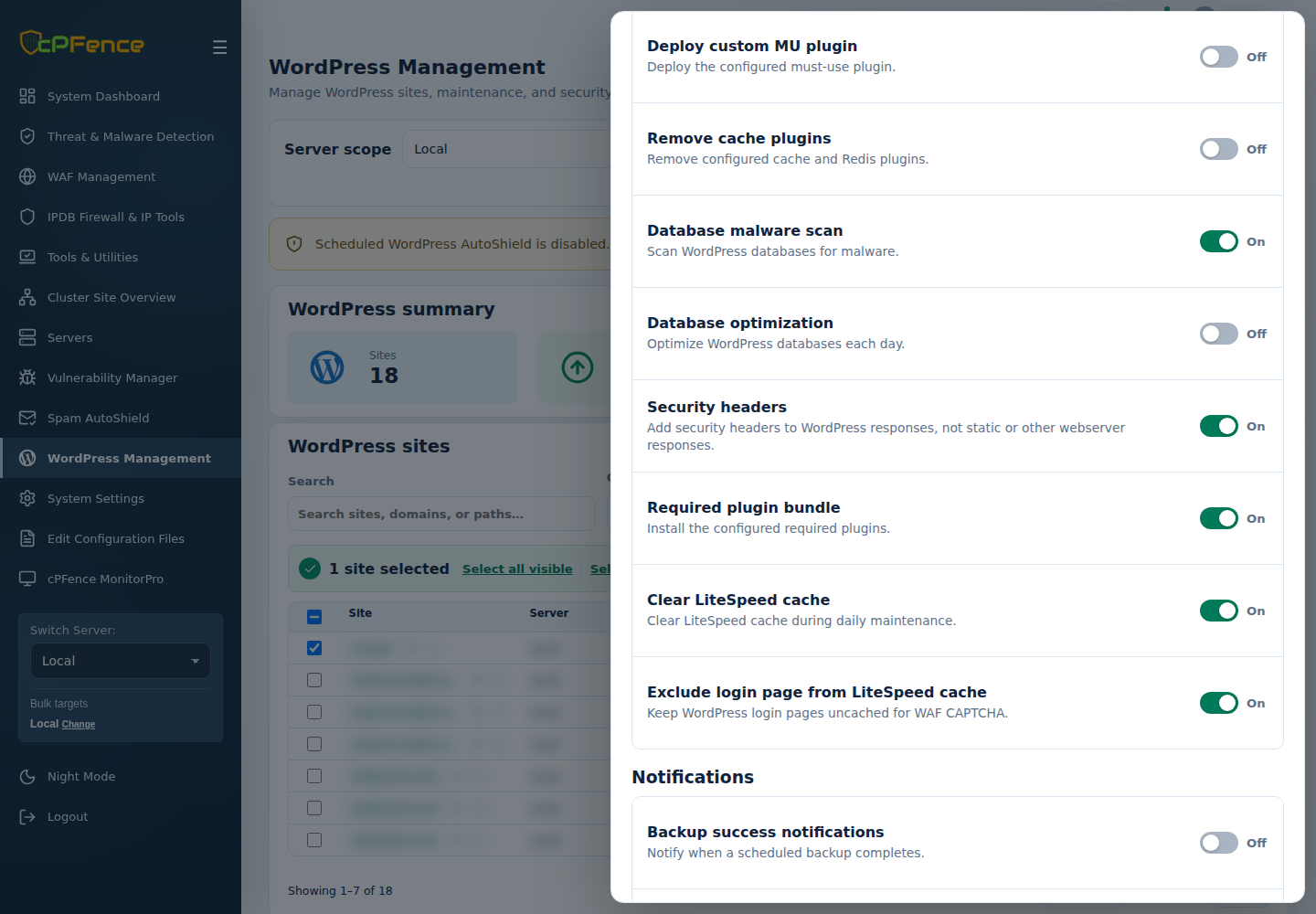
cPFence v4+ can scan WordPress databases daily for malware and injection threats when the Database malware scan policy and WordPress AutoShield master are enabled. Review detected findings and investigate affected sites; a database scan does not automatically clean every injected payload.
New Features in cPFence Database Security:
- WordPress Database Malware Scanning – Detects suspicious injected content for investigation; daily scanning follows your saved AutoShield policy.
- Custom Database Whitelisting – Exclude specific databases from scanning if needed for performance reasons.
- Enhanced Detection Rules – Improved accuracy helps identify threats; review matches before taking action.
- Spam-Free Scanning – Filters out unnecessary spam detections to focus purely on security threats.
- Bulk Scanning via CLI – Quickly scan all databases with a single command:
cpfence --bulk-scan-wp-databases
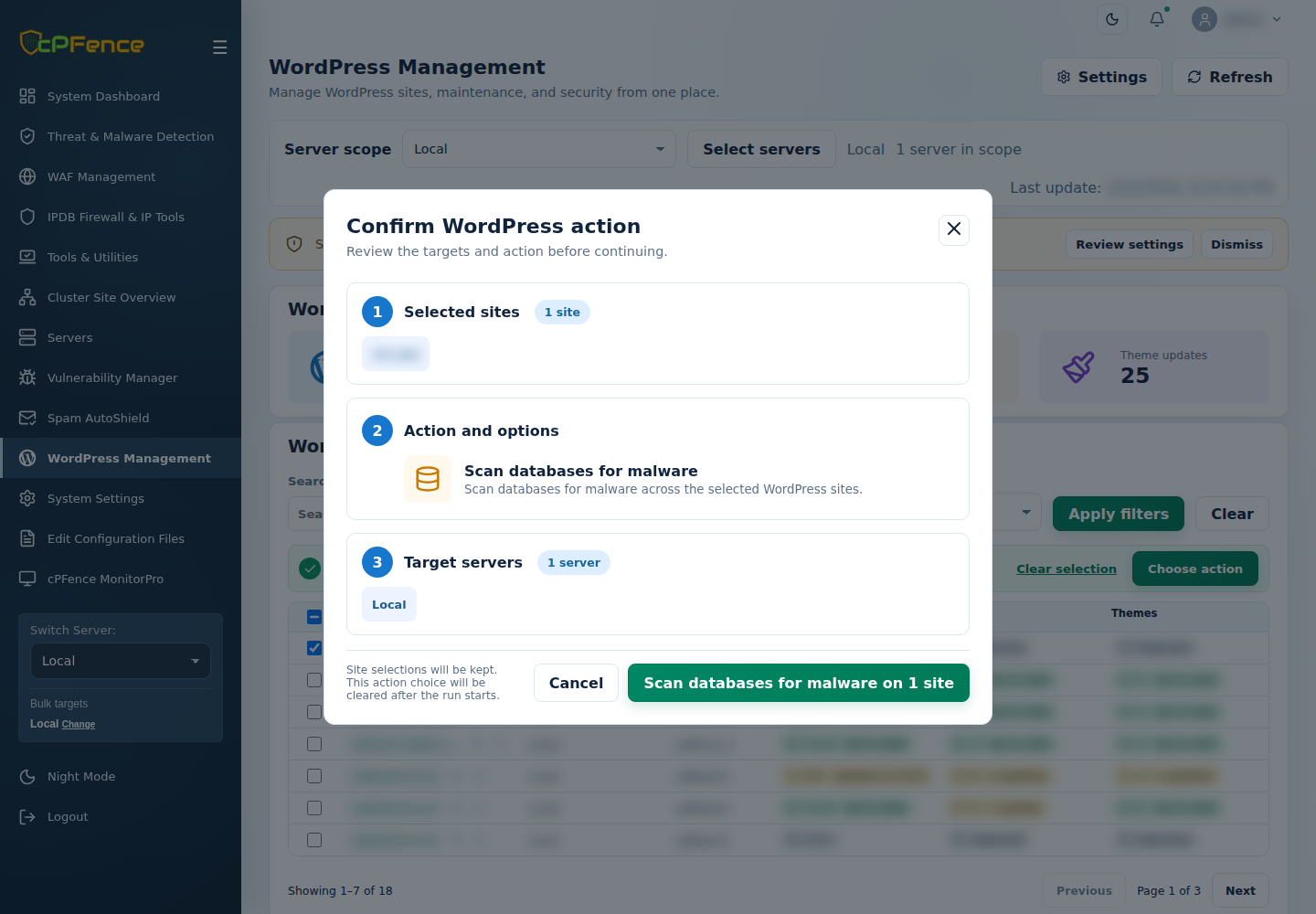
For selected sites, open WordPress Management, choose the server scope and sites, then Choose action → WP-AutoShield → Database → Scan databases for malware. Review the confirmation and target servers before starting. Check every site’s final result and the scan reports; a failed database connection is not a clean result.
For the CLI, run cpfence --bulk-scan-wp-databases as root against a reviewed site list on the hosting server. Check /var/log/cpfenceav/wordpress_db_scan_temp_run.log and /var/log/cpfenceav/wordpress_db_scan_error.log if a site needs attention. Keep usable backups before remediation.
Going Beyond Detection – Optimizing Your Databases Automatically
Security is just one part of the equation—performance matters too. That’s why cPFence WP-AutoShield now includes an automatic database optimization tool. This feature helps keep WordPress databases running efficiently by removing overhead and optimizing tables.
- Daily WordPress Database Optimization (Optional Feature) – Boosts site performance without manual intervention.
- Enable via Admin UI – In WordPress Management, choose one server and open Settings. Enable Database optimization and the WordPress AutoShield master, then Save settings and check the result.
- Run Optimization Manually – Use the command:
cpfence --bulk-optimize-wp-databases
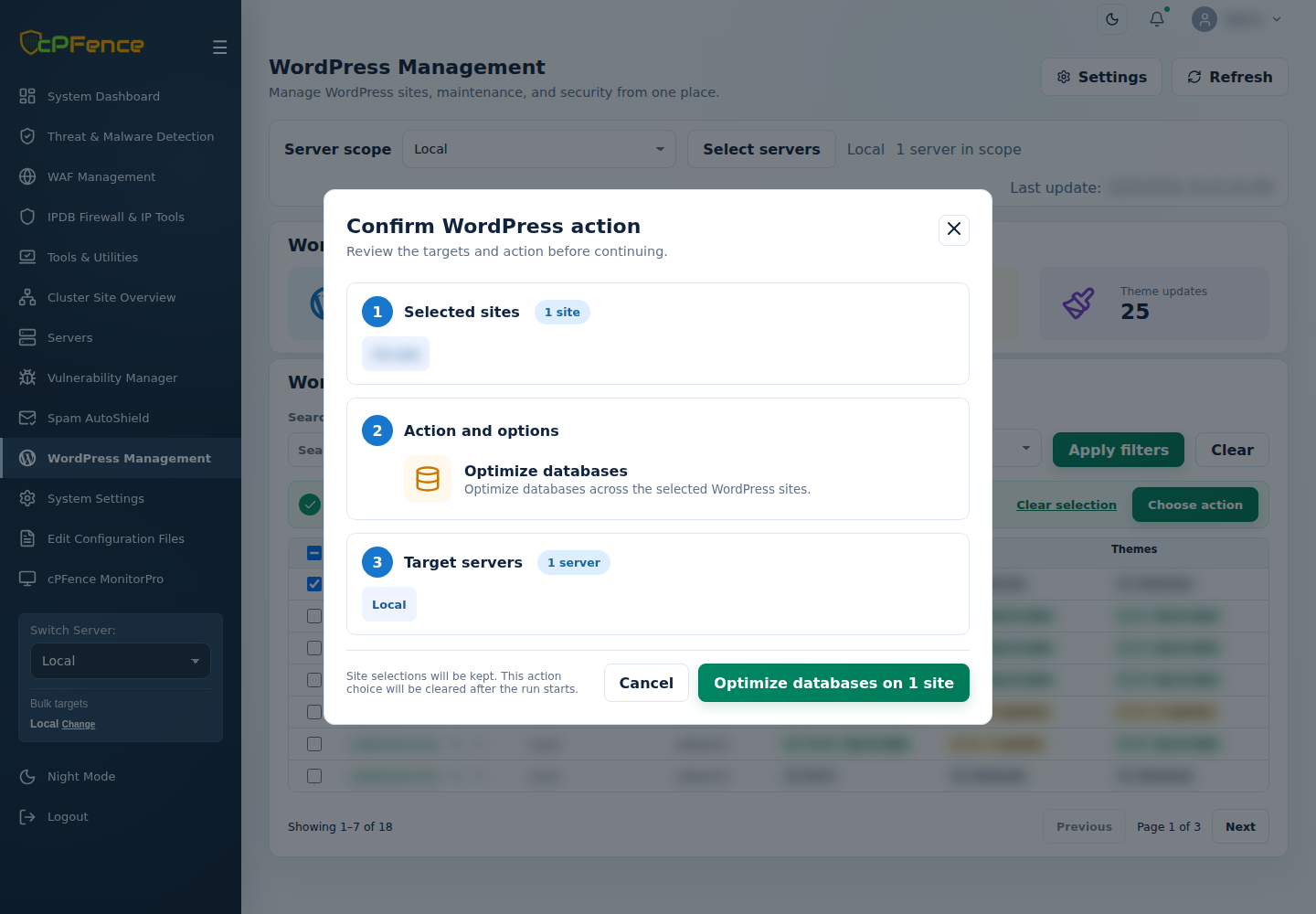
For a one-off WebUI optimization, choose the sites and open Choose action → Bulk tools → Database → Optimize databases. Review the targets, confirm and check every final result. Optimization adds database work, so use a quiet period and keep backups.
No passwordless SSH needed for normal cPFence v4+ operation. Only remote WordPress backups/restore and MultiRun need it. If you do not use those two features, you can disable passwordless SSH access and the rest of v4+ will keep working.
Stay Ahead of the Threats with cPFence
While others are still struggling to adapt, cPFence is already delivering next-gen security features that hosting providers and VPS owners need. With full IPv6 support and advanced database scanning, cPFence ensures your servers are protected from modern threats without compromise.
Stay Ahead of the Threats with cPFence
Are your security measures keeping up with the evolving threat landscape? Try cPFence v4+ and bring IPv6 access policies and WordPress database scanning into one WebUI.
Start free trial