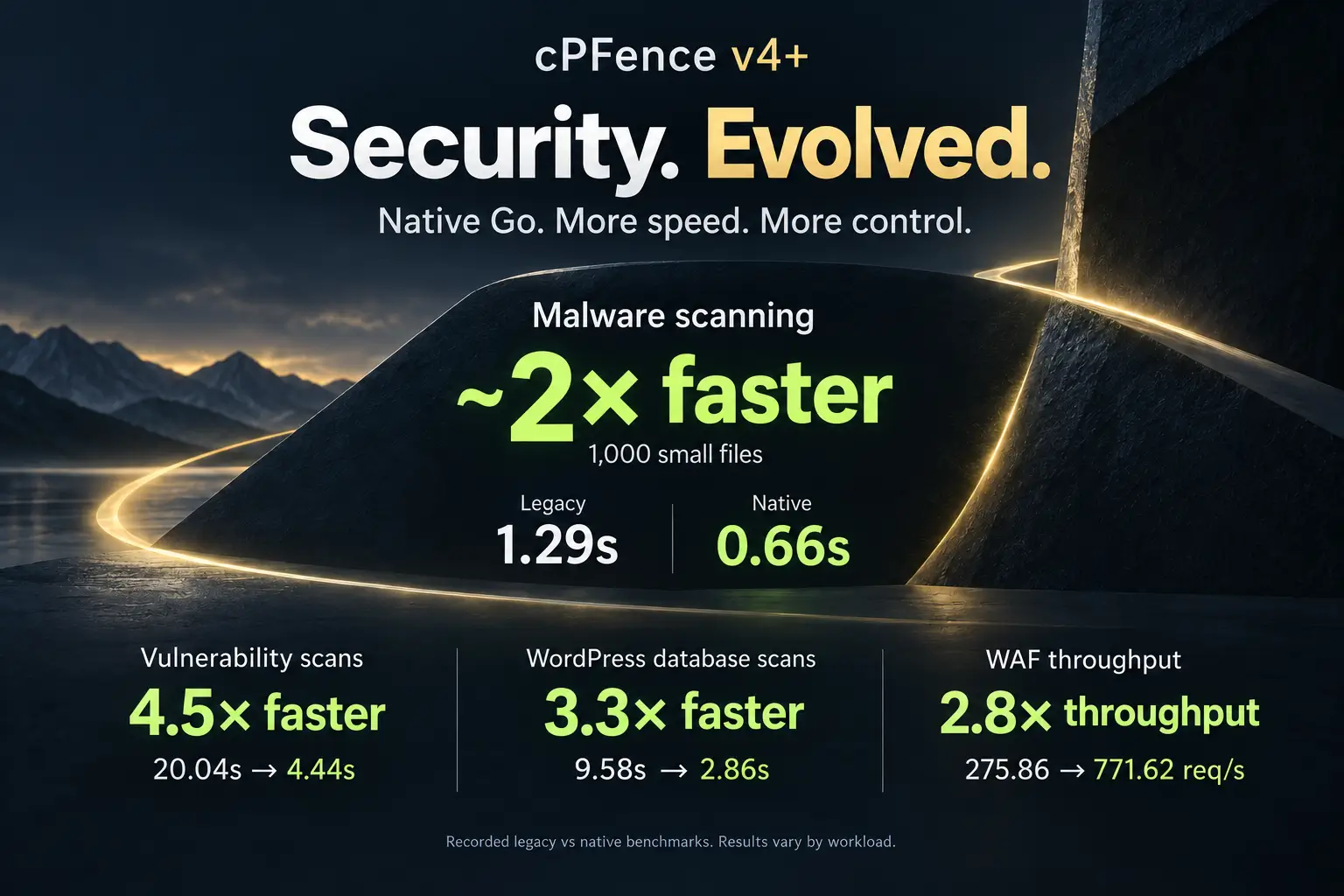
Vulnerability Manager Is Here: See, Patch, Secure – Faster

Let’s face it – vulnerabilities are the #1 reason behind WordPress security incidents.
A site with no known vulnerabilities combined with a solid security layer like cPFence is, for all practical purposes, extremely hard to break.
But here’s the reality. Managing vulnerabilities – especially on shared hosting servers – is overwhelming.
Multiple sites. Different owners. Endless CVEs. Plugins that claim they’re updated… until they’re not.
The cPFence team knew this pain all too well – so we fixed it.
Today, we’re introducing cPFence Vulnerability Manager: a centralized, clear, and actionable way to see vulnerabilities, patch them fast, and keep every site under control – all from one place.
One-Click Updates – Bulk or Selective
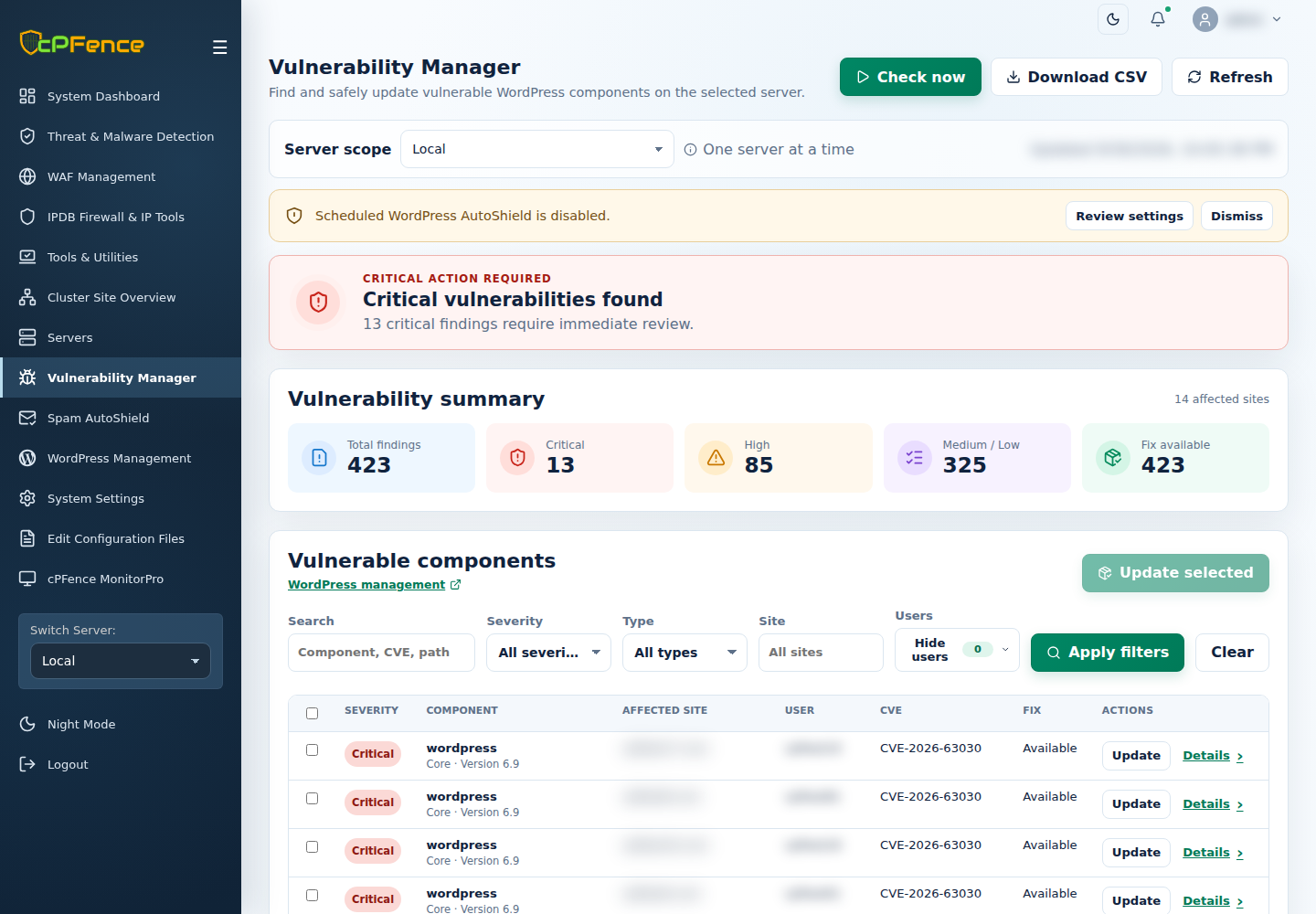
Patch all vulnerabilities at once, or update only the ones you choose. No jumping between sites. No manual busywork. Just click and fix.
Choose Local or one secondary server in Server scope, select the intended findings, and use Update selected—or a row’s Update. Review eligible components and targets before confirming, then check the final results and site functionality.
Start with Fix available to spot findings with an available fix and prioritize your next move. An unavailable fix or a failed component update still needs attention—check each result rather than assuming every finding was patched.
Powerful Filtering & Search
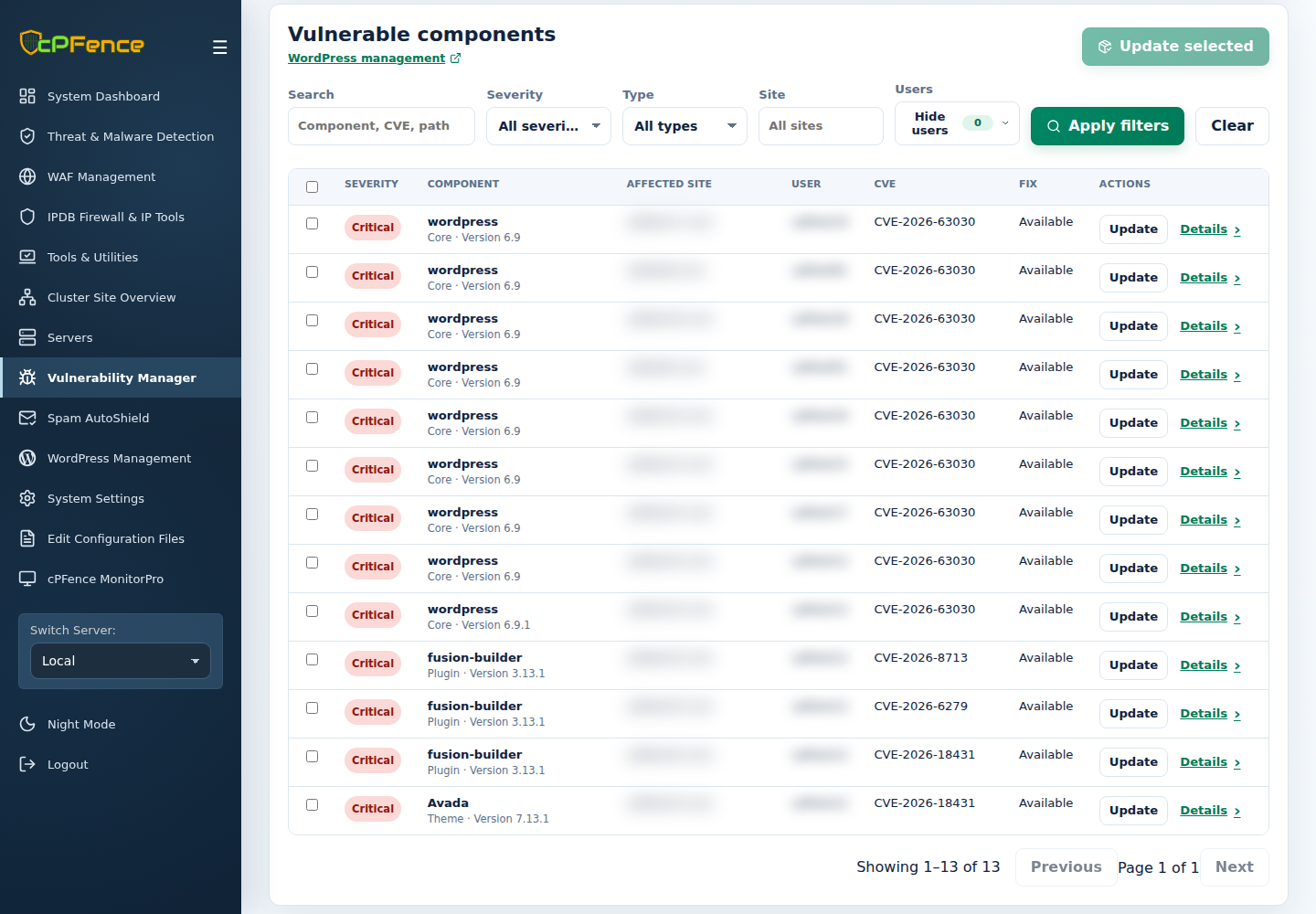
Search by component, CVE, or path, choose Severity, Type, or Site, then select Apply filters. When you manage many sites, clarity is everything – and this gives it to you.
Need to separate WordPress core from plugins and themes? The Type filter does exactly that, with Other for the remaining findings. Combine it with severity to focus on the right work first.
Exclude Old or Ignored Sites
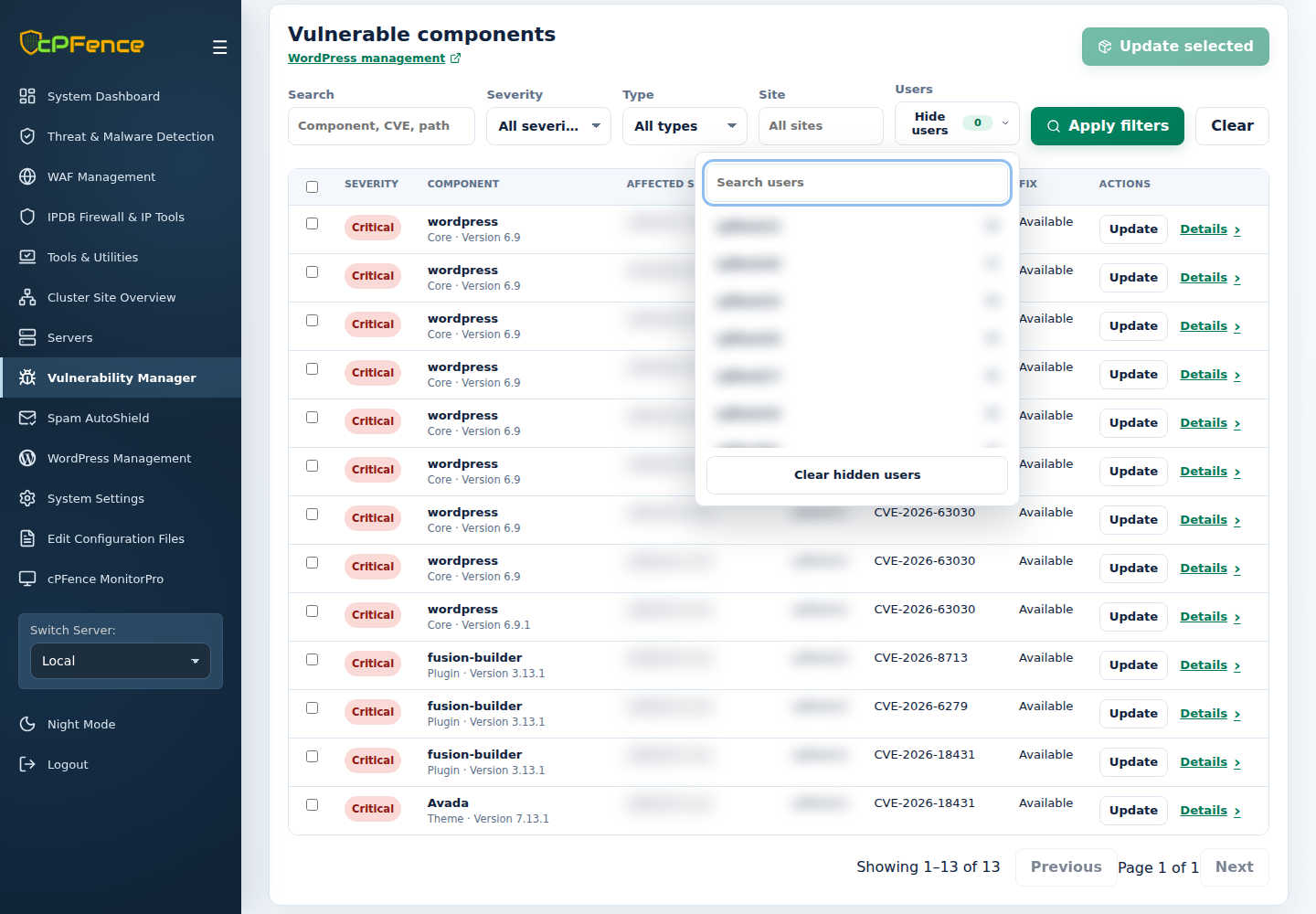
Got legacy sites or vulnerability-heavy installs you don’t want in your daily view? Hide them from the list and focus only on what matters right now.
Open Hide users and choose the users to hide from this view. This does not exclude them from future checks; use Clear hidden users to show them again.
Full Vulnerability Details & Remediation
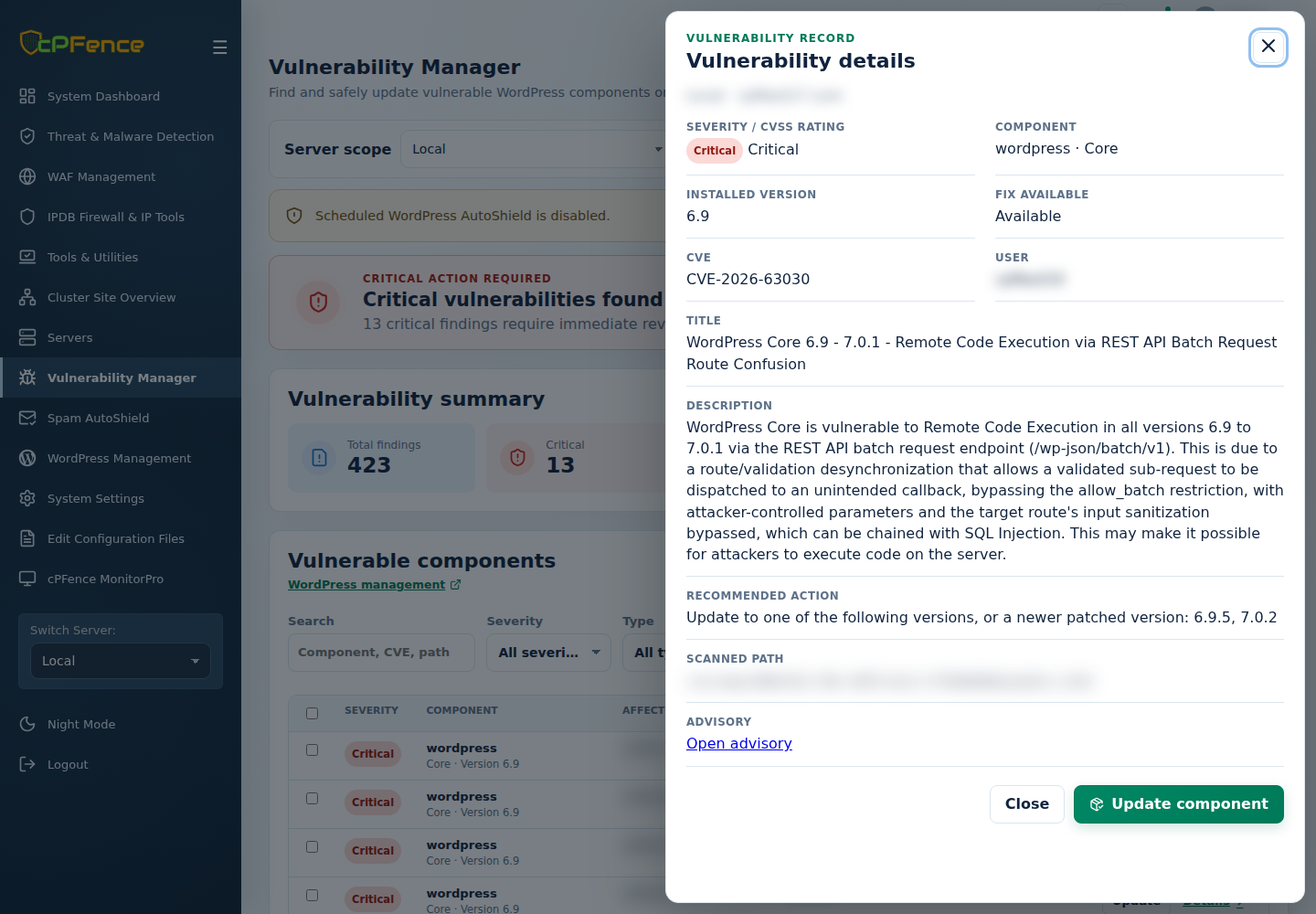
Every vulnerability comes with CVE reference, severity level, technical description, and clear remediation instructions. No guessing. No external research. Just actionable info.
Open a finding’s Details to inspect the record. Open advisory opens its reference; Update component starts the reviewed update flow for a supported component.
Downloadable CSV Reports
Download the full vulnerability report in CSV format with one click for sharing or record keeping.
Want a focused audit from the terminal? As root on the intended server, replace the example with your WordPress path:
cpfence cves-audit -m csv --output-headers /PATH/TO/WORDPRESS
This prints a path-scoped CSV audit; it does not refresh the WebUI’s stored report. For the server-wide reporting flow, use cpfence --vuln-scan and cpfence --vuln-export, read their output, then reload the report you need.
Manual Scan & Report Refresh from UI
Select Check now and confirm to request a fresh check of the selected server. Follow its output, then select Refresh to reload the stored report. Refresh alone does not run a new check.
Automated Weekly Scans & Email Reports
Vulnerabilities are automatically scanned every week and delivered to your inbox in a detailed email report, ensuring nothing slips through the cracks.
Keep the vulnerability-check policy enabled for the intended server and configure its notification channel if you want reports delivered. A scheduled check and an email delivery are separate outcomes—an empty inbox is not proof that no vulnerabilities were found.
Security is not about reacting after an incident – it’s about staying ahead of it. With cPFence Vulnerability Manager, you get clear visibility, fast remediation, and full control over vulnerabilities across all your sites, all from a single dashboard.
Start Your Free Trial
Experience Vulnerability Manager in action and see how effortless vulnerability management can be.
Start free trial