cPFence v4+: Security. Evolved.
The cPFence v4+ public beta is here. A native Go core. Stronger protection. A completely reimagined WebUI. The security and bulk tools you love, with a much simpler way to use them.
This is cPFence, evolved.
Native speed. Less waiting.
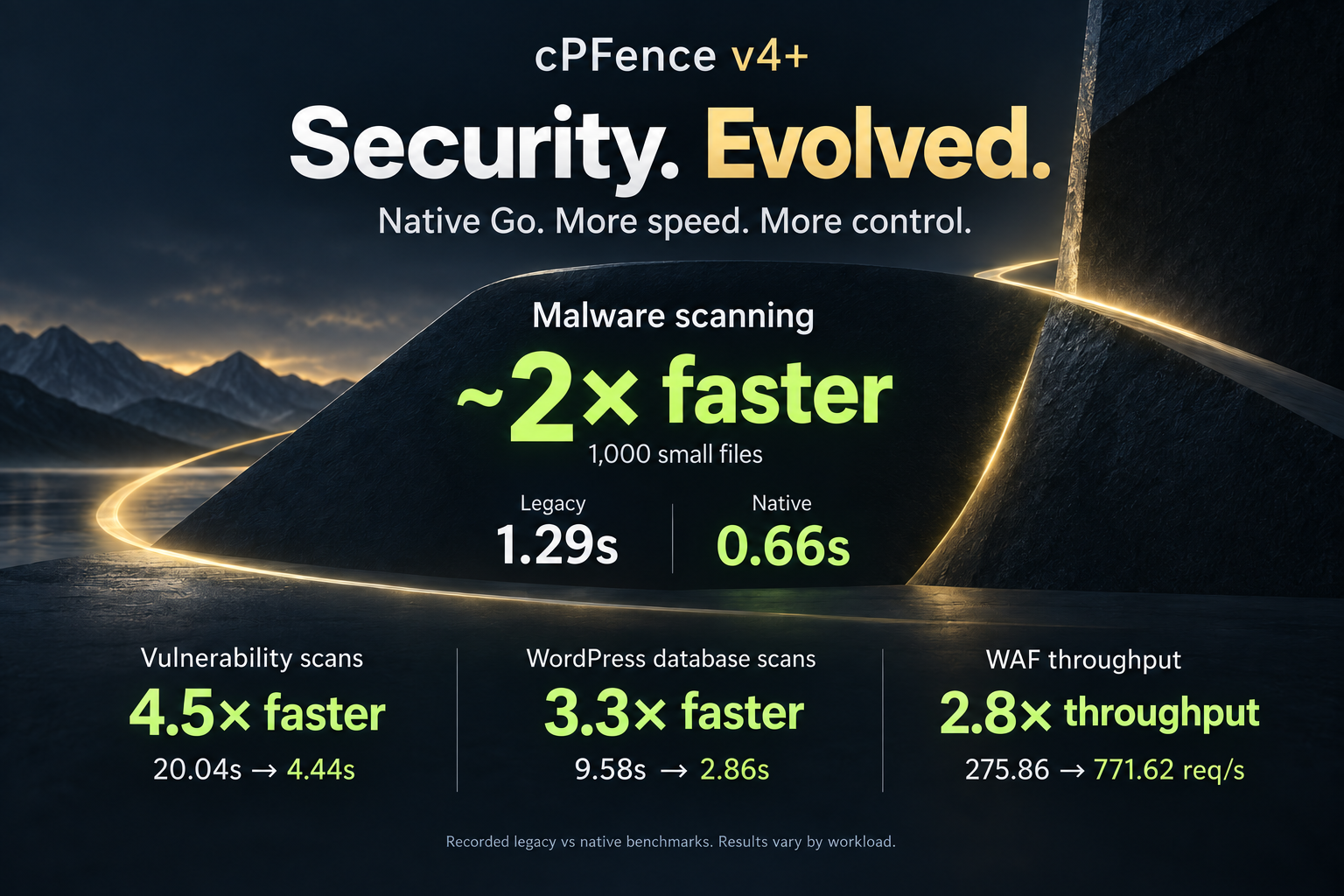
Malware scanning comes first: our native engine protects website and server files, while ClamAV handles email scanning. In the recorded 1,000-small-file comparison, scanning fell from 1.29s to 0.66s—about 2× the speed.
The comparisons above also recorded 4.5× faster vulnerability scans, 3.3× faster WordPress database scans, and 2.8× WAF clean-request throughput. These are measured legacy-versus-native workloads; results vary with your sites and server.
One home for threat detection
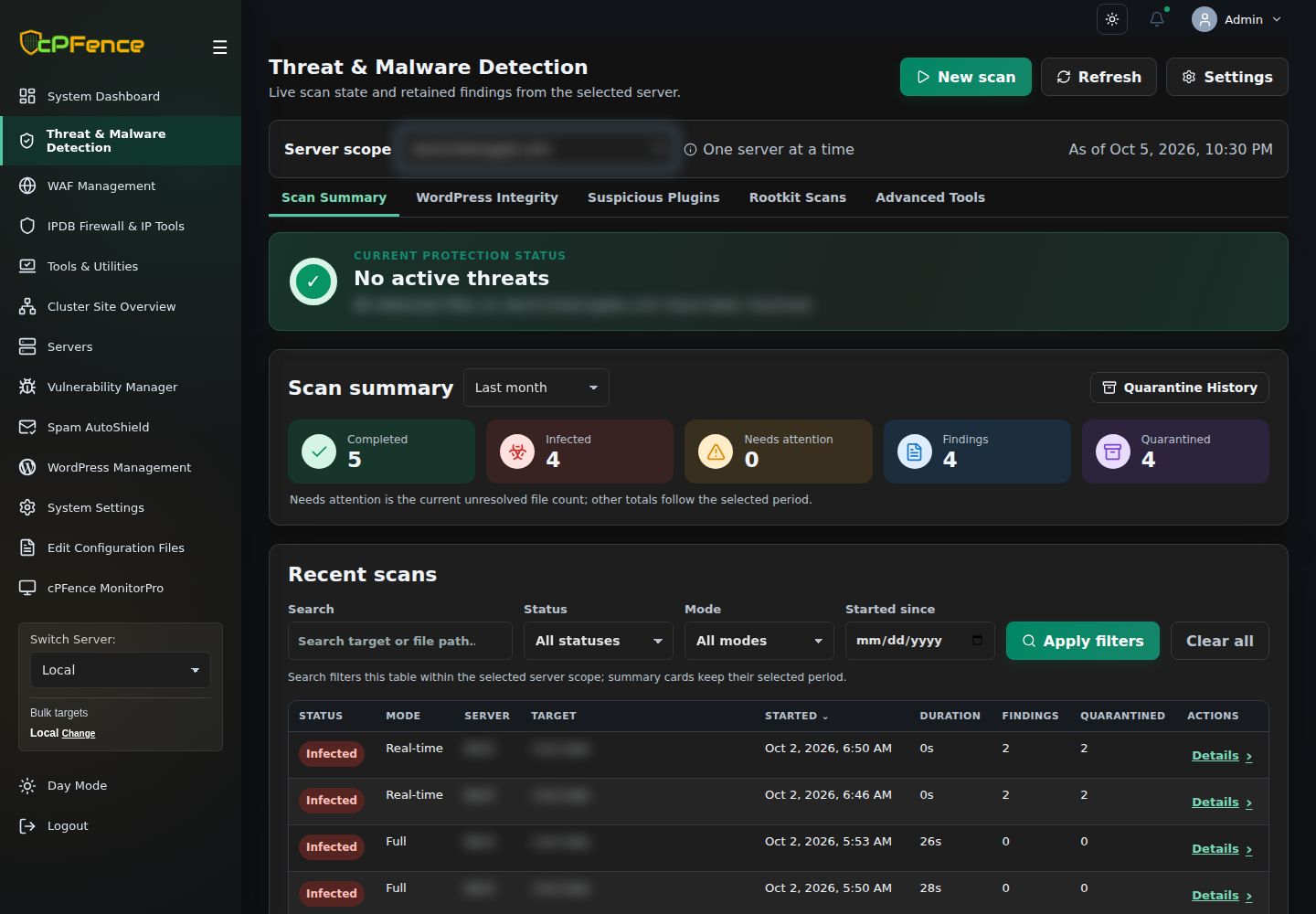
No more hunting through separate screens. Threat & Malware Detection brings scan results, WordPress integrity, suspicious plugins, rootkit scans, and advanced tools together. See what needs attention, inspect the findings, and review quarantine history from the same page.
Your IPDB. Your protection level.
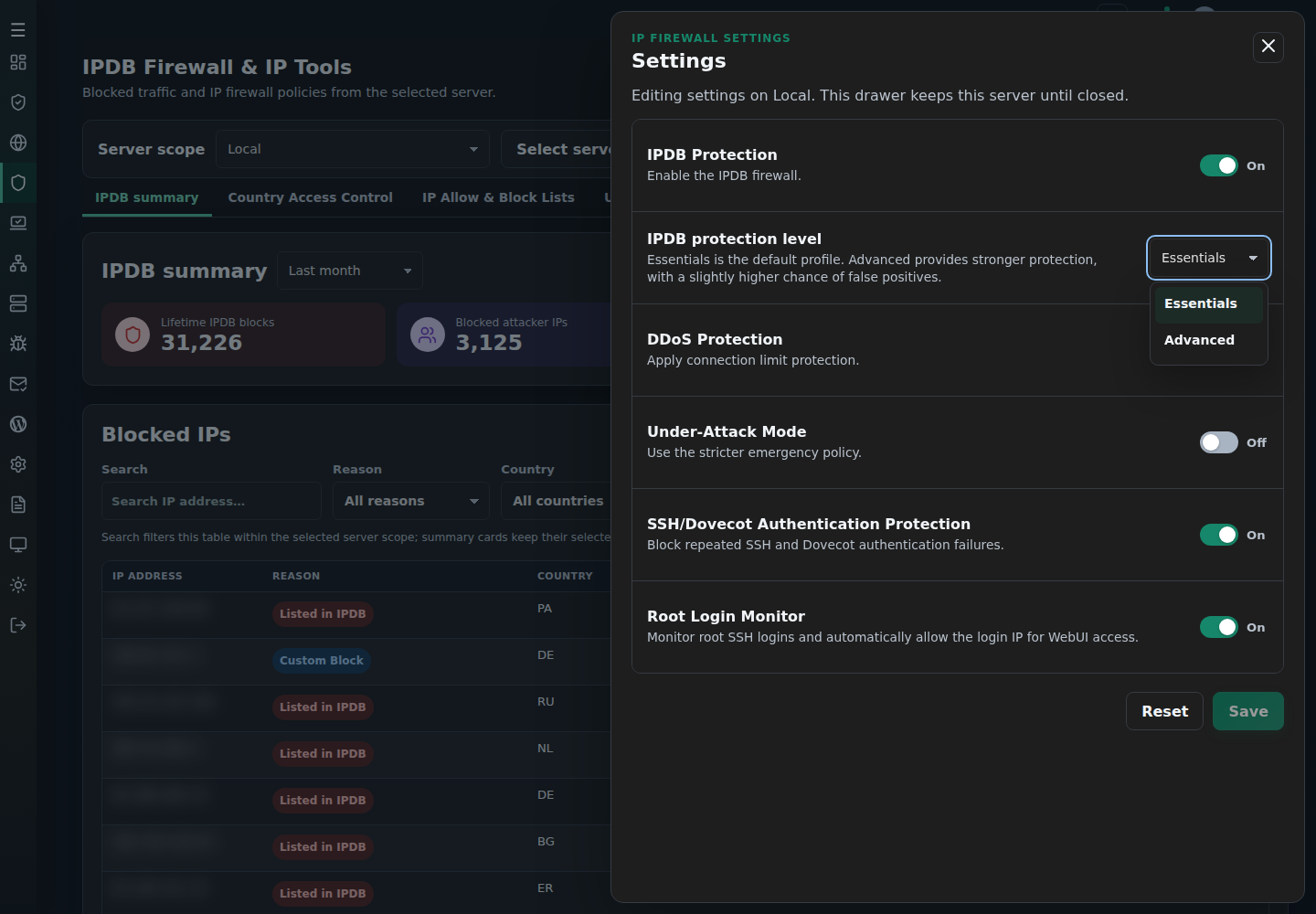
Choose Essentials, the default profile with a lower chance of false positives, or Advanced for stronger protection with a slightly higher chance of false positives. The choice is right there in IPDB settings.
See the block. Understand it. Take action.
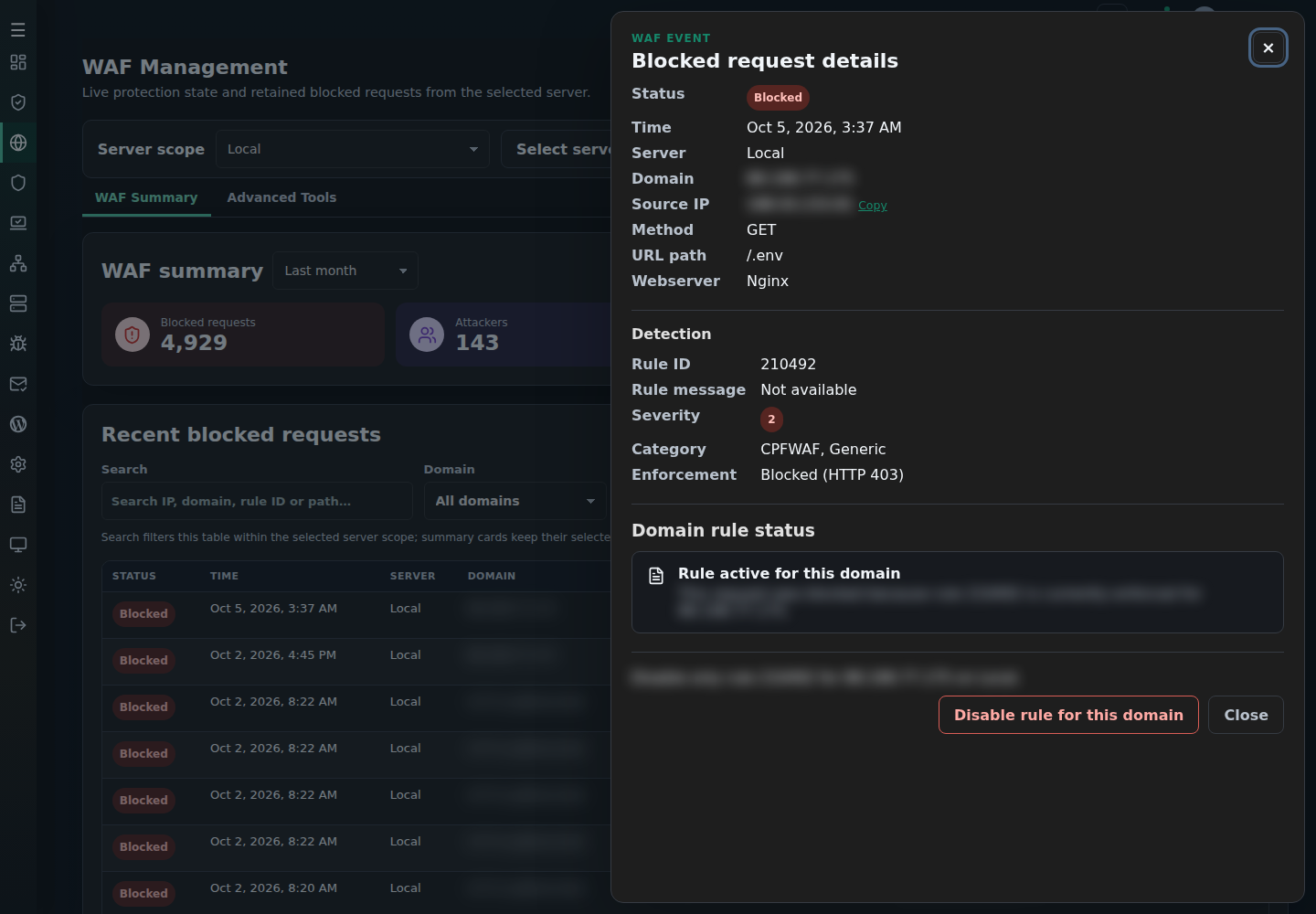
Browse retained WAF requests and IPDB blocks, filter the list, and open the details. Inspect the triggered WAF rule or the blocked IP, then use the available action controls. Review the affected domain or server before confirming a change.
Same great tools. A fresh way to work.
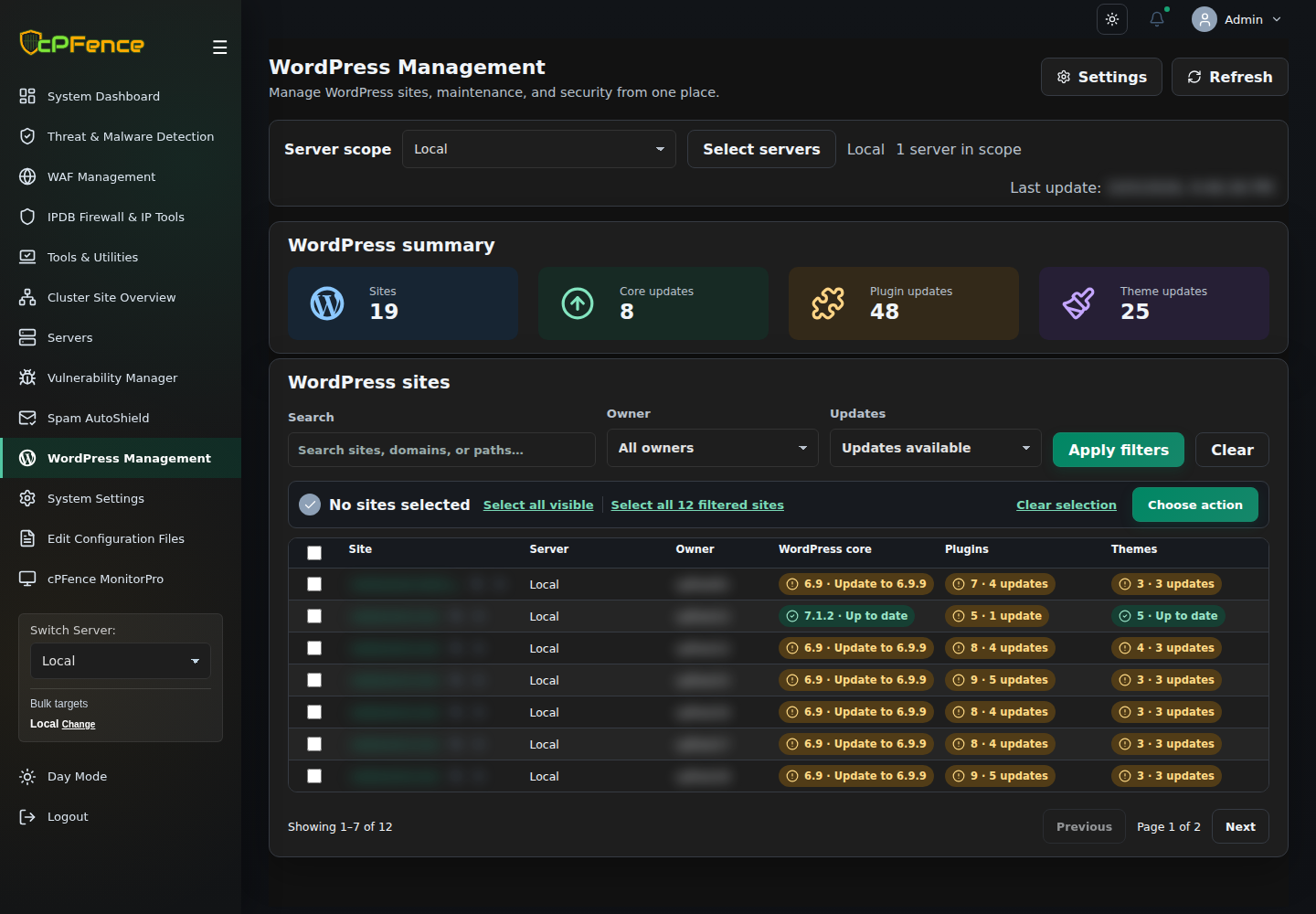
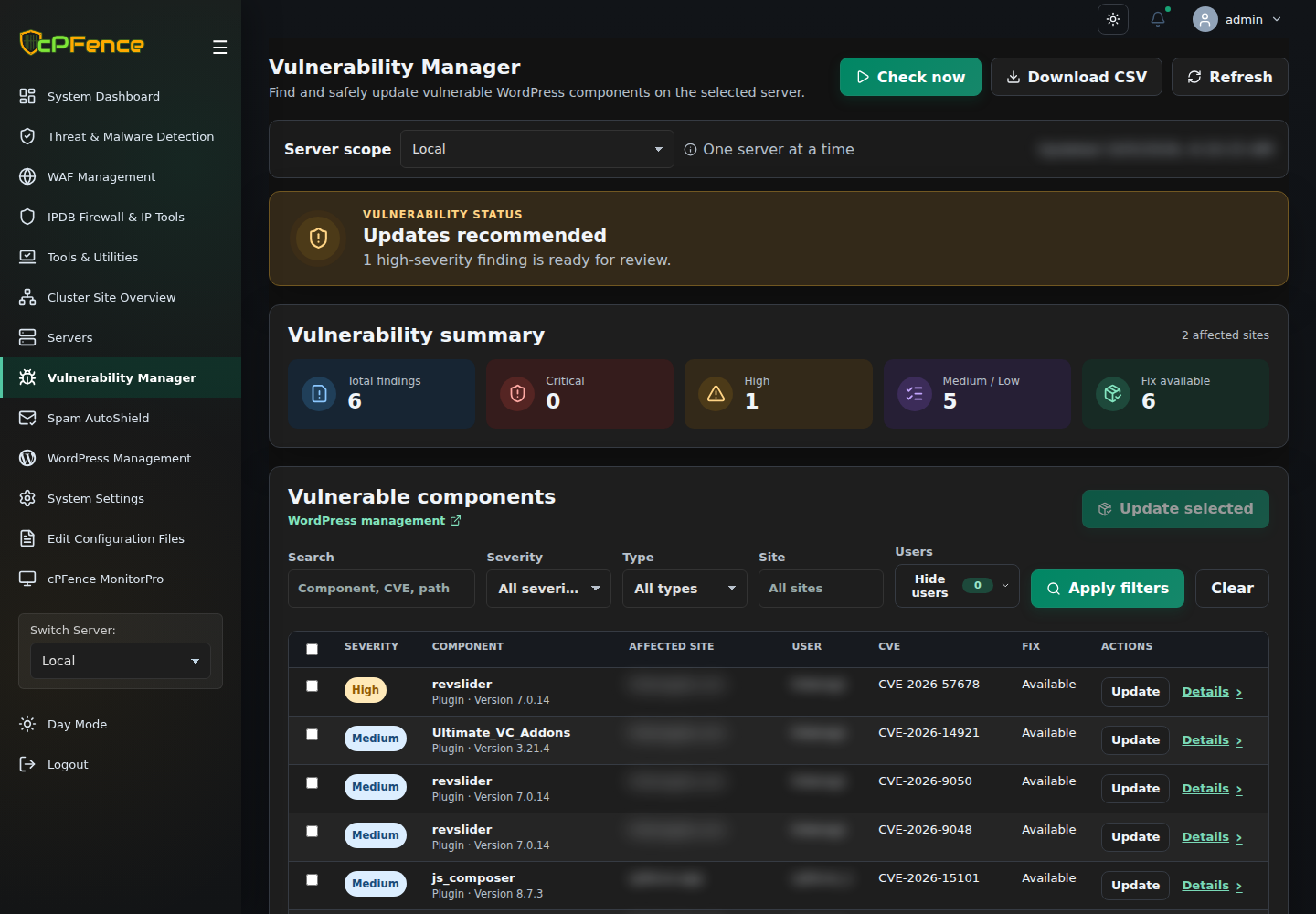
WordPress Management and WP-AutoShield make site selection, updates, hardening, and bulk actions easier to reach. Vulnerability Manager puts affected components and available fixes in view. Spam AutoShield brings mail policies together, while cPFence MonitorPro simplifies uptime and keyword monitoring.
And normal v4+ cluster communication no longer needs passwordless SSH. Remote WordPress backups and MultiRun remain the exceptions.
Meet your next security workflow.
Explore the cPFence v4+ public beta and bring your Enhance hosting security under control.
Start your free trialAlready using cPFence? Read the upgrade guide. New here? Start with installation.