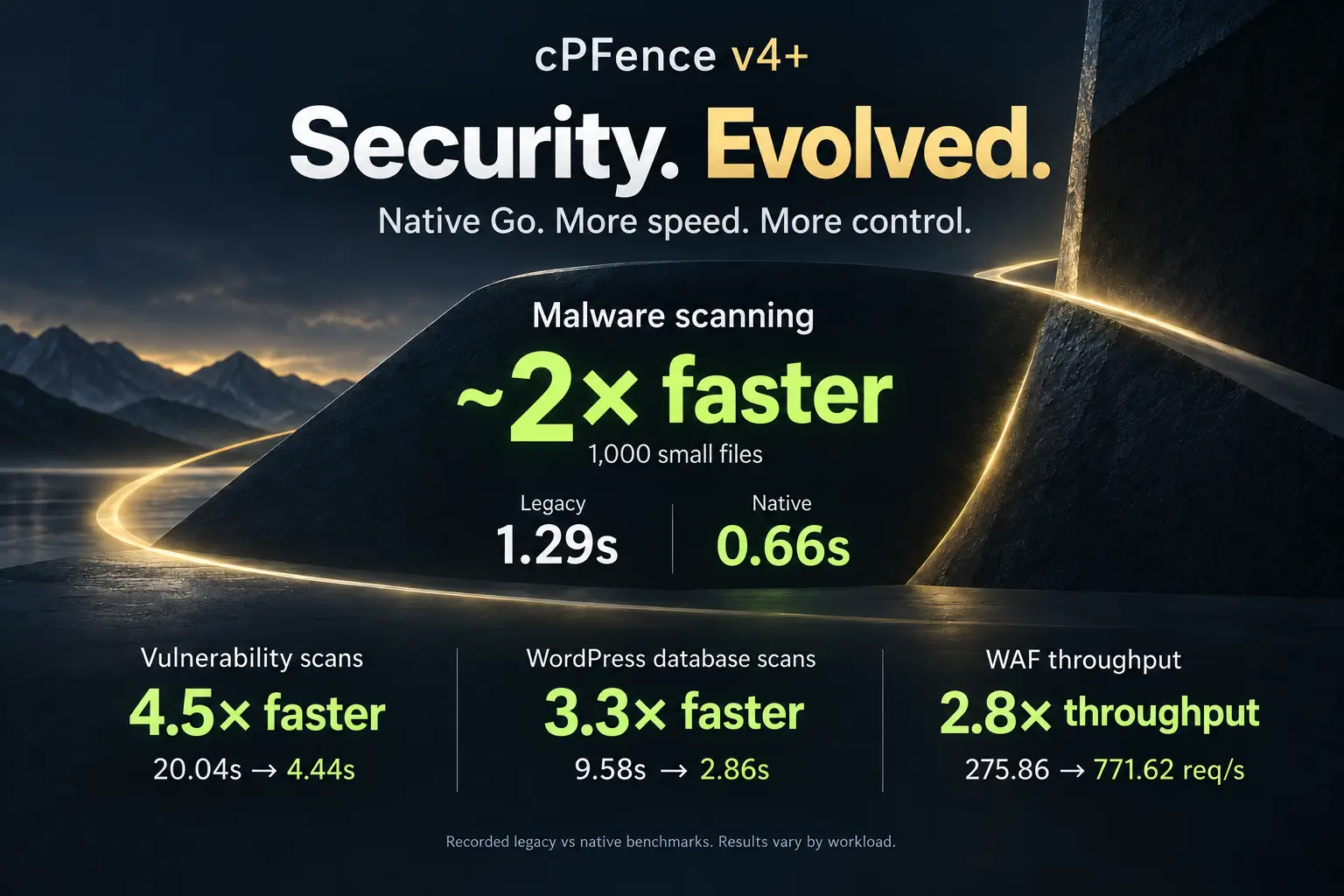
Introducing cPFence TurboScan™: Up to 30× Faster Malware Scans

Meet cPFence TurboScan™, our next-generation malware scanning technology. It delivers up to 30× faster scans than the competition, needs less memory while it works, and keeps no scanner in memory when it is done. It arrives today in cPFence 4.0.20.
Big claims deserve proof. So we raced TurboScan against Imunify360 RapidScan™ and BitNinja on a real production server, with the same files and the same rules for everyone. Here is what happened.
- Repeat full scan10 sec208,503 files, 7.7 GB
- Against the competitionUp to 30×faster malware scans
- Idle CPU and memoryZerono resident scanner process
Your scanner should not be your heaviest tenant
On a shared hosting server, every megabyte of RAM and every CPU cycle belongs to your customers' websites. A malware scanner is there to protect those sites, not to compete with them.
Yet the typical malware scanner does exactly that, in two ways:
- It is slow. A full scan has to work through hundreds of thousands of files, and the server carries that load for minutes at a time.
- It never leaves. The scanner stays resident, holding RAM and using CPU all day, even when there is nothing to scan.
In our test, the two competing scanners held between 213 MB and about 1 GB of memory while idle, and used between 2% and 45% of one CPU core. That is capacity your customers' sites cannot use.
TurboScan was built to end both problems.
What is TurboScan?
TurboScan is the new malware scanning technology inside cPFence v4+. Three ideas make it fast:
- A new high-speed matching engine. Every file is checked against our malware signatures by a new engine built for speed.
- It remembers what it has already checked. TurboScan keeps its verdict for each file, so a repeat scan checks only new or changed files. After a signature update, the next scan checks everything again, so new signatures are applied to every file.
- Real-time detection never waits. Background scanning never delays real-time detection.
And when the work is done, TurboScan gets out of the way: cPFence keeps no resident scanner process.
The head-to-head
Three products. One server. The same 208,503 files. Only one product was installed at a time, and each competitor is shown in its better mode.
| Measurement | cPFence TurboScan™ | Imunify360 RapidScan™ | BitNinja |
|---|---|---|---|
| First full scan | 2.9 min 1.8× faster | 5.1 min 1.8× slower | 10.6 min 3.7× slower |
| Repeat full scan | 10 sec 18× faster | 2.9 min 18× slower | 5 min 31× slower |
| Memory during scanning | 242 MB 28% less | 338 MB 40% more | 369 MB 52% more |
| Idle memory | Zero! | 213–245 MB | ~1 GB |
| Idle CPU | Zero! | 2–15% of one core | 40–45% of one core |
Zero idle memory and CPU means cPFence keeps no resident scanner process; its real-time protection runs a short pass every 2 minutes. See how we tested.
Repeat full scan: done in 10 seconds
Run the same full scan again and TurboScan is finished in 10 seconds. That is 18× faster than Imunify360 RapidScan™ and 31× faster than BitNinja.
- cPFence TurboScan™ Fastest 10 sec
- Imunify360 RapidScan™ 18× slower 2.9 min
- BitNinja 31× slower 5 min
First full scan: every file, from cold
Even with nothing cached and every file to check, TurboScan finished in 2.9 minutes: 1.8× faster than Imunify360 and 3.7× faster than BitNinja.
- cPFence TurboScan™ Fastest 2.9 min
- Imunify360 1.8× slower 5.1 min
- BitNinja 3.7× slower 10.6 min
Memory and CPU: there when needed, gone when not
While scanning, TurboScan peaked at 242 MB of memory, against 338 MB for Imunify360 and 369 MB for BitNinja.
Idle is where the gap becomes a gulf. Imunify360 held 213–245 MB of memory and used 2–15% of one CPU core. BitNinja held about 1 GB and used 40–45% of one core. cPFence kept no scanner process in memory at all.
What it means for your servers
- More headroom for customer sites. The RAM and CPU a resident scanner would hold all day stay free for the websites you host.
- Scans that finish before your coffee. A repeat full scan took 10 seconds in our test. Start one, and it is done before you reach the kettle.
- A faster first scan, too. Checking every file from cold took 2.9 minutes in our test, well ahead of both competitors.
- Real-time protection that keeps its pace. Real-time detection is never delayed by background scanning.
How to get TurboScan
TurboScan is included in cPFence 4.0.20.
- Automatic updates on? Your servers install the update for you.
- Prefer to update by hand? Run this command as root:
cpfence --updateYou can also update from the WebUI: see Manage your license and updates. Everything else in this release is in the change log.
How we tested
A benchmark is only worth reading if you can see how it was run. Here is ours.
- The server: one real production Enhance hosting server on Ubuntu, with 4 CPUs and 7 GB of RAM.
- The files: 208,503 files (7.7 GB) under
/var/www, across 12 live WordPress sites. Nothing was added for the test. - The same conditions for everyone: the same server and the same files for all three products. Only one product was installed at a time; the other two were uninstalled.
- Versions: cPFence 4.0.20 (TurboScan), Imunify360 8.15.1 and BitNinja 3.15.10.
- Malware scanning only: the competitors' WAF, firewall and IP blocking were turned off. Otherwise each product used its default scan settings, with BitNinja's automatic quarantine off.
- First full scan: a cold scan. We dropped the operating system's file cache and deleted each product's own scan cache first.
- Repeat full scan: the same scan again, straight after the first.
- Times: wall-clock time. The ratios are calculated from the unrounded values, so they can differ slightly from the rounded times shown.
- Each competitor in its better mode: for Imunify360, that is a path scan for the first scan and a per-user RapidScan for the repeat scan.
- Memory: the peak resident memory of the scanning processes. Page cache is not counted.
- Zero idle memory and CPU: cPFence keeps no resident scanner process, so nothing sits in memory between scans. Its real-time protection does run a short pass every 2 minutes.
- What we did not measure: detection rates. This benchmark covers speed and resource use only, and we make no claim here about which product detects more.
Feel the difference on your own servers.
Try cPFence v4+ with TurboScan on your Enhance servers, and see how fast a scan can be.
Start your free trialAlready using cPFence? Update to 4.0.20 and TurboScan is yours. New here? Start with installation.
Imunify360 and RapidScan™ are trademarks of their respective owner, and BitNinja is a trademark of its respective owner. They are named here only to identify the products we tested. These results come from our own test on our own server, with the versions and settings described above. Your results may vary with your sites, files and hardware.