
Introducing CaptchaFence™: Stop the Bots That Get Past Cloudflare

Meet CaptchaFence™: bot protection for all your websites' traffic, not just the login page. It stops the scraping and scanning botnets that get past Cloudflare and quietly eat your server's CPU. It arrives today in cPFence 4.0.24, included free for every cPFence user.
Not the login CAPTCHA you know
cPFence's WAF CAPTCHA has guarded login pages for a long time. CaptchaFence is a different league: it protects every page of every site on the server.
Protection like this usually costs extra, for example LiteSpeed Enterprise's reCAPTCHA or Cloudflare's paid bot plans. With cPFence it is part of the product, at no extra cost.
The bots your CDN lets through
Modern scrapers don't hammer a site from one address. They spread their requests across hundreds of IP addresses, so each one looks like an ordinary visitor. Rate limits don't trigger, IP blocklists can't keep up, and a CDN in front of the site lets them straight through.
Meanwhile your customers' websites pay for every request in CPU and memory, and the server slows down for real visitors.
How CaptchaFence stops them
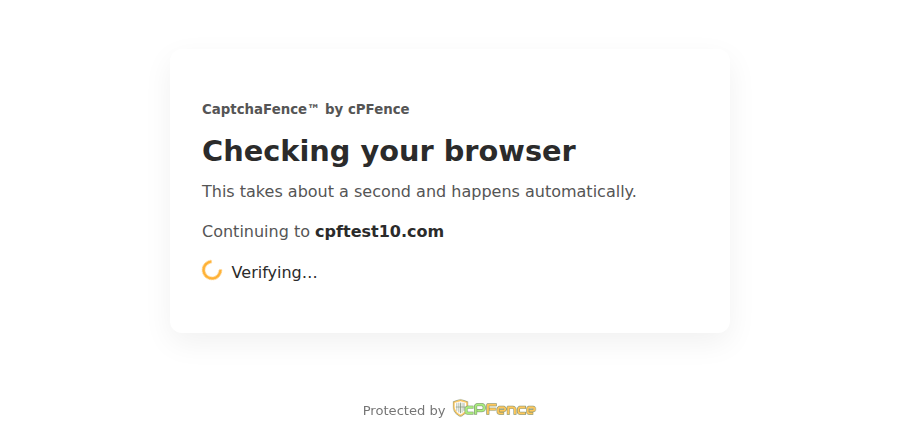
CaptchaFence watches the traffic across your whole server and spots scrapers even when they keep changing IP address. A suspected scraper is sent to the cPFence Security Check:
- People pass in a moment and carry on browsing as normal.
- Bots that never pass are blocked for a while.
- Scanners that probe sites for weak spots are blocked straight away.
What our early-bird testers saw
Hosting companies in our early-bird program ran CaptchaFence on their Enhance servers before release, against botnets that were getting past Cloudflare. In their words:
- Better than Cloudflare. "Even with CloudFlare on the front line, bots were still managing to get through and cause damage." CaptchaFence "solved an annoying problem".
- Up to 90% less server load. "CPU consumption has dropped by more than 90%."
Safe to roll out
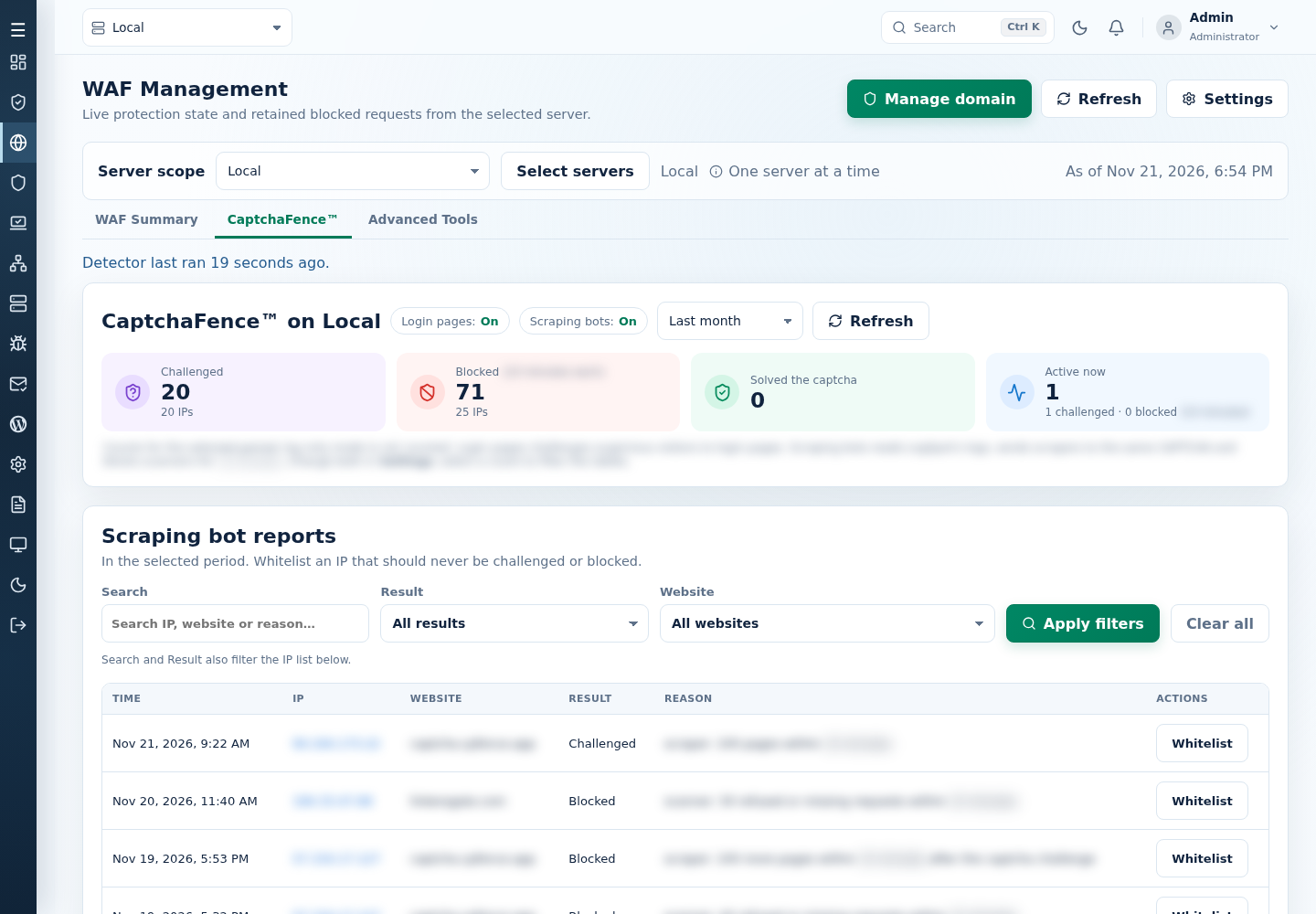
- Optional Log only mode previews what CaptchaFence would do before you switch it on.
- Whitelists for trusted IP addresses, ranges, User-Agents and paths.
- Its own tab in WAF Management lists challenged, passed and blocked visitors, and blocks count on the dashboard.
Turn it on
CaptchaFence is included in cPFence 4.0.24 for Enhance servers. It is off by default and needs LogSpot turned on.
- If LogSpot is off, turn it on: open System Settings, then Advanced Settings, LogSpot v2 Module, Manage LogSpot v2 Module, and select Enable LogSpot Module.
- Open WAF Management, choose a server and open Settings.
- Under CaptchaFence™, set Scraping bots to On and save. CaptchaFence now challenges scrapers and blocks bots.
Or, as root on the server:
cpfence --enable-logspot        # only if LogSpot is off
cpfence --enable-captchafence
Optional: to preview first, choose Log only instead of On (cpfence --captchafence-mode log). CaptchaFence then only reports what it would do. Check the CaptchaFence™ tab and whitelist anyone you trust. When you are ready, switch to blocking: set Scraping bots to On in Settings, or run cpfence --enable-captchafence.
Read the CaptchaFence documentation for every setting and command.
High server load from bots was yesterday's problem.
Give your servers back to real visitors. Try cPFence on your Enhance servers and get CaptchaFence, TurboScan malware scanning and the full security suite in one product.
Start your free trialAlready using cPFence? Update to 4.0.24 and CaptchaFence is yours. New here? Start with installation.
LiteSpeed is a trademark of LiteSpeed Technologies, reCAPTCHA is a trademark of Google, and Cloudflare is a trademark of Cloudflare, Inc. They are named here only to describe comparable features. Tester results are their own observations on their own servers; your results may vary with your sites and traffic.