Block WordPress Comment Spam Across All Sites with One Click

If you host multiple WordPress sites, you already know spam comments are relentless. cPFence includes advanced security layers by default—including IPDB protection—but spam bots can still slip through when websites use proxies like Cloudflare, effectively bypassing IP-based blocking.
Today, we’re excited to share a powerful one-click solution that can be applied cluster-wide using WP-AutoShield bulk tools. This solution eliminates WordPress comment spam across your entire server instantly and effectively with just one click—without the hassle of complex configurations.
Why Typical Anti-Spam Solutions Fail
Spam bots don’t read your posts or load your pages. Instead, they send direct POST requests to WordPress’s comment handler (wp-comments-post.php), injecting spam links effortlessly. Traditional methods—such as CAPTCHAs, IP blacklists, or honeypots—don’t fully prevent this direct, automated access.
How to Use cPFence Bulk Tools to Solve This
You can use the bulk install plugin feature, or if you have WP-AutoShield’s latest update (3.3.60+), you can now use our new Forced Plugin Installation feature to instantly force daily deployment of proven anti-spam plugins, such as the highly effective Forget Spam Comment, across every WordPress site on your server.
Here’s how it works:
- Direct access to
wp-comments-post.phpis blocked unless the request includes a special query string. - A lightweight JavaScript snippet automatically generates this query string when genuine users scroll down a page.
- Bots, unable to mimic real human browsing, are completely denied.
Activate Across All Sites with a Single Click
To implement this powerful solution immediately:
- In cPFence v4+, open WordPress Management, choose the intended server scope and explicitly select the sites. Start with one site and preserve a backup.
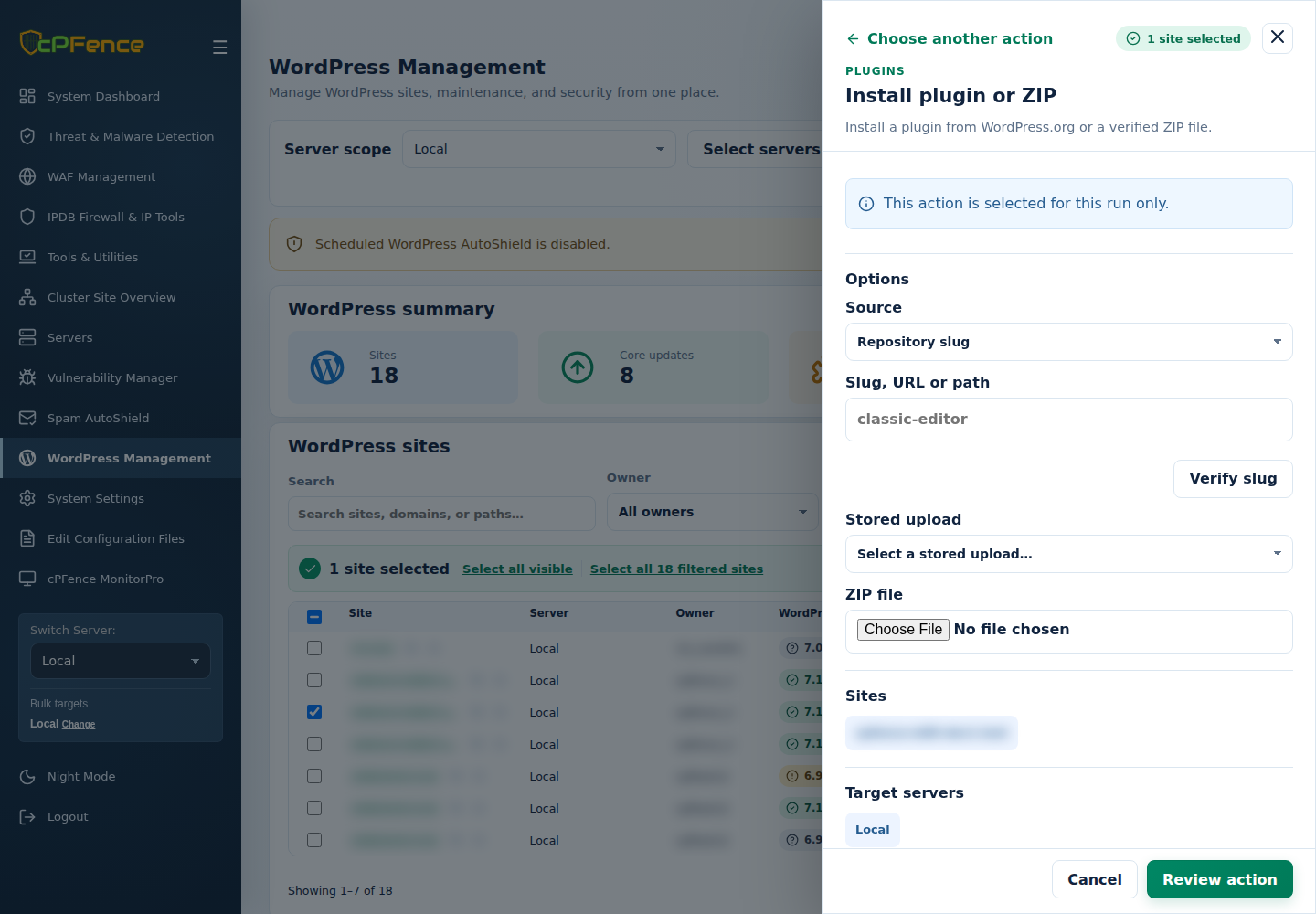
- Open Choose action → Bulk tools → Plugins → Install plugin or ZIP. Keep Source → Repository slug.
- Enter the plugin slug:
forget-spam-comment. - Click Verify Slug.
- Select Review action, check the plugin, sites and target servers, then confirm installation. Read every site’s final result and check activation and legitimate commenting.
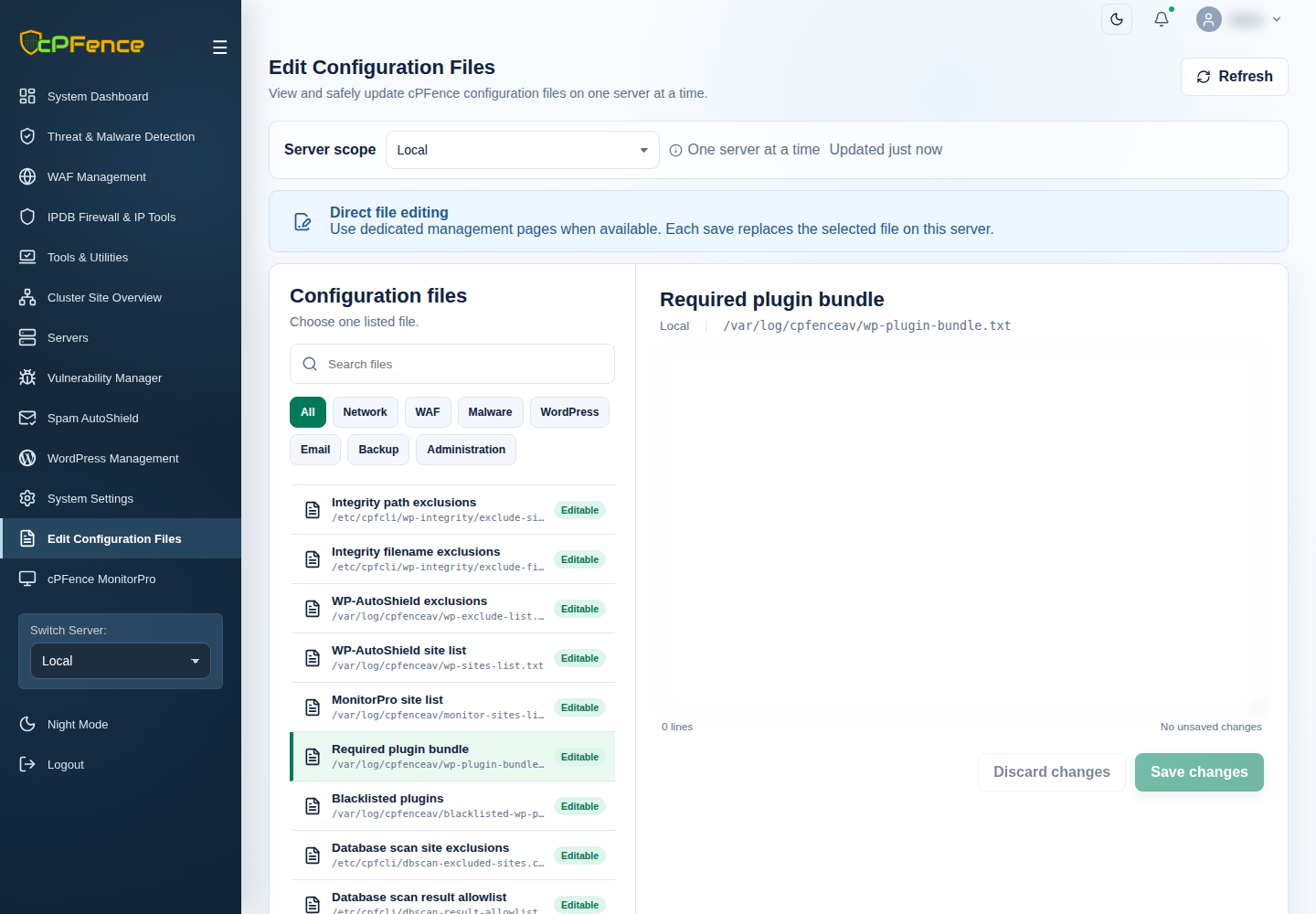
For permanent, automated enforcement, open Edit Configuration Files → Required plugin bundle for each intended server and add forget-spam-comment, one slug per line, preserving other entries. The path remains /var/log/cpfenceav/wp-plugin-bundle.txt. Save and reload the list. Keep WP-AutoShield on and enable Required plugin bundle in System Settings → General Settings, then save and check the result. Its config key remains autoshield_force_plugin_bundle; this optional policy is off by default and enforces installation during eligible daily runs. Plugin updates follow the selected update policy.
Need the CLI? Run cpfence --bulk-install-wp-plugin as root on the intended server and follow the repository-slug prompts. cpfence --bulk-install-plugin-bundle applies its configured bundle to that server’s site list. Check scope and final results. Turning off recurring bundle enforcement does not uninstall the deployed plugin; use Manage plugin by slug if you need to disable or uninstall it.
No passwordless SSH needed for normal cPFence v4+ operation. Only remote WordPress backups and MultiRun need it. If you do not use those two features, you can disable passwordless SSH access and the rest of v4+ will keep working. See secure SSH access.
See plugin installation and bundle enforcement for the current controls.
No manual configurations. No complex setups. Spam eliminated instantly, across every site you host.
Immediate Benefits for Hosting Providers
Your customers see a dramatic reduction in spam comments instantly, lessening their moderation burden and improving site performance. Even sites using Cloudflare proxies benefit fully, ensuring robust protection without additional effort.
See it in Action – Free
Experience the simplicity and effectiveness yourself. Start your free cPFence trial for one month today—no obligations, no payment required.
Start free trialDon’t use cPFence? You can still manually install this plugin on your WordPress sites to eliminate spam.