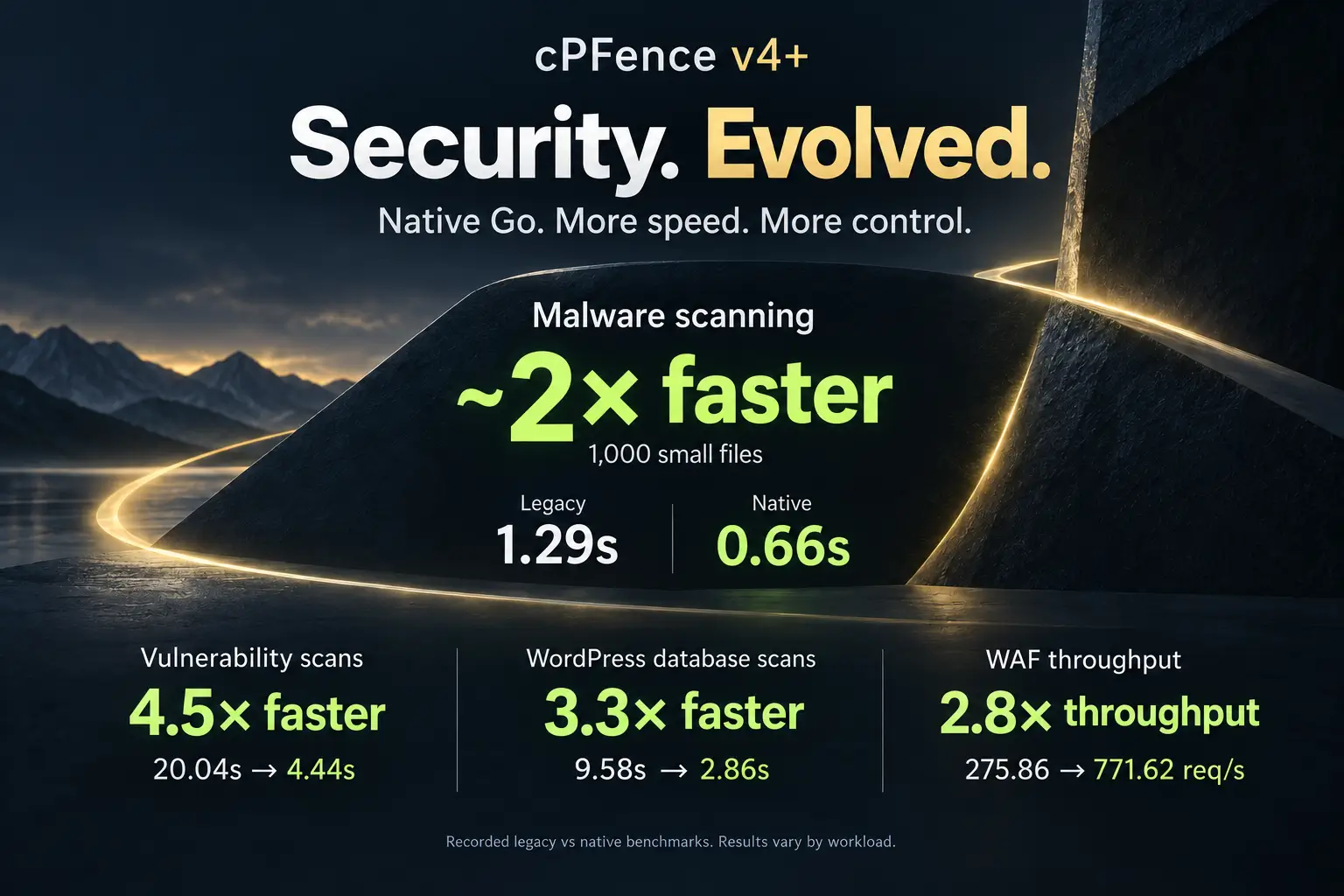
Meet ApiMachine®: The Smartest Way to Manage Your Enhance Cluster

cPFence is packed with unique modules and features that you won’t find anywhere else, like full IPv6 support, advanced database scanning, MySQL governor, MonitorPro keyword monitoring, WP-AutoShield, and much more. These innovations have already caught the attention of smart system admins who switched to cPFence to leverage its power and unmatched feature set.
We’ve often said our goal is to make cPFence not just the best server security software, but the ultimate “Swiss knife” for every Enhance admin. But lately, it feels like that goal has evolved.
cPFence is turning into a machine gun!, not just a Swiss knife. Wondering why? Meet our latest module: cPFence ApiMachine – your new API-Driven Bulk Tools for Total Cluster Control.
Now with a modern, browser-based WebUI (fully mobile-friendly), you can manage your Enhance cluster from anywhere, on any device—no more being tied to the terminal. Supported ApiMachine website actions can be performed easily from the WebUI or, if you prefer, from the command line. Whether you manage dozens of sites or thousands, you can now apply critical changes cluster-wide or target specific servers, all from the Admin UI or the CLI, powered by the Enhance API.
To get started with the cPFence v4+ WebUI, log in to the main control panel server and open Tools & Utilities → ApiMachine Bulk Tools. Configure your Enhance Super Admin API key privately through API key. Choose Cluster scope or Select servers, filter the websites, then check the intended rows. From there, you can enable Redis, request SSL certificates and more—right from your browser or even your mobile phone.
No passwordless SSH setup required. ApiMachine uses the Enhance API, and normal cPFence v4+ WebUI cluster operations use verified server connections. MultiRun still requires passwordless SSH; these tools do not.
Stop wasting time handling sites one by one. Let ApiMachine handle the heavy lifting—now from both the WebUI and CLI.
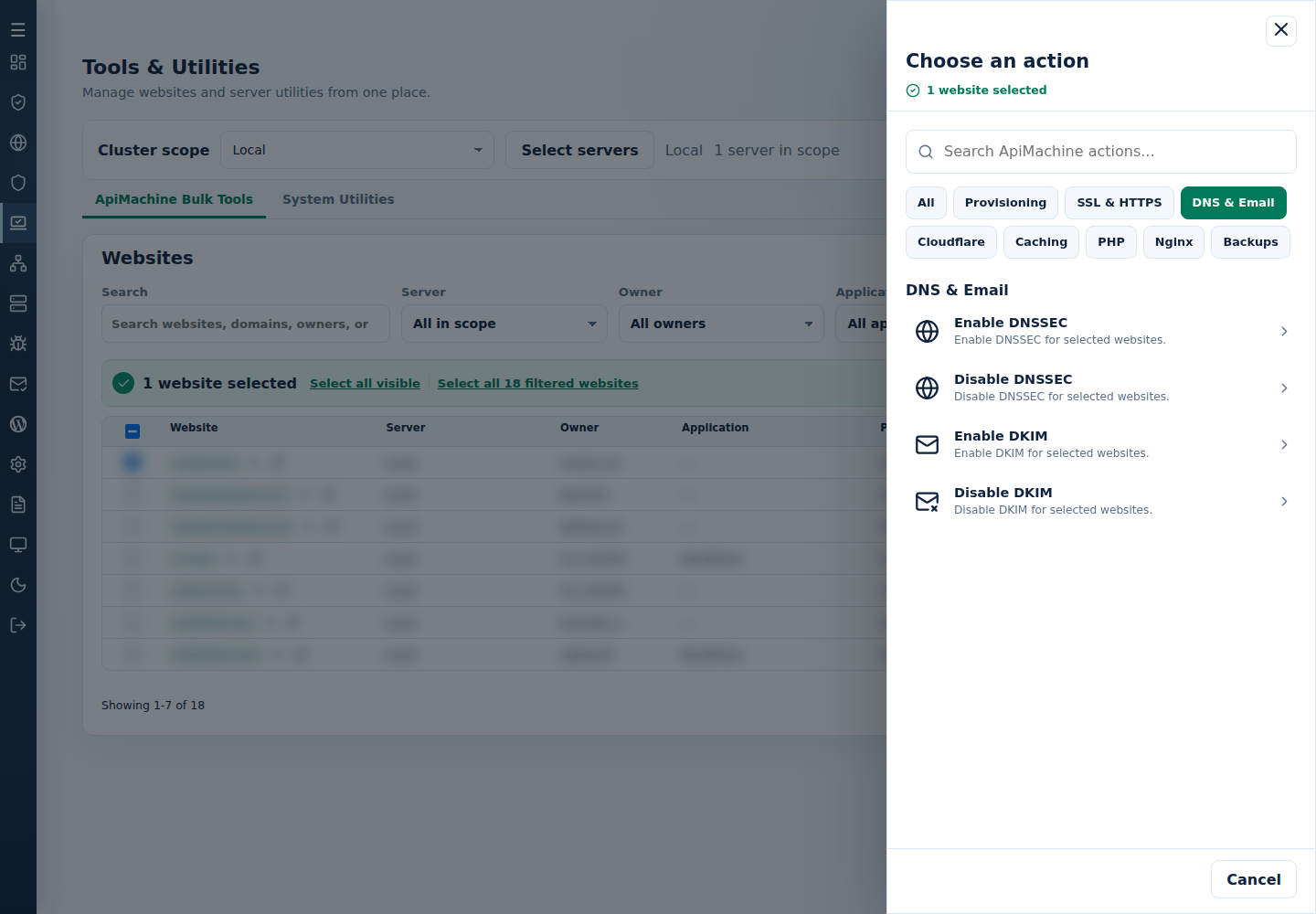
For DKIM, use Choose action → DNS & Email → Enable DKIM. Check Selected websites and Action and options in Confirm ApiMachine action before selecting the final action button, such as Run Enable DKIM on 1 site. Review each target’s result and its resulting DNS/mail settings.
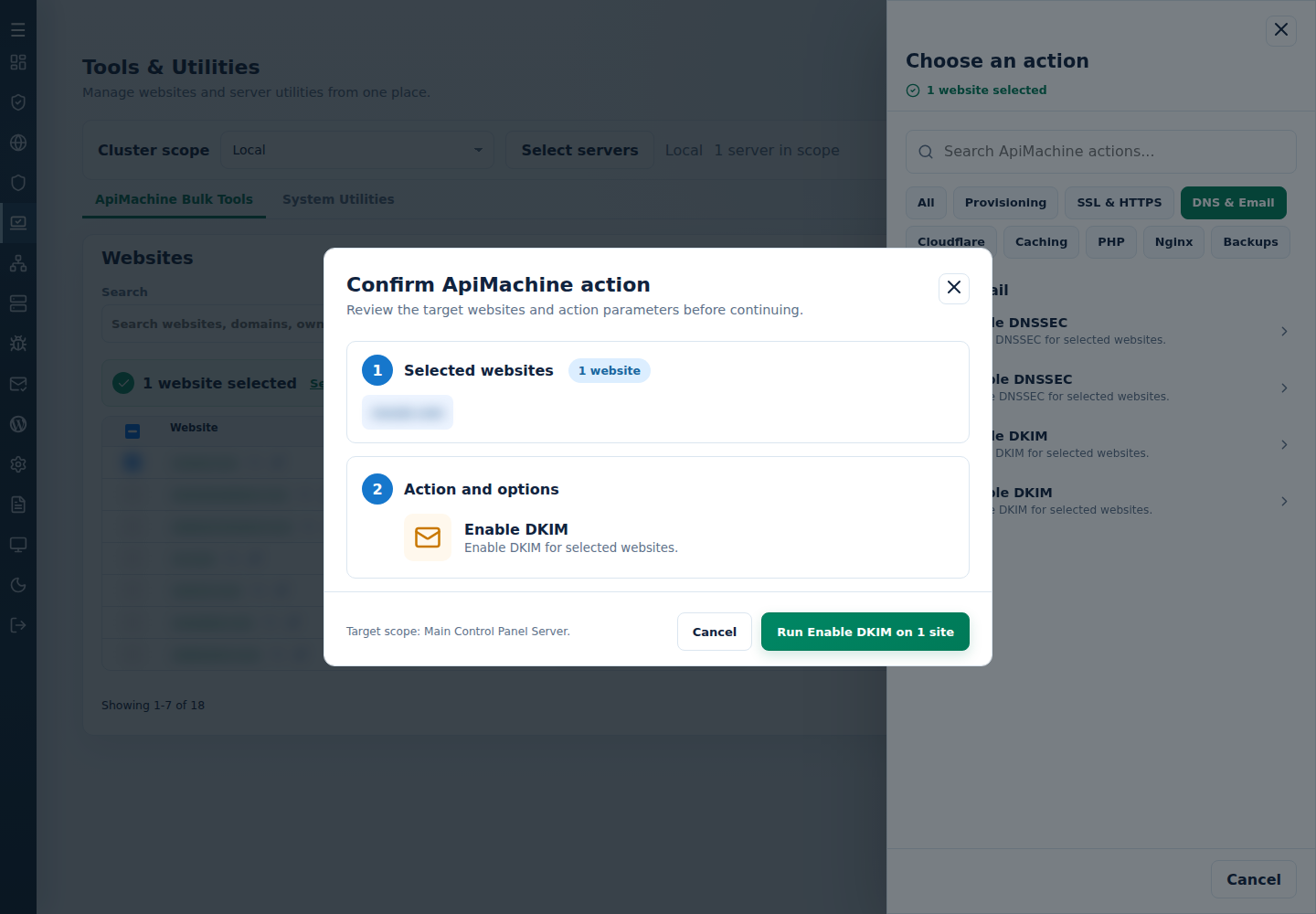
So, what can ApiMachine do for you?
With just a couple of clicks in the UI, you get access to a growing list of bulk tools, including:
-
cpfence --generate-cluster-sites-list
Instantly export a full list of all sites in your cluster, complete with organization name, server name, username, domain ID, and org ID. -
cpfence --set-enhance-api-key
Securely store and encrypt your Enhance API key to power cluster operations safely. -
cpfence --bulk-enable-redis-cluster
Enable Redis caching across all (or selected) domains in your cluster. -
cpfence --bulk-disable-redis-cluster
Disable Redis caching cluster-wide or per server. -
cpfence --bulk-generate-ssl-cluster
Generate fresh SSL certificates for all (or selected) domains without lifting a finger. -
cpfence --bulk-generate-mail-ssl-cluster
Issue SSL certificates for all your mail subdomains (mail.customerdomain) at once. -
cpfence --bulk-enable-force-ssl-cluster
Force HTTPS on all or specific domains cluster-wide. -
cpfence --bulk-disable-force-ssl-cluster
Remove forced HTTPS where needed, without manual intervention. -
cpfence --bulk-enable-dnssec-cluster
Activate DNSSEC and retrieve DS records for every domain or just the ones you choose. -
cpfence --bulk-disable-dnssec-cluster
Disable DNSSEC across your cluster (make sure to remove DS records from your provider first). -
cpfence --bulk-enable-dkim-cluster
Turn on DKIM email signing across all domains. -
cpfence --bulk-disable-dkim-cluster
Disable DKIM cluster-wide in seconds.
Using the CLI? Run it as root on the main control panel server. Generate the site list, then edit /var/log/cpfenceav/cluster-sites-list.txt so it contains only your intended targets. Keep a copy: regenerating the list replaces your edited selection. Read each command’s targets before confirming. WebUI checked rows and this CLI file are separate selections.
Whether you’re managing a few servers or running a full-scale hosting operation, ApiMachine lets you handle big tasks in no time, without getting lost in repetitive work.
Update – 20 Oct 2025:
ApiMachine now supports a range of new bulk tools, giving you full control over backups, Nginx, and website PHP/containers.
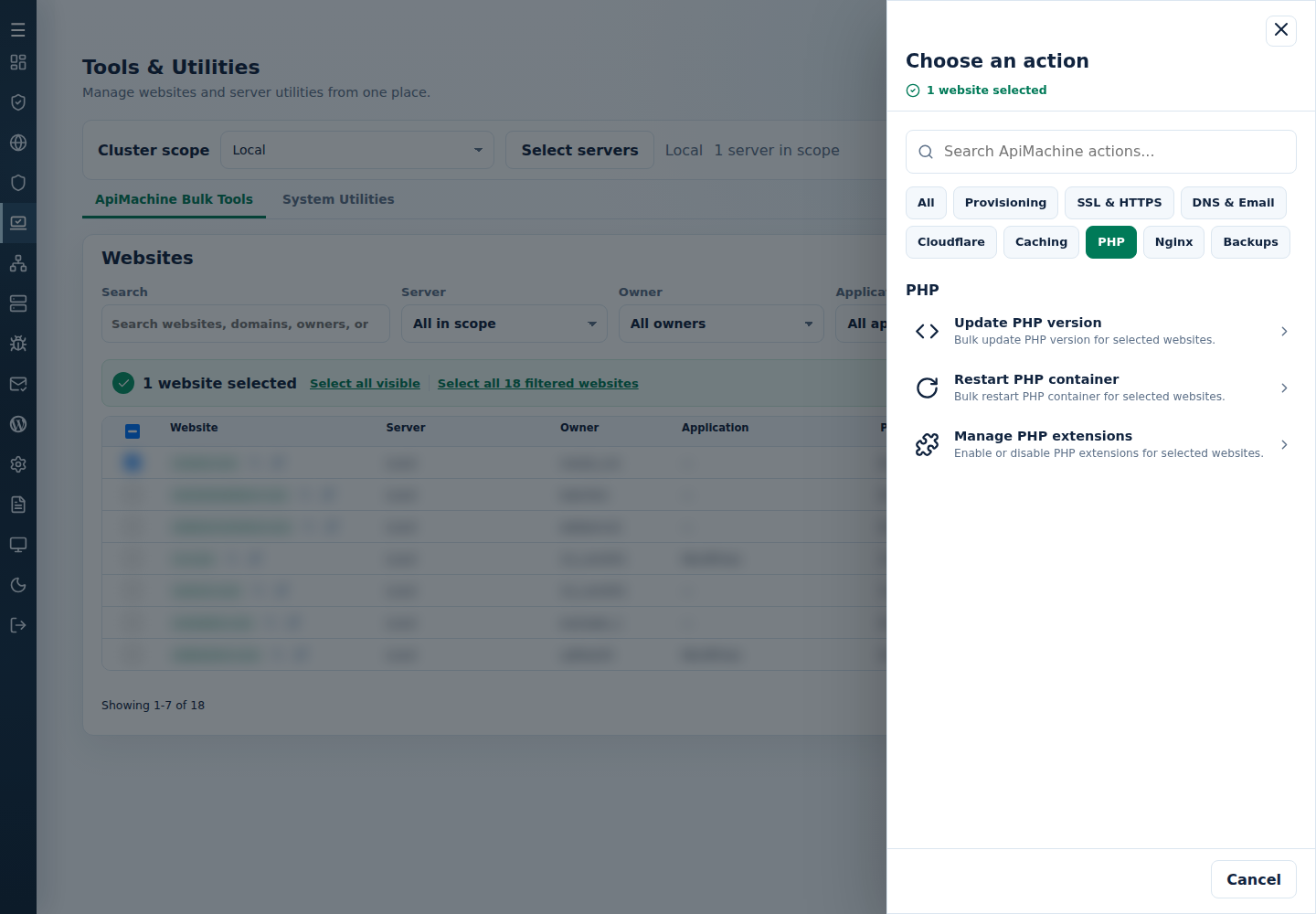
In cPFence v4+, these tools sit in clear Caching, PHP, Nginx and Backups groups. Here are more useful CLI choices for your selected sites:
- PHP Opcache:
cpfence --bulk-enable-opcache-clusterorcpfence --bulk-disable-opcache-cluster. - PHP extensions:
cpfence --bulk-enable-php-extensions Brotli,Apcuorcpfence --bulk-disable-php-extensions Brotli,Apcu. The supported choices are Brotli, Xmlrpc, Oauth, PdoDblib and Apcu. - PHP version and containers:
cpfence --bulk-update-php-version 8.3orcpfence --bulk-restart-php-container. Check application compatibility and allow for interrupted requests. - Nginx FastCGI cache:
cpfence --bulk-enable-nginx-cache,cpfence --bulk-disable-nginx-cacheandcpfence --bulk-clear-nginx-cache. Exclude dynamic paths withcpfence --bulk-add-nginx-cache-exclude /cart; remove that exclusion withcpfence --bulk-remove-nginx-cache-exclude /cart. - Enhance website backups:
cpfence --bulk-create-website-backupsstarts backup requests;cpfence --bulk-report-website-backupshelps inspect their results. Check completion in Enhance before relying on a backup.cpfence --bulk-delete-website-backupspermanently removes selected website backups—keep independent recovery copies first. - Create websites:
cpfence --bulk-create-websitesuses your prepared/var/log/cpfenceav/bulk-create-websites.txt; adding--wpalso installs WordPress. This creation list is separate from the existing-site selection.
Prefer the browser? Open PHP → Manage PHP extensions, choose the intended extensions and Operation, then Review action. Check the targets before running. The boxes shown below are initial form choices, so review every selected extension.
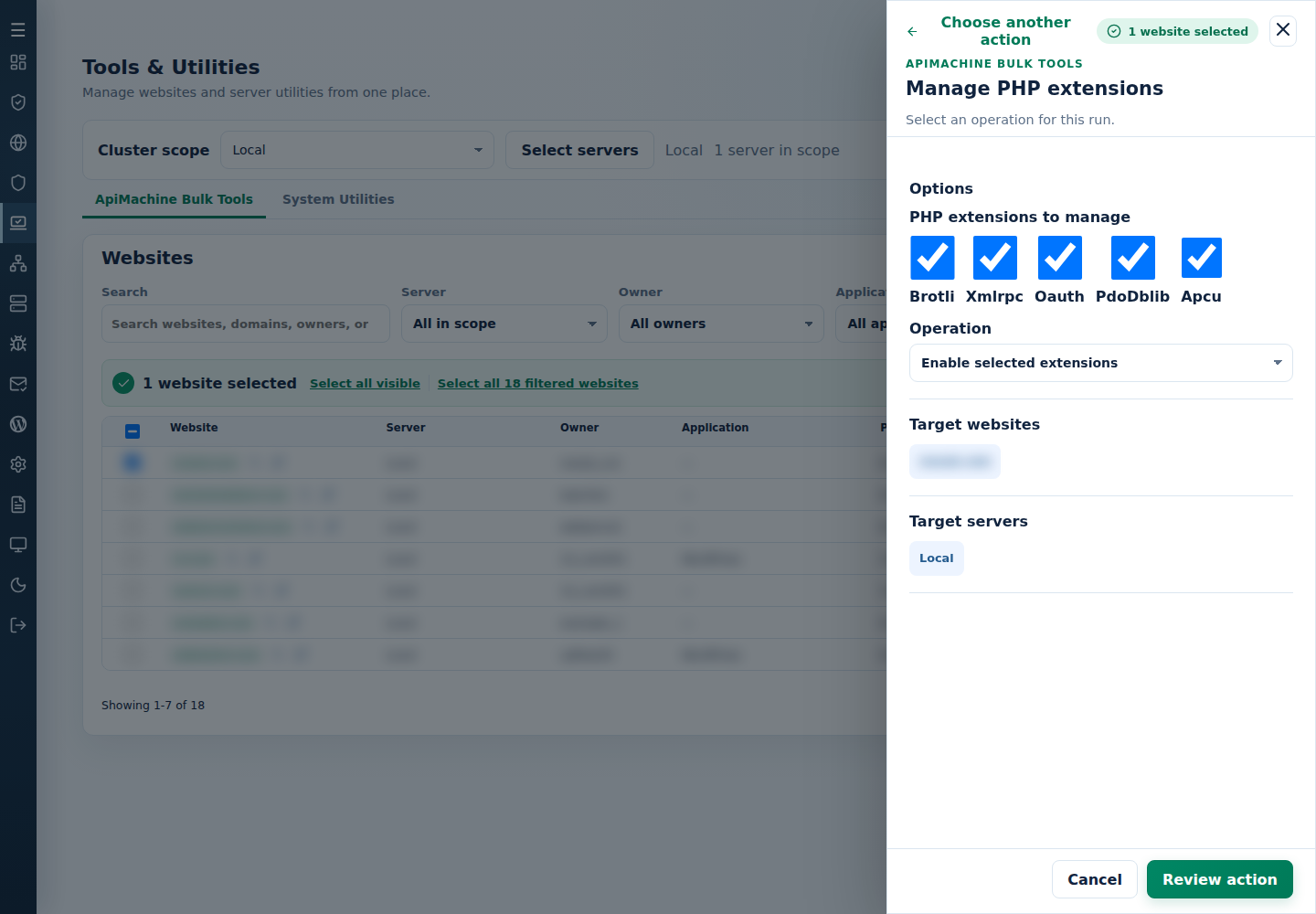
Start with a small site set and read the per-target output before repeating a change. A queued certificate or backup request is not proof that it finished. See website bulk tools for selection and recovery, and ApiMachine guides for each tool.
Why is this a game changer?
Before ApiMachine, many Enhance admins were stuck managing these kinds of tasks manually, one site at a time. Even with powerful features in cPFence like WP-AutoShield, which automates bulk updates and security for WordPress sites, you still had to handle non-WordPress operations separately.
Now, with ApiMachine and WP-AutoShield combined, you have full control over your entire cluster, both at the system and application level.
For example, you can:
- Use ApiMachine to enable Redis for all websites on your cluster.
- Then use WP-AutoShield to bulk install and configure the LiteSpeed Cache plugin with Redis support on every WordPress site.
- Keep Redis caching consistent across every site, WordPress or not, with zero manual work.
This is the type of deep integration and automation cPFence is built to deliver.
What’s next?
ApiMachine is just getting started. We’re planning even more bulk tools and advanced cluster-wide actions to make Enhance server management faster, easier, and smarter.
If you’re an Enhance admin looking to take full control of your cluster while saving time and effort, ApiMachine is the module you’ve been waiting for.
Ready to upgrade your cluster management?
Haven’t tried cPFence yet? Now’s the time. See how much smoother your cluster runs when cPFence is in charge.
Start free trial