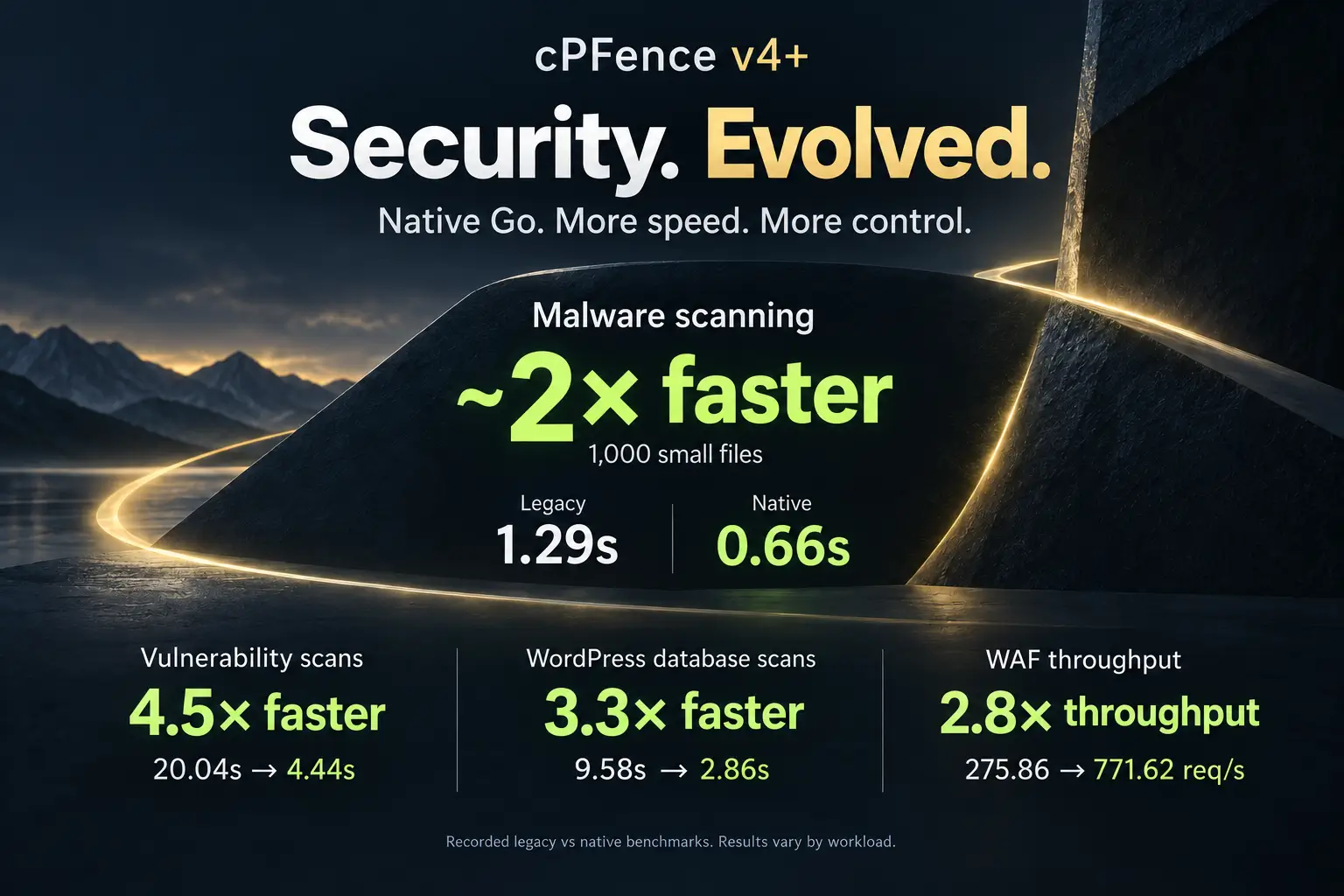
New! Automatic Outbound Spam Lockdown with Instant Alerts
If an email account on your server gets compromised, the damage can happen fast: IP reputation tanks, mail queues explode, and delivery grinds to a halt. That’s why we built Outbound Spam Protection – a fully automatic shield that detects and blocks spammy bursts the moment they start, then notifies you instantly before reputation suffers.
What’s new
- Automatic, permanent blocking: When cPFence detects abusive outbound activity, it instantly stops the offending account — no manual cleanup, no missed alerts.
- Instant notifications: Get notified by email and Slack right away, so you can review and respond on the spot.
- One-click unblocking: If the issue’s resolved , unblock instantly with a single command.
Why it matters
- Protects IP reputation: Stops spam before it can damage deliverability.
- Saves hours of cleanup: No more chasing logs after the fact.
- Brings clarity: Every incident includes detailed notifications showing which account was blocked and why.
- Peace of mind: Built for hosts and VPS owners who need reliable, automatic guardrails.
How it works
- Detection: cPFence continuously monitors outbound patterns for signs of compromise or abuse.
- Enforcement: The affected email user is immediately blocked from sending.
- Notification: Admins receive an instant email and Slack message with context.
- Remediation: Clean or reset the account, then lift the block with a simple command.
Works from CLI and WebUI
WebUI:
In cPFence v4+, open Spam AutoShield and choose the intended mail server. Use Add entry → Block, set Entry type to Outgoing email and enter the complete local sending address. Check Apply to and the inline Review, then select Add blocked entry. Read every target’s result before moving on.
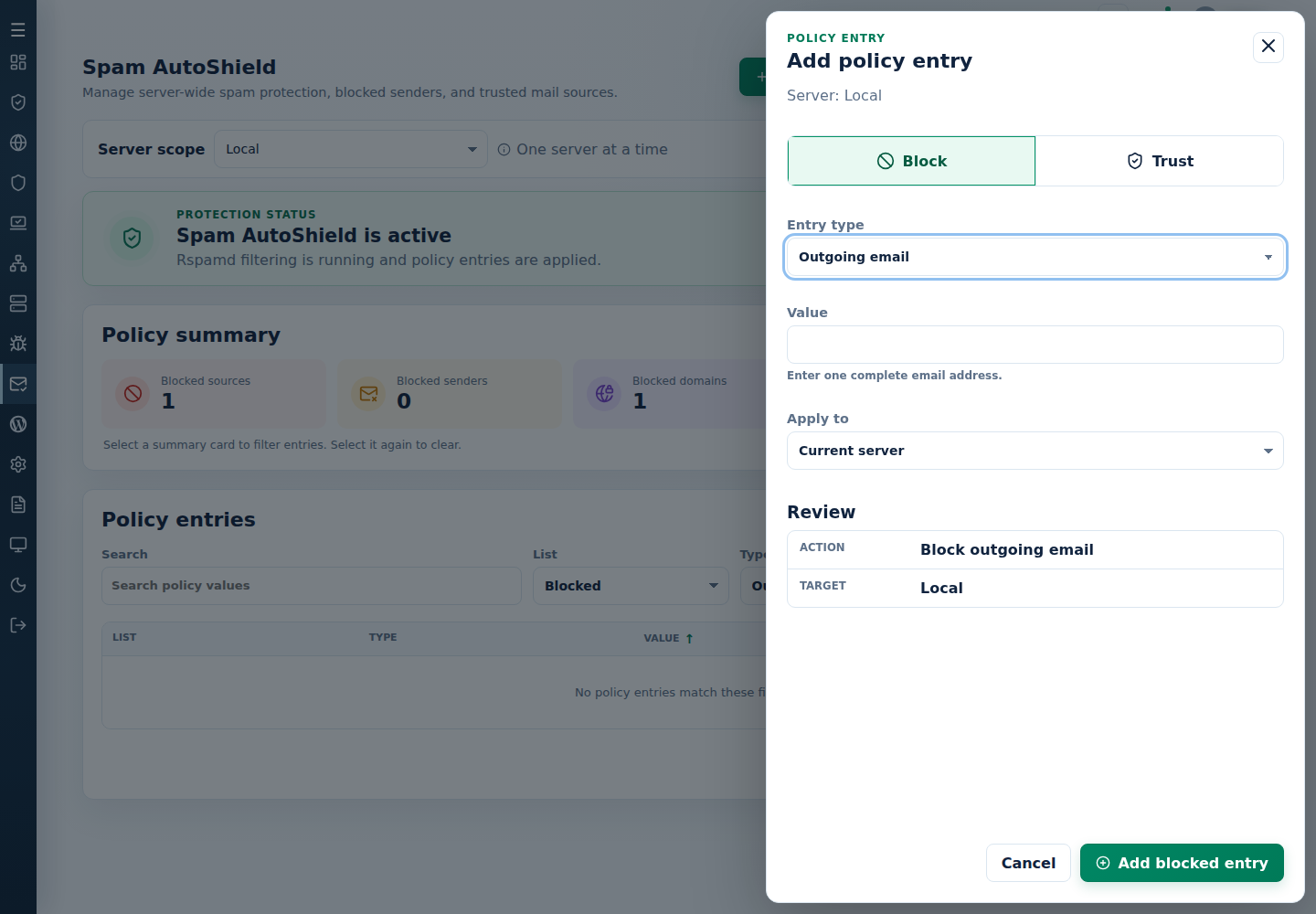
To find an existing block, set List → Blocked and Type → Outgoing email, search for the full address, then Apply filters. After fixing the unwanted sending, use the exact row’s Remove, review its confirmation and result, and refresh the list. Check the compromised mailbox, reset its password and inspect the sending device or website before restoring delivery.
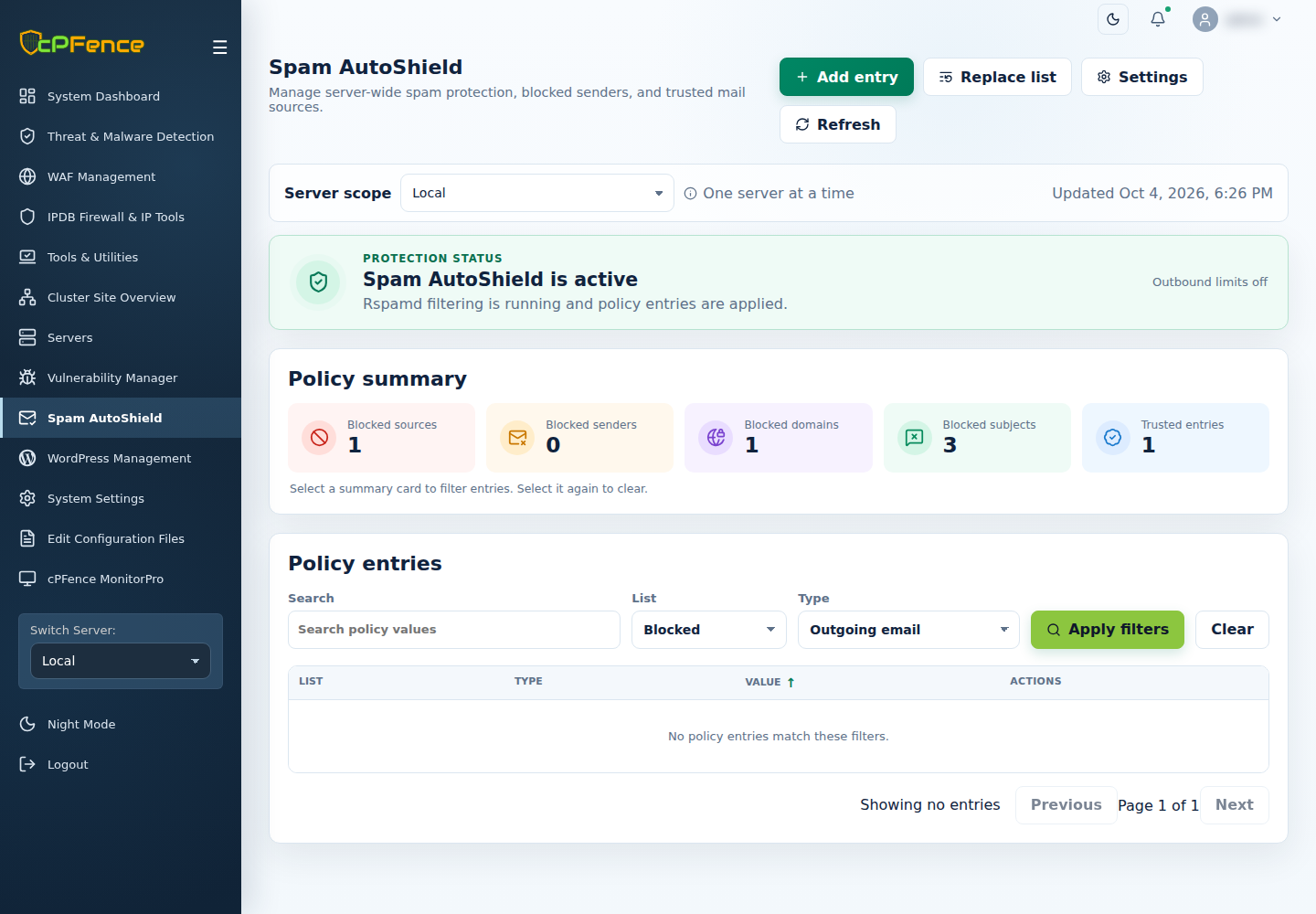
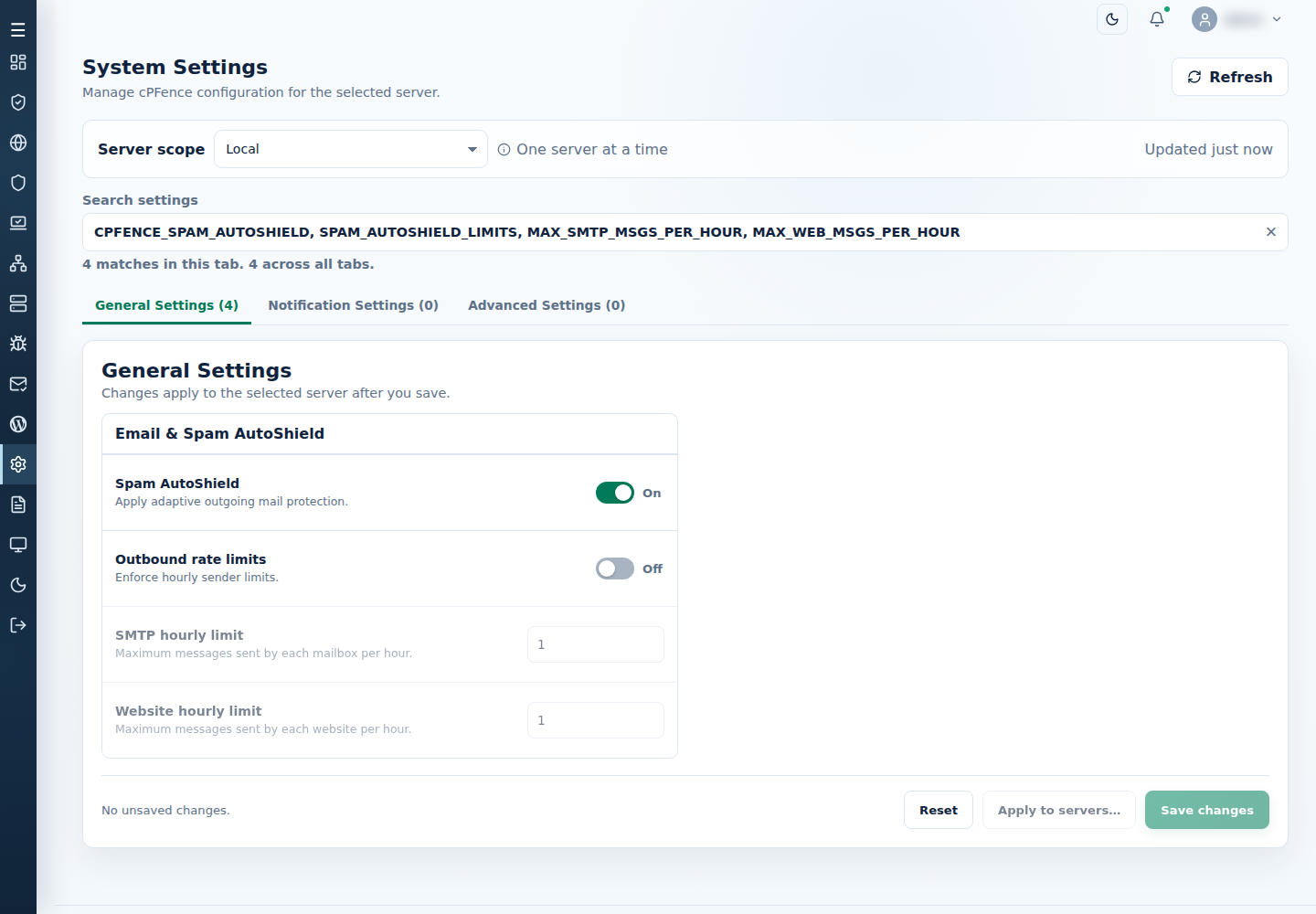
Tip: Open Settings → Edit rate limits to jump to the selected server’s System Settings. Keep Spam AutoShield on, enable Outbound rate limits and adjust SMTP hourly limit (MAX_SMTP_MSGS_PER_HOUR, per mailbox) and Website hourly limit (MAX_WEB_MSGS_PER_HOUR, per website), then Save changes and check the result. Both packaged defaults are 200; review normal sending before choosing your own limits.
Want email or Slack alerts? Configure the intended channels in System Settings → Notification Settings; alerts need a working saved configuration. See notification settings. These WebUI policy and settings operations do not require passwordless SSH.
CLI commands:
Run these commands as root on the intended mail server; WebUI server selections do not choose CLI targets.
Block a specific sender:
cpfence --add-spam-autoshield-out-email [email protected]
Unblock after remediation:
cpfence --del-spam-autoshield-out-email [email protected]
See outbound limits and block/unblock instructions for the full selection and recovery controls.
Compared to Enhance’s default behavior
- Enhance limiter: Temporary throttling, no permanent auto-block, no notifications.
- cPFence protection: Permanent block, real-time alerts, and fast recovery when you’re ready.
Perfect for
- Hosting companies safeguarding shared mail servers
- VPS owners who want set-and-forget protection
- Anyone serious about email reputation and fast response
Get started
Already using cPFence? You’re all set – Outbound Spam Protection is enabled by default when the Spam AutoShield module is active. If needed, you can turn this new feature off by setting SPAM_AUTOSHIELD_LIMITS to off through System Settings, or in /etc/cpfcli/config.conf followed by cpfence --restart. Keep the existing outgoing blocks until you deliberately remove them.
Want more control? Use the CLI or WebUI to manage blocks manually anytime.
Still on the fence?
Try the cPFence free trial today and experience how easy it is to transform Email security and management on your servers. Stay protected. Stay deliverable. Let cPFence stop outbound spam before it stops you.
Start free trial