
Configure automatic outbound spam limits
Outbound limits help stop excessive mail from compromised mailboxes and websites. The sending block remains until an administrator removes it.
How it works
Section titled “How it works”- With Spam AutoShield and outbound limits enabled, cPFence checks Rspamd’s rate-limit events for excessive sending.
- It adds detected senders to the outgoing-email block list. This block does not expire automatically.
- Email and Slack alerts use your configured notification channels. Investigate the sender before removing its block.
WebUI method
Section titled “WebUI method”- Open Spam AutoShield → Settings and enable the master on the intended mail servers.
- Use Edit rate limits to open System Settings.
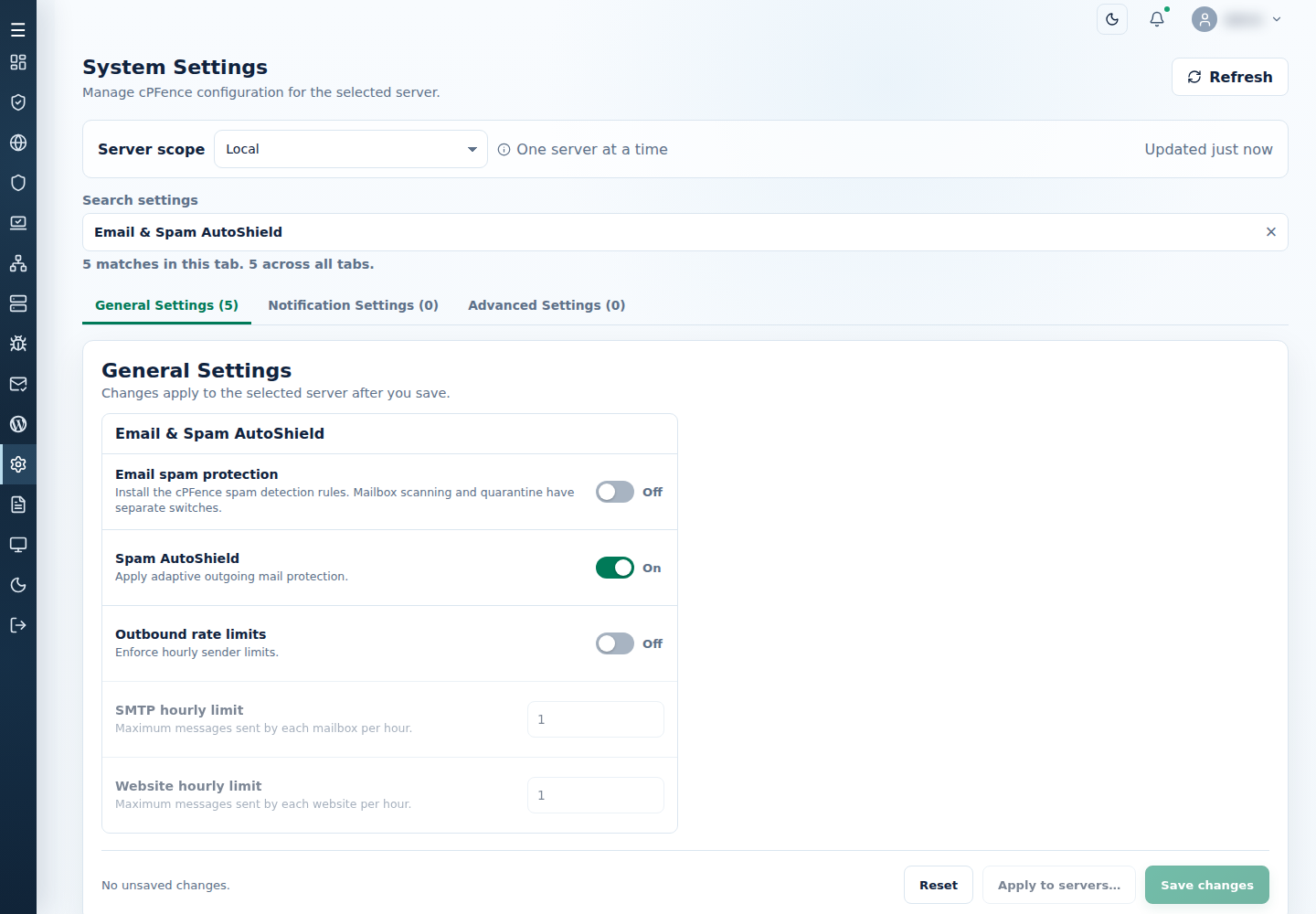
- Enable Outbound rate limits and set SMTP hourly limit and Website hourly limit.
- Save, check the result, and configure email or Slack notifications if alerts are required.
Filter the policy table to Block → Outgoing email to inspect blocked senders. Resolve the unwanted sending, then follow Unblock outgoing email.
If maintenance requires a temporary pause, turn Outbound rate limits off on the intended servers and save. Re-enable it afterwards. This switch does not remove existing sender blocks.
Command-line method
Section titled “Command-line method”From a root terminal on the intended mail server, enable Spam AutoShield if needed:
cpfence --activate-spam-autoshieldBlock a sender manually:
After fixing the cause, remove that same block:
Use the actual local sending account. These commands affect this mail server, not the WebUI’s server selection. Read the result and refresh its outgoing-email list. Change compromised passwords and check the account’s devices or website before restoring delivery.
Configuration-file alternative
Section titled “Configuration-file alternative”The current settings are SPAM_AUTOSHIELD_LIMITS, MAX_SMTP_MSGS_PER_HOUR and MAX_WEB_MSGS_PER_HOUR in /etc/cpfcli/config.conf. Prefer the WebUI controls above. If editing the file as root, save a copy first and apply the change with:
cpfence --restartThis applies configured-off shutdowns and restarts configured-on protections, so plan the interruption and check the final output. Keep the Spam AutoShield master enabled for filtering; the outbound-limit switch controls this additional protection.