
Configure WAF CAPTCHA protection
cPFence v4+ hosted WAF CAPTCHA protects configured paths separately from WordPress math CAPTCHA.
Enable protection
Section titled “Enable protection”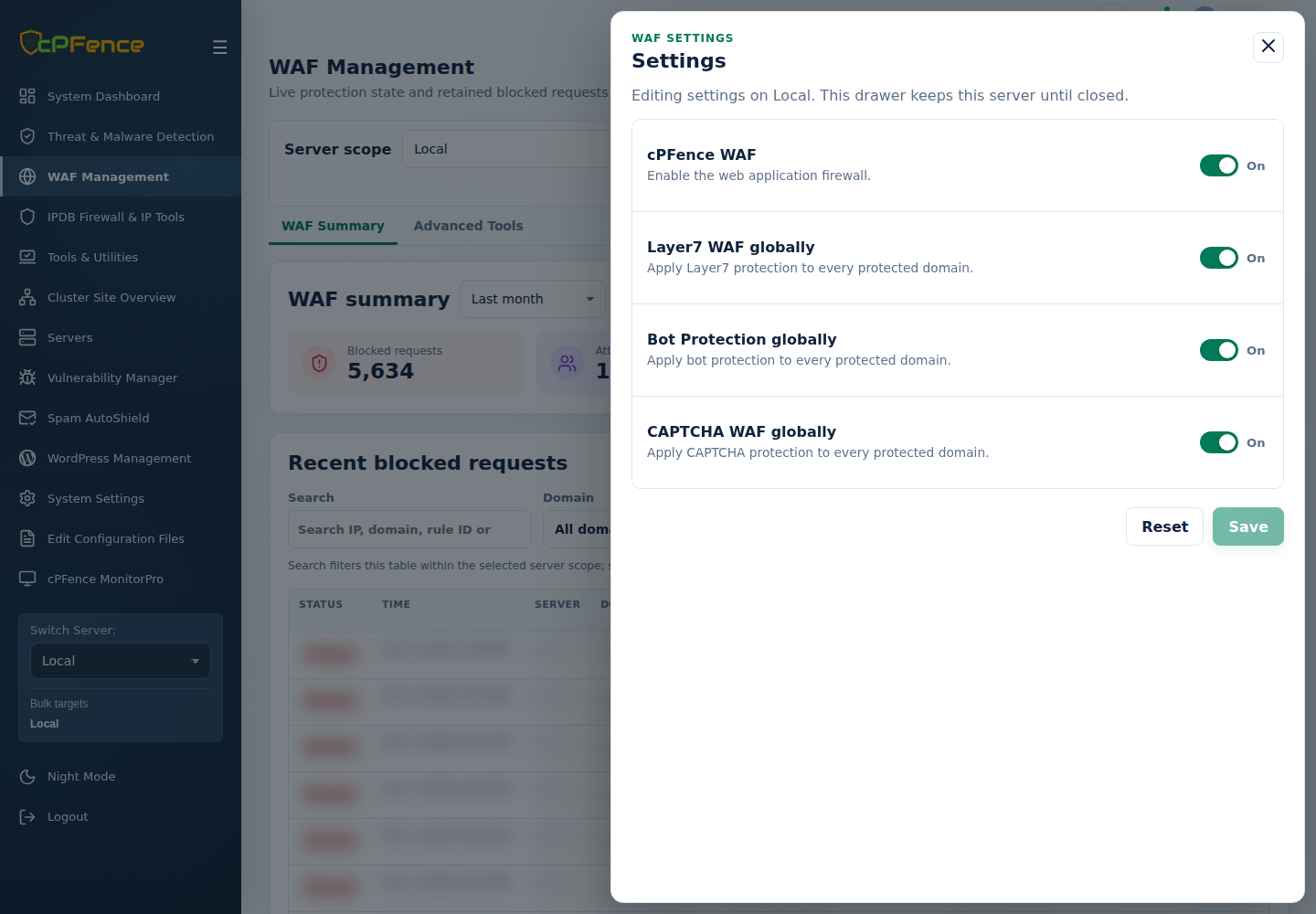
- In WAF Management, choose one server and open Settings.
- Set CAPTCHA WAF globally, keep cPFence WAF enabled, and Save.
- For one domain, use Manage domain → Domain settings → CAPTCHA protection, then Save.
- Review the intended login path and legitimate visitor behavior.
As root on the target, use cpfence --enable-captcha-waf-global or cpfence --disable-captcha-waf-global; domain commands are cpfence --enable-captcha-waf-domain example.com and cpfence --disable-captcha-waf-domain example.com.
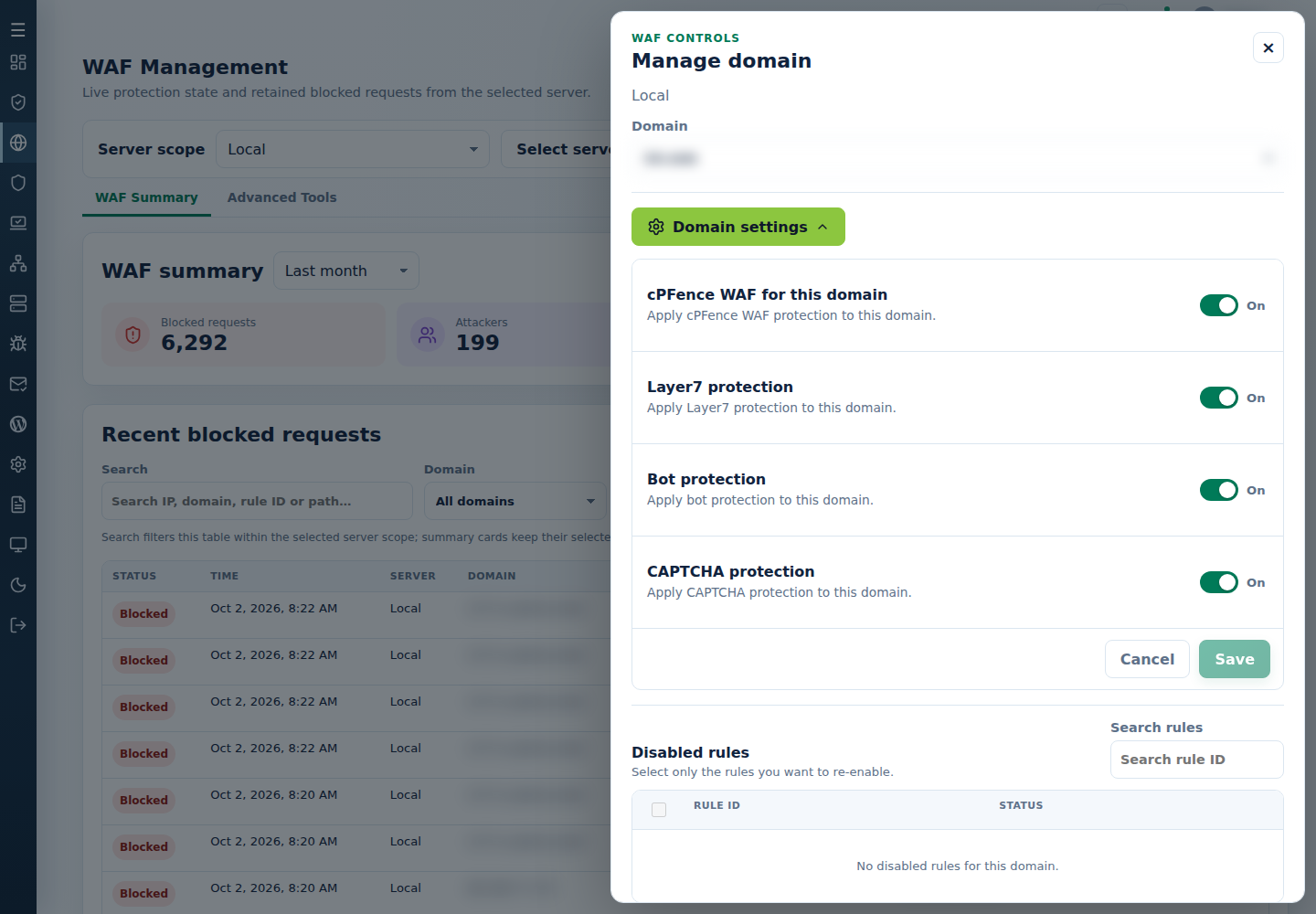
Customize protected URL paths. If cPFence Security Check repeats or does not return to the application, preserve URL, time and engine version for support. Do not assume universal engine/body coverage; see WAF limits.