
Disable and delete WordPress backups
Turning off a backup schedule preserves existing snapshots. Deleting them is a separate action.
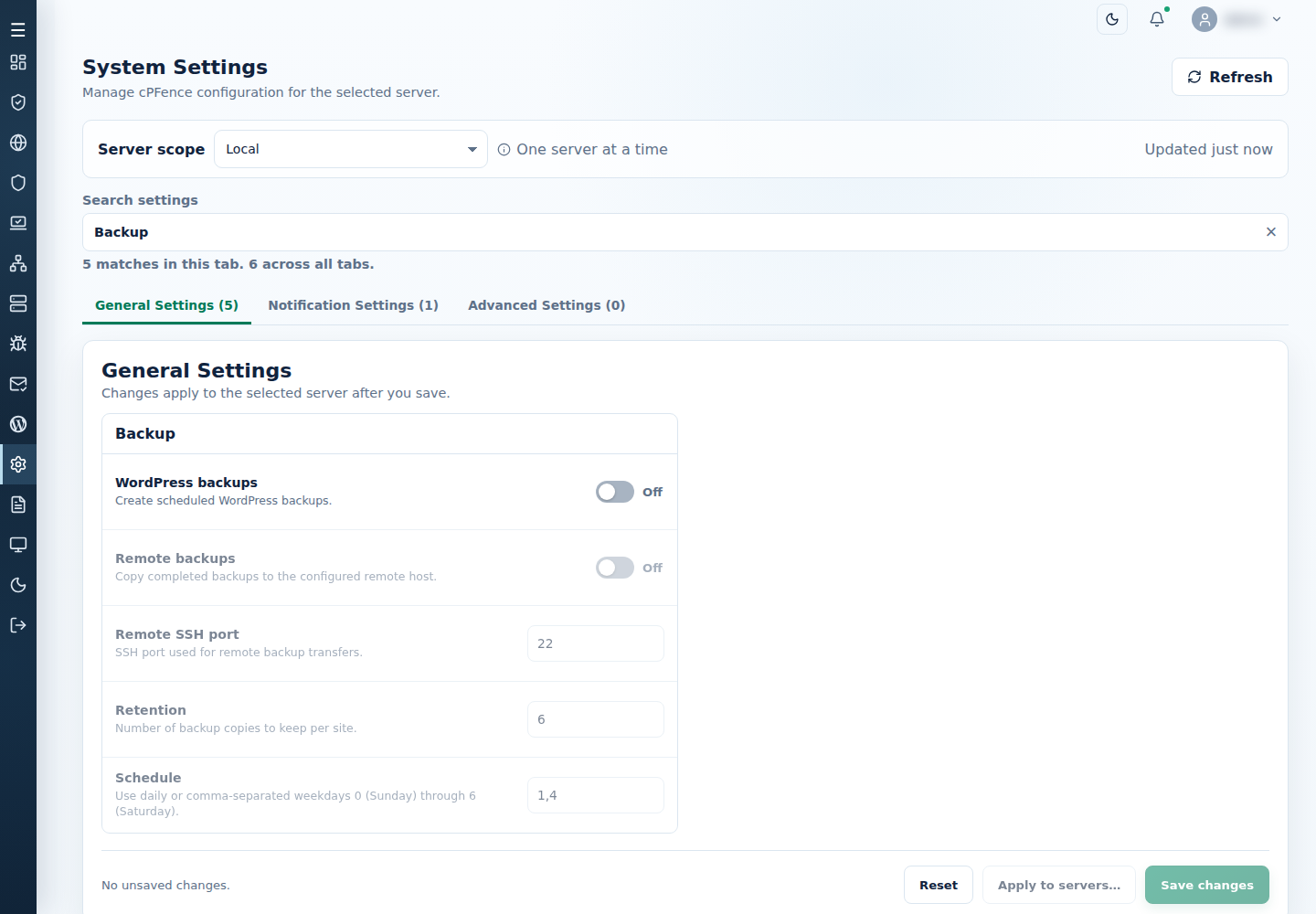
- On each intended server, open System Settings → General Settings → Backup and turn WordPress backups off. Save and check the result.
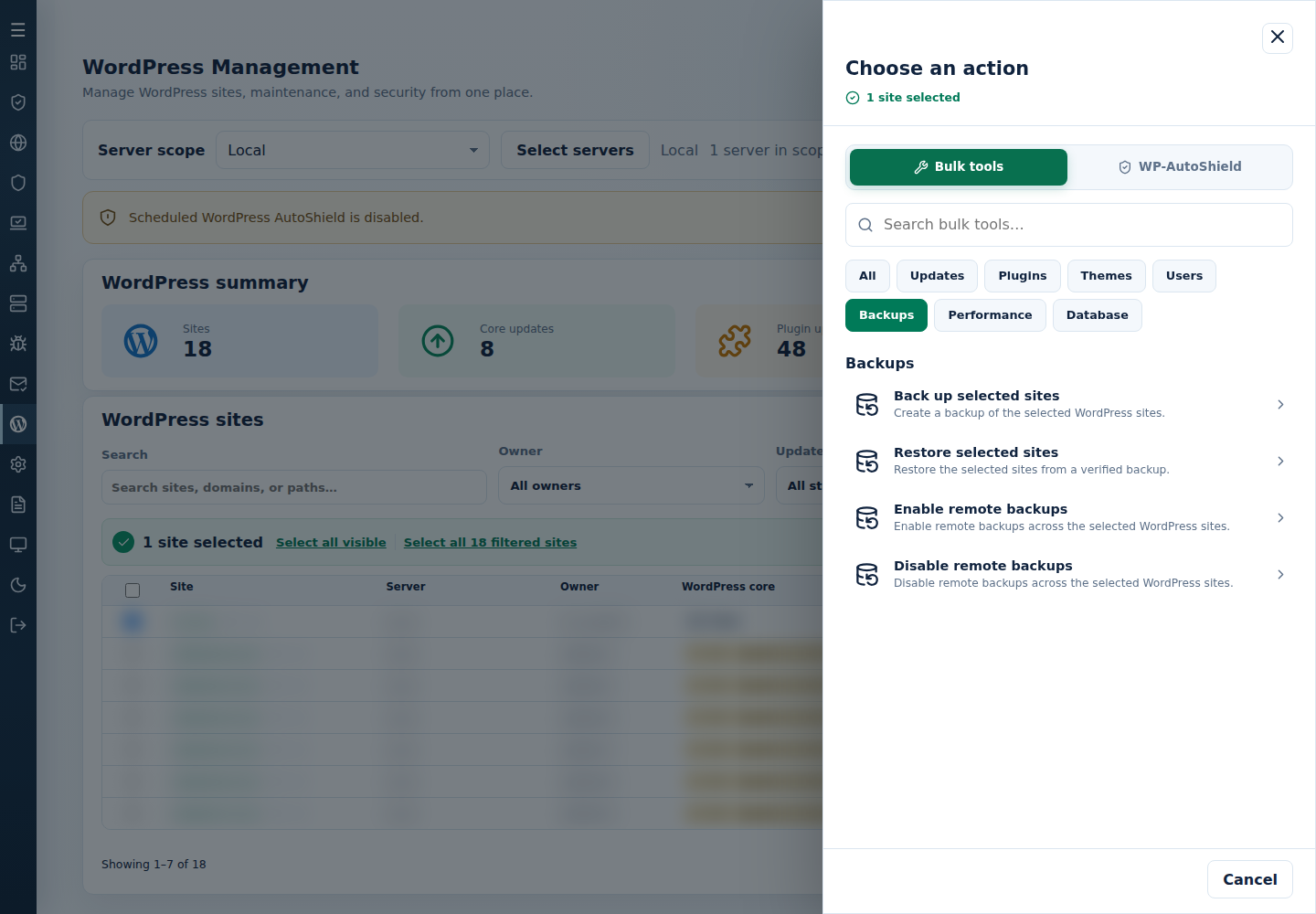
- In WordPress Choose action → Bulk tools → Backups, use Disable remote backups for the intended server scope if needed.
- Wait for existing backup or restore jobs to finish; disabling a schedule does not stop work already running. Preserve any required snapshots elsewhere, including their complete SQL/archive pairs.
- To delete all local snapshots, sign in as root to the particular server, verify
/cpf_wp_backupsis its intended backup directory, then run:
rm -rf -- /cpf_wp_backups- Remove remote snapshots separately at their verified destination only when they are also no longer needed.
Disabling remote storage does not download existing remote backups. Check the backup and restore guide before removing the only usable copy.
Command-line method
Section titled “Command-line method”From a root terminal on each intended server, run these commands one by one:
cpfence --cpf-backup-cron-offcpfence --cpf-remote-backup-offThe first disables scheduled WordPress backups. The second disables future remote storage. Read each result; neither command deletes existing local or remote snapshots, and disabling a schedule does not cancel a backup already running.
Wait for current work to finish, preserve the complete recovery copies you need, then follow the verified-directory deletion steps above on each server individually. Do not paste the deletion command into synchronized terminals without independently checking every destination.
Experienced administrators can open cpfence --multirun on the main control panel server to repeat the scheduling commands across reviewed server terminals. MultiRun requires passwordless SSH and can broadcast input to several servers; see SSH access before using it. Working on each server individually is safer when you are unfamiliar with Linux commands.
Only MultiRun and remote WordPress backups need passwordless SSH. Normal cPFence v4+ cluster communication and the WebUI continue to work without that setup; disabling passwordless SSH does not disable those ordinary features. Preserve whatever administrator SSH access you still need.