
Control slow and sleeping MySQL queries
Owl AutoMySQL selects eligible hosting MySQL users for query control. Long-running or sleeping connections can retain memory, connection slots or open transactions.
Why sleeping connections are included
Section titled “Why sleeping connections are included”Sleeping (SLEEP) connections can also be terminated when they exceed Maximum query duration. Read the high-load notification to identify the affected account and check its legitimate work before changing the policy.
Review recorded kills from the dashboard
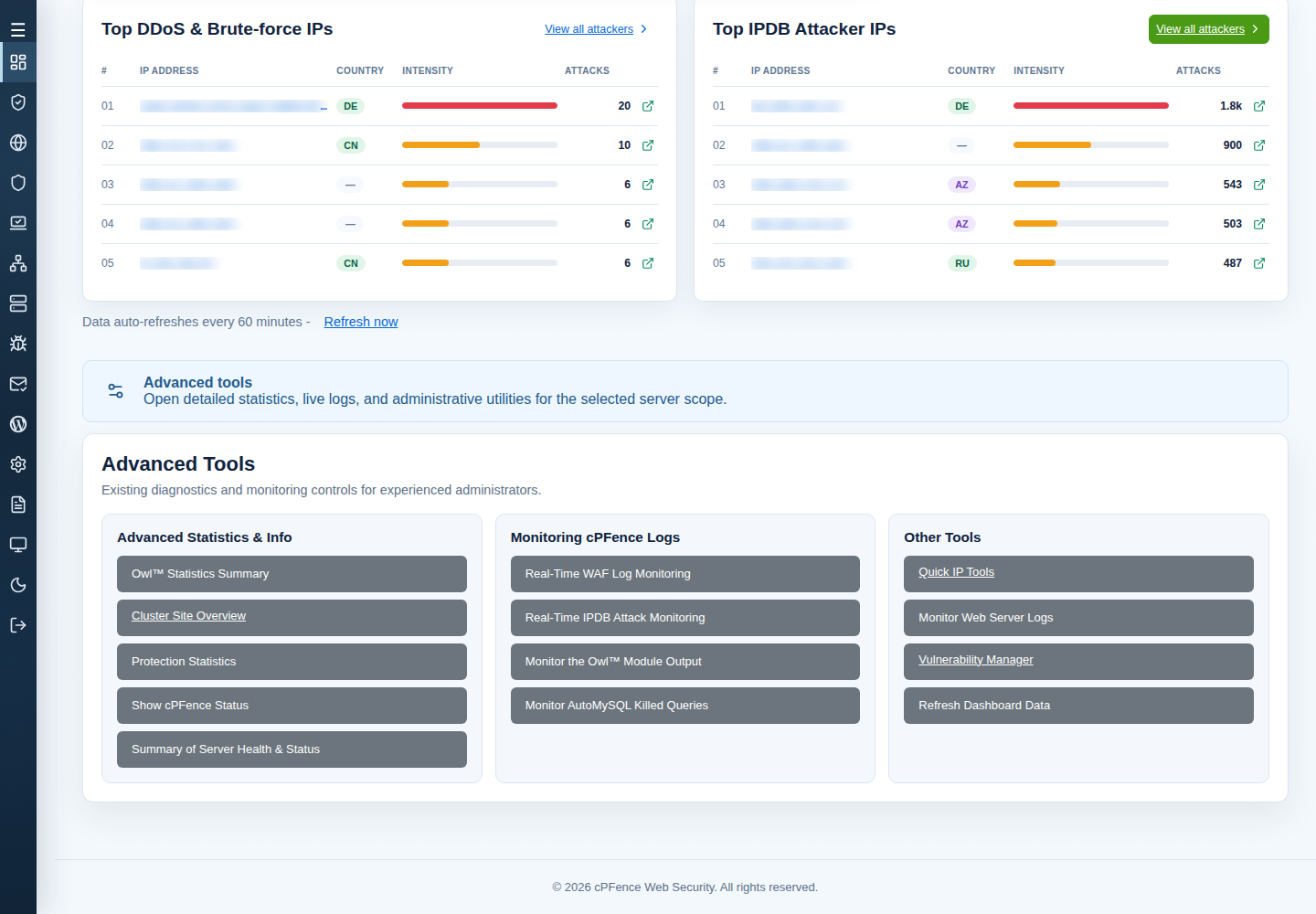
Section titled “Review recorded kills from the dashboard”- On System Dashboard, choose the server scope and select Slow Queries Killed.
- Filter the server, MySQL user, mode, time and minimum duration, then Apply filters. Use View for the intended record.
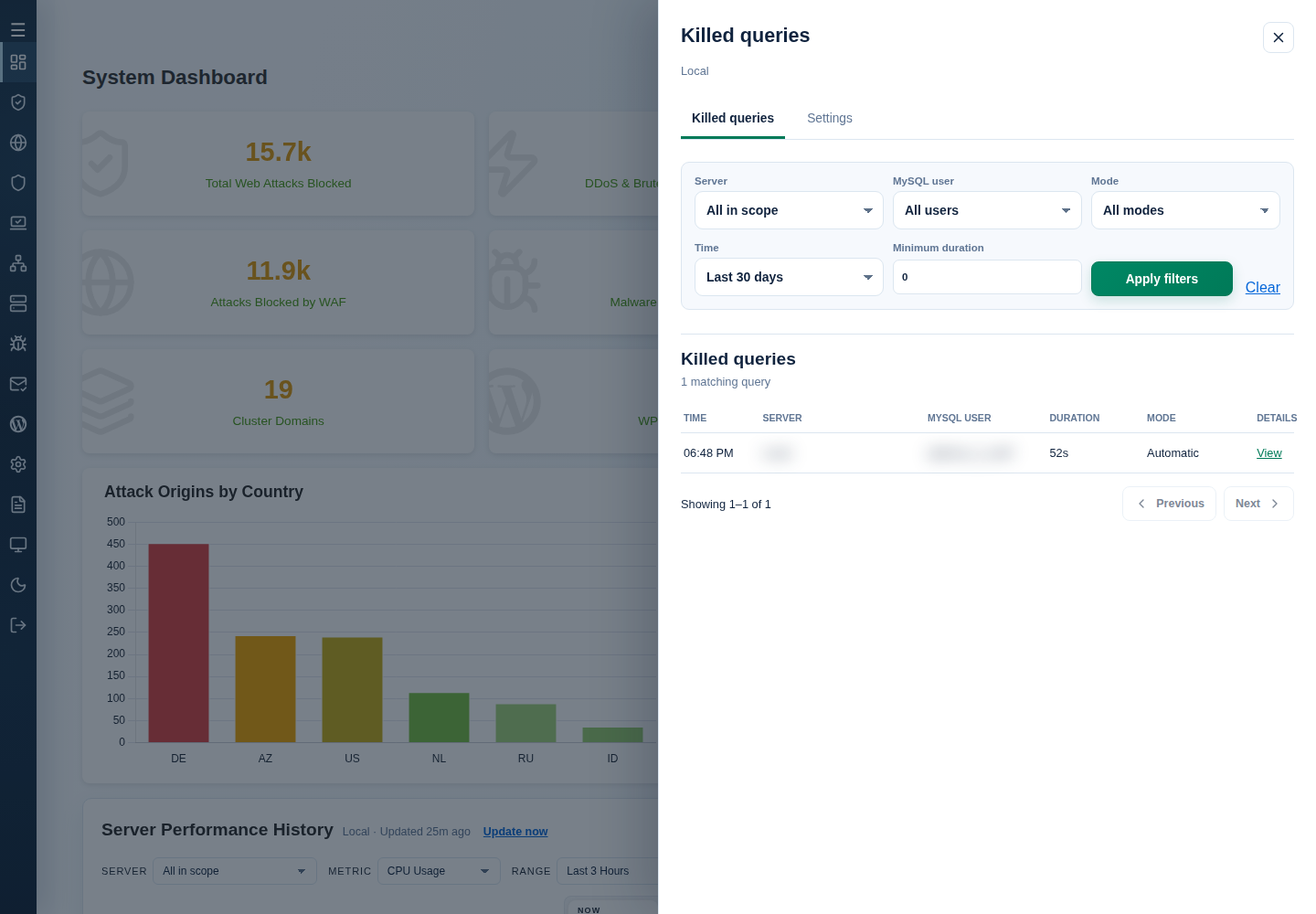
- Read the recorded outcome and Recorded SQL when available. Private details require Dashboard and Advanced Settings permissions; SQL may be truncated or unavailable for older records.
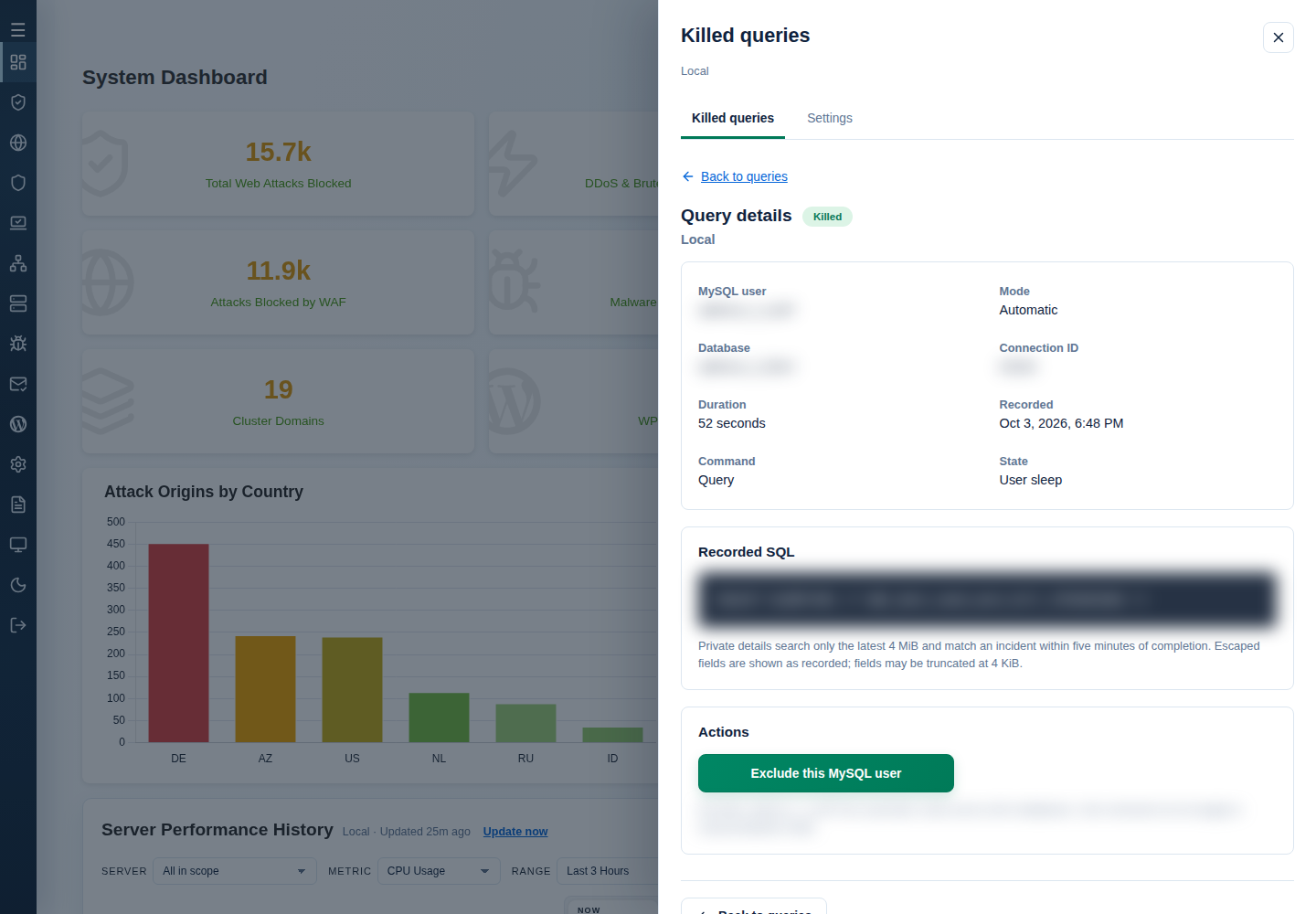
- With Owl monitoring enabled, open Settings and check Settings apply to … only. Set Maximum query duration (seconds) to 1–86,400 whole seconds; it applies to automatic mode and the manual blacklist. Owl AutoMySQL, Add exclusion → Add, or Exclude this MySQL user from Details also stage edits; review them before Save changes.
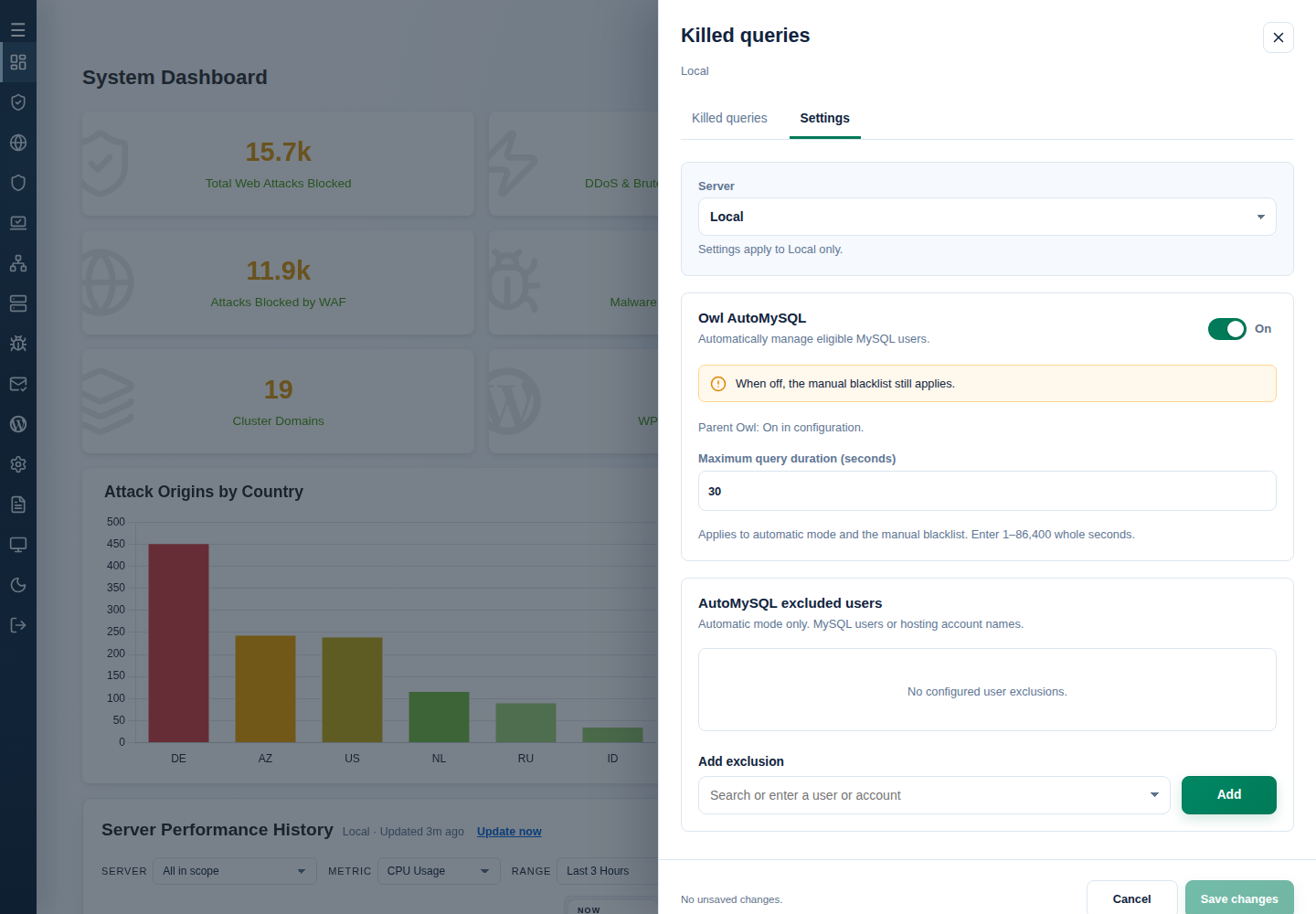
Follow the shared query drawer guidance for time ranges, pagination, private-detail availability and unsaved-change recovery. Automatic exclusions span a user’s databases; an account entry covers all its associated MySQL users. They do not affect manual blacklist mode, and an account-level exclusion can remain after an exact-user entry is removed. Use the settings steps below to change the manual blacklist.
Configure automatic selection and exclusions
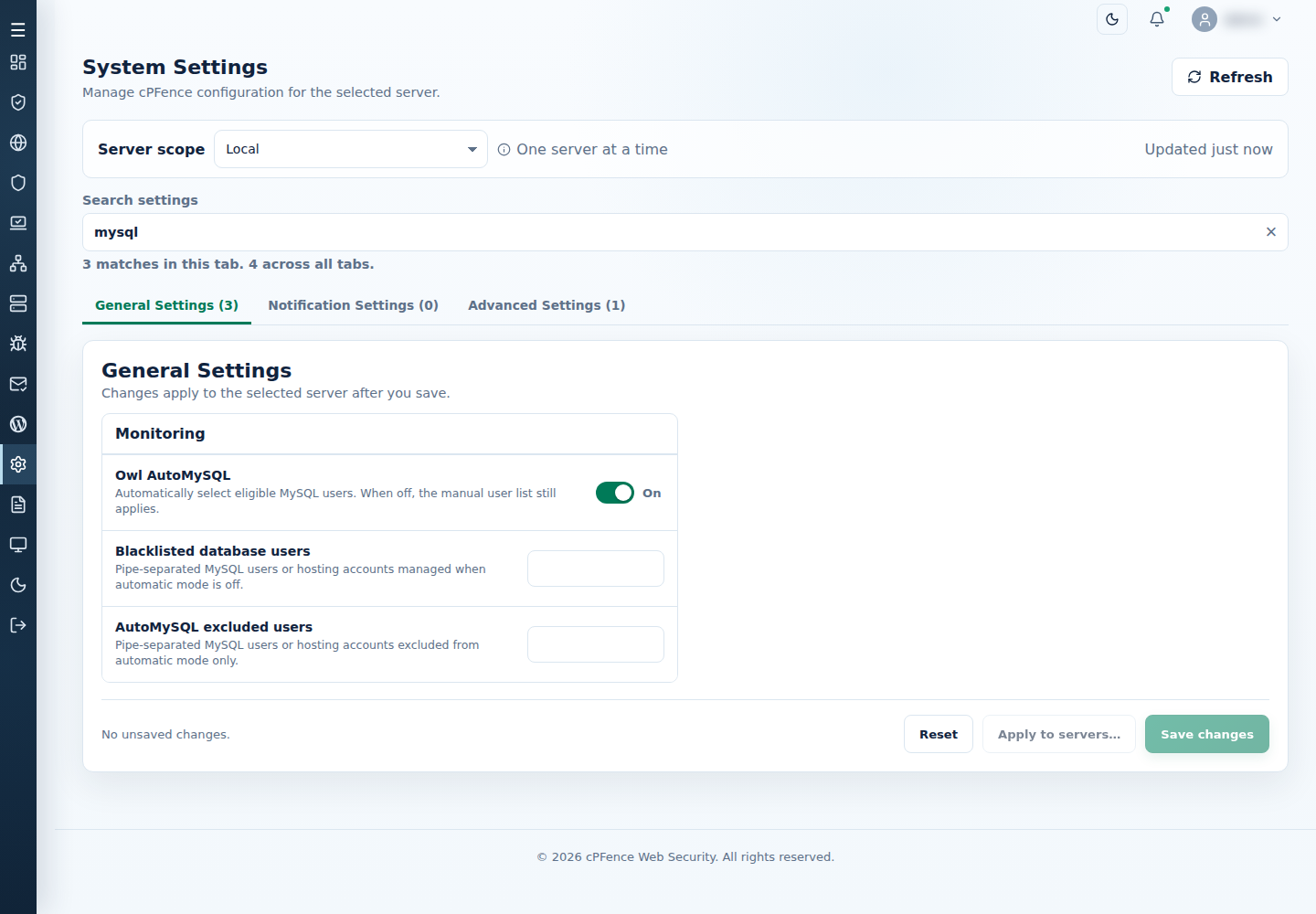
Section titled “Configure automatic selection and exclusions”- Open System Settings → General Settings → Monitoring on the intended server.
- Enable Owl monitoring and Owl AutoMySQL.
- Set Maximum query duration; the packaged value is 30 seconds.
- Add needed AutoMySQL excluded users, separated with
|, then select Save changes and inspect the result. - Use Dashboard Advanced Tools → Monitoring cPFence Logs → Monitor AutoMySQL Killed Queries to inspect activity.
If the database username is uncertain, ask the database administrator. From an authorized root MySQL session, they can list usernames with:
SELECT user FROM mysql.user GROUP BY user ORDER BY user;Discuss recurring problems with the client so they can improve the affected scripts, plugins or themes.
Select users manually
Section titled “Select users manually”- In the same Monitoring group, turn Owl AutoMySQL off while keeping Owl monitoring on.
- Add the intended MySQL users or verified hosting accounts to Blacklisted database users, separated with
|. - Set Maximum query duration, select Save changes, and inspect the killed-query log.
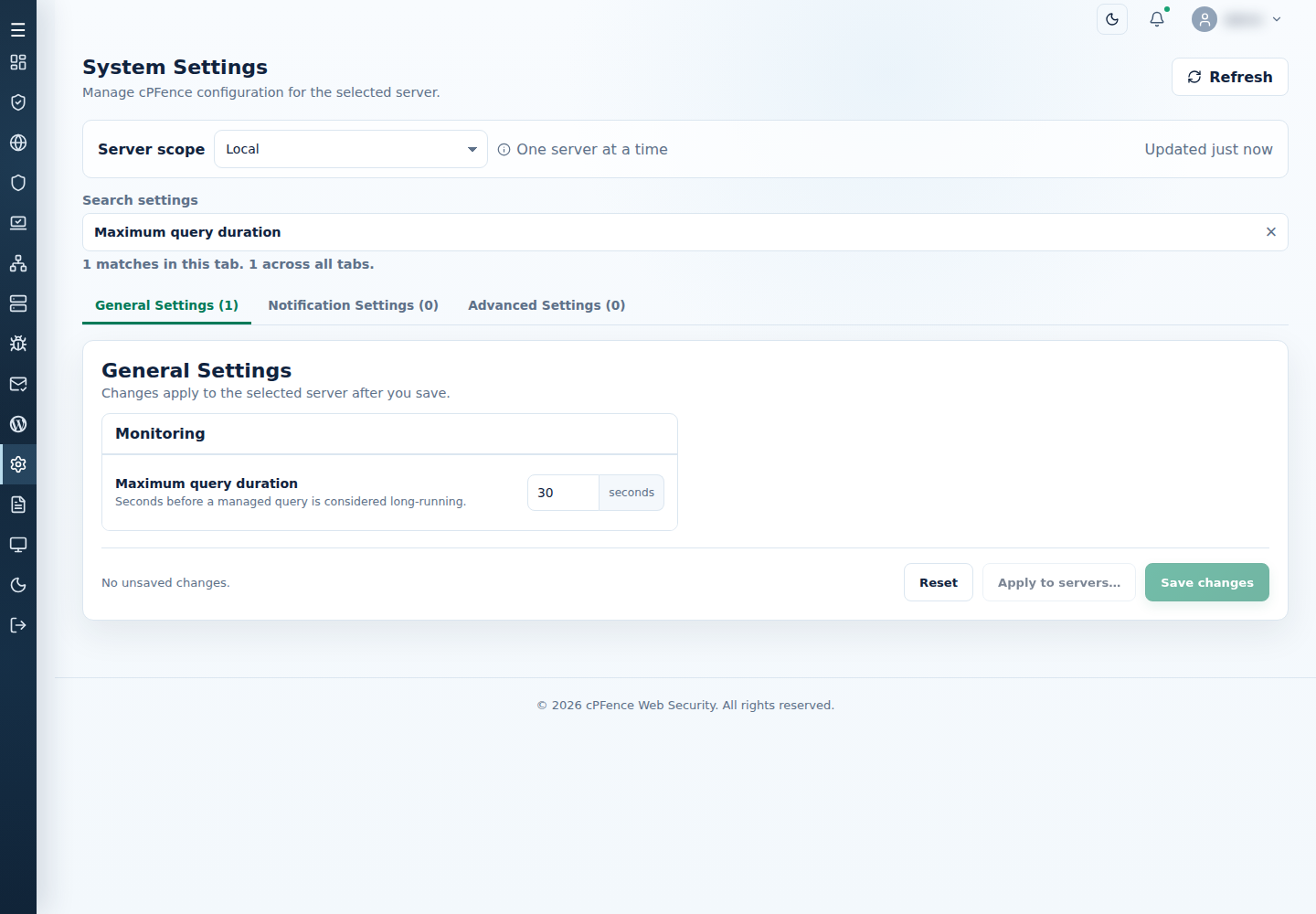
The manual list applies only while automatic mode is off. To stop both modes, turn automatic mode off and clear the manual list. This policy controls eligible MySQL connections.
CLI alternative
Section titled “CLI alternative”The on/off controls are also available under System Settings → Advanced Settings → Owl AutoMySQL. Check their server targets before confirming.
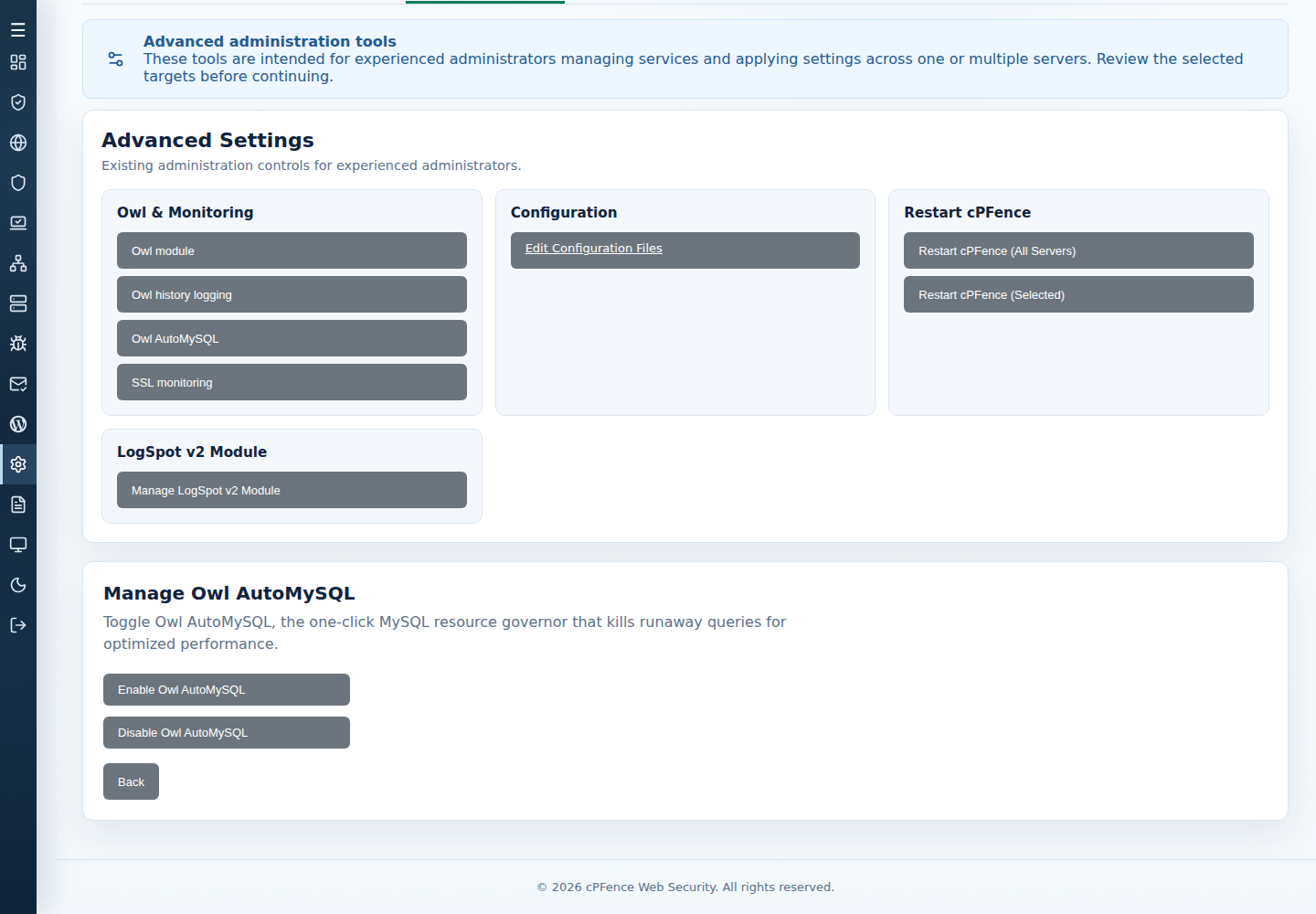
Use cpfence --owl-automysql-on or cpfence --owl-automysql-off on the intended server. Follow activity with cpfence --monitor-killed-queries.
For manual configuration, root administrators can edit /etc/cpfcli/config.conf: OWL_AUTO_MySQL selects the mode, BLACKLISTED_USERS selects manual users, EXCLUDED_USERS_AUTO_MySQL holds automatic exclusions, and MAX_EXECUTION_DURATION sets seconds. Preserve the previous values and follow the file’s activation instructions when changing the Owl master.