
Change Layer7 protection for one domain
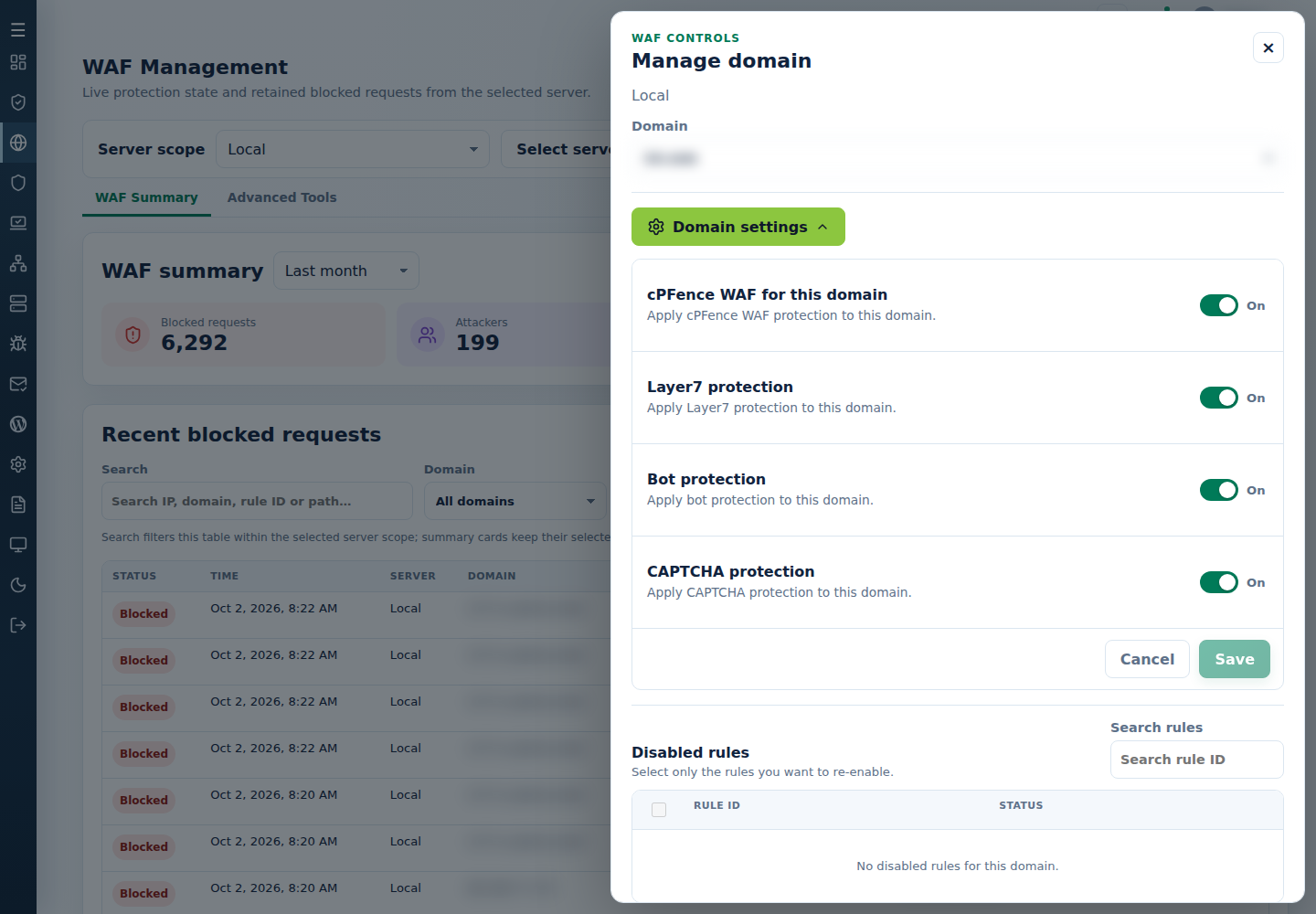
- In cPFence v4+ WAF Management, choose one server.
- Open Manage domain, select Domain and open Domain settings.
- Set Layer7 protection, then Save.
- Confirm the saved value and review the domain’s current requests.
Support users need domain/protection-management permission. As root on the target, substitute the domain:
| Action | Command |
|---|---|
| Enable for domain | cpfence --enable-layer7-waf-domain example.com |
| Disable for domain | cpfence --disable-layer7-waf-domain example.com |
Use global Layer7 controls only for a server-wide change. For a false positive, prefer one rule exception and review engine limits.