
Block or unblock incoming email
Open Spam AutoShield and choose the mail server whose policy you want to inspect. The master must be on for stored entries to take effect; see the illustrated Spam AutoShield guide.
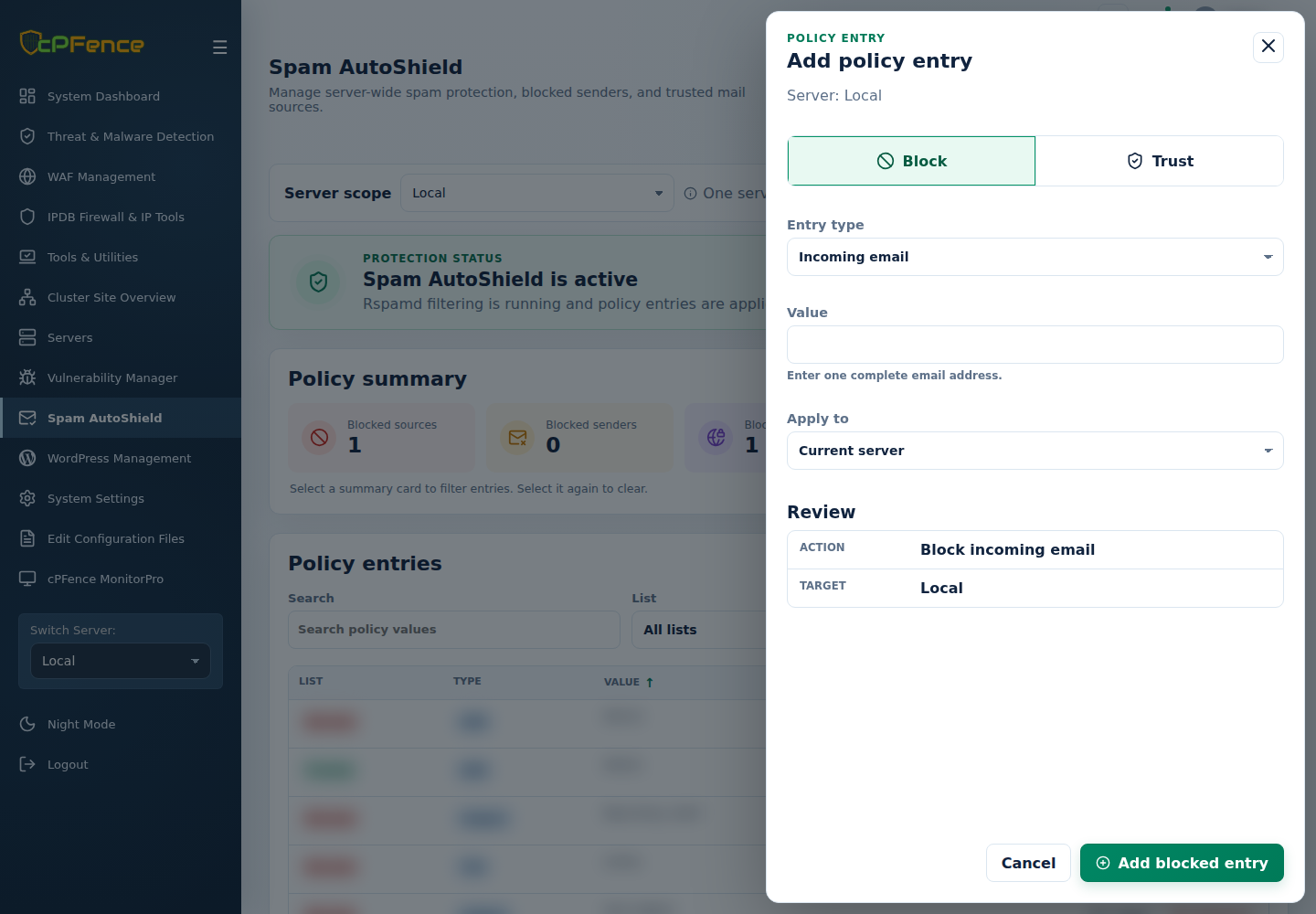
- Click Add entry and choose Block.
- Set Entry type to Incoming email and enter the complete sending address.
- Choose Apply to, review the servers, then click Add blocked entry.
- Read every server’s result and refresh the intended list.
To remove the block, filter List and Type, find the exact value, and use Remove on the displayed server. Review its confirmation and result.
This blocks mail arriving from the sender. It does not stop a local mailbox from sending mail.
Command-line method
Section titled “Command-line method”From a root terminal on the intended mail server, block a sending address:
Remove the same sender block:
Replace the example with the complete unwanted sender address. These commands update this server’s policy, not the WebUI’s Apply to selection. Read the result and refresh its incoming-email block list.
Use an address block when one mailbox is abusing your users without blocking legitimate senders on the same domain. If the sender keeps changing addresses, consider a verified domain or ASN block, checking its wider impact first. Removing one address block does not remove those broader rules.