In WordPress Management, choose one Server scope and open Settings.
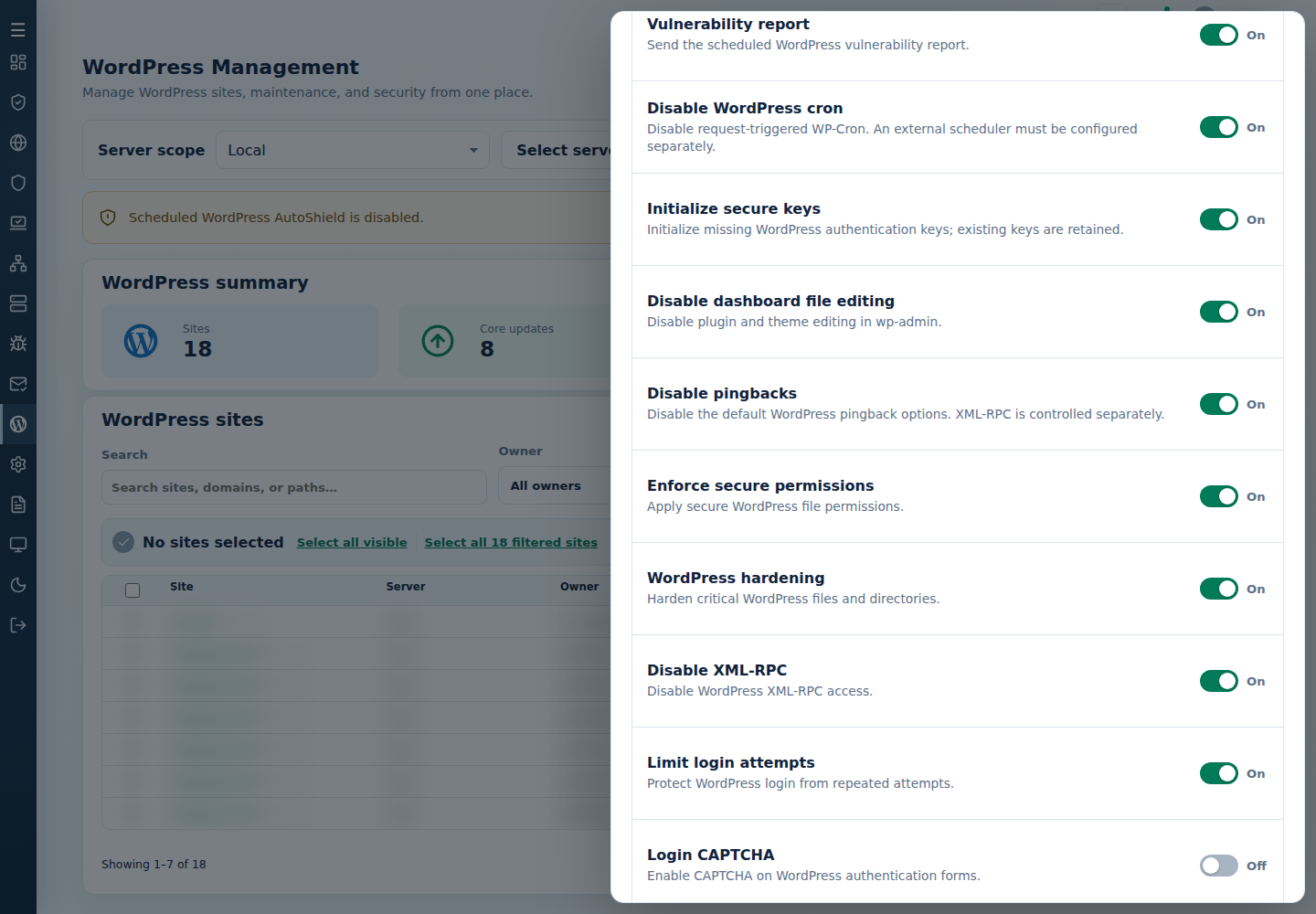
Turn off the child policy you no longer want enforced, then Save settings and check its result.
Choose the specific child policy for this server; the displayed saved values are not packaged defaults. Select the image to view it full size; use your browser’s Back command to return.
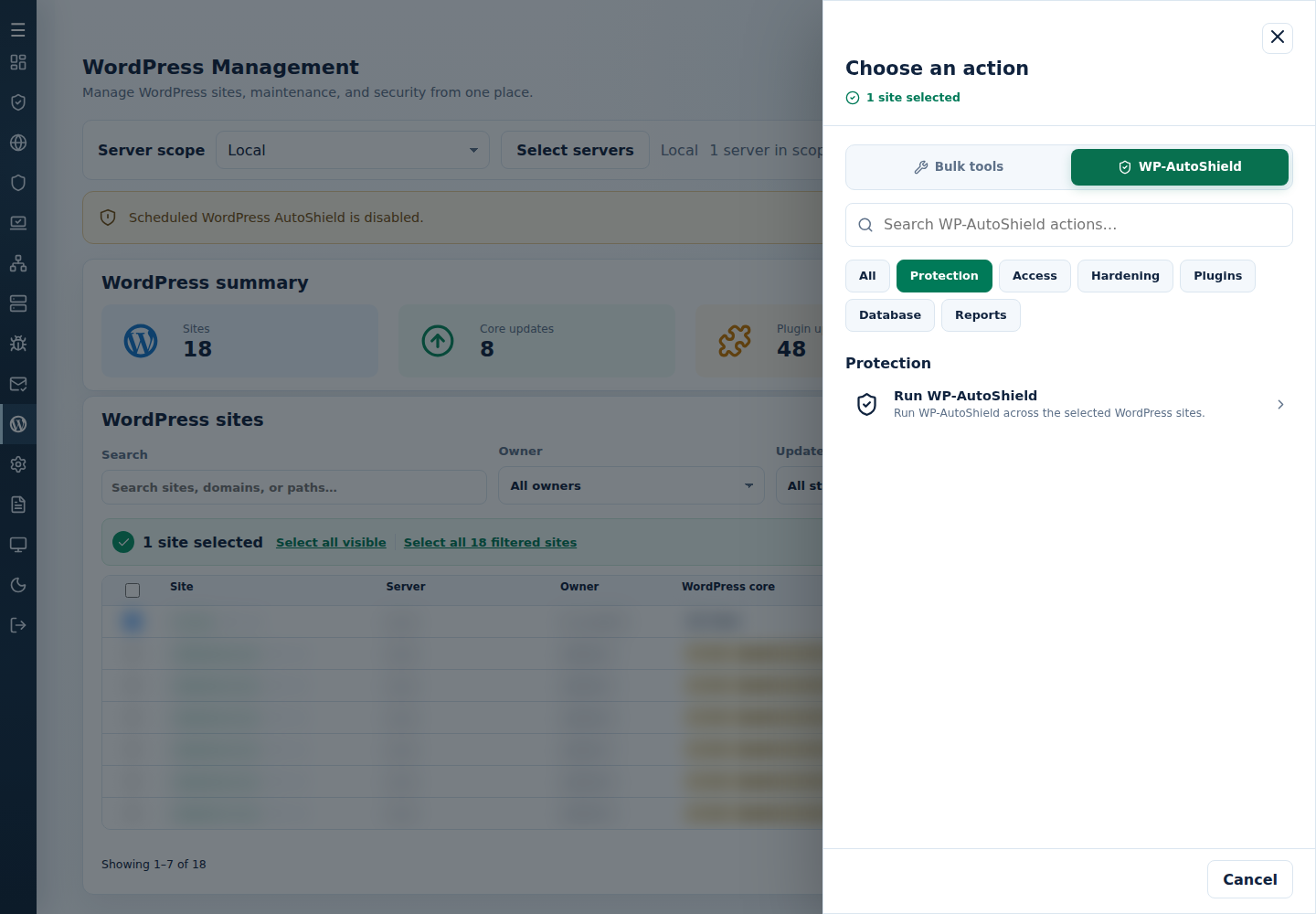
Select the intended eligible sites on that server and use Choose action → WP-AutoShield → Run WP-AutoShield to apply its current policy.
Run WP-AutoShield applies the current eligible policy to the reviewed sites; it is separate from saving a child switch. Select the image to view it full size; use your browser’s Back command to return.
Inspect each site’s result. Use the feature’s explicit paired action where reversal is needed, then check the site.