
WAF and CAPTCHA
In cPFence v4+, open WAF Management to review blocked requests and change domain protection. Administrators can use all controls; support users need target-server access and separate history, domain, rule, global-protection, or tracking permissions.
Find a blocked request
Section titled “Find a blocked request”- Choose the server or cluster subset in Server scope.
- Open WAF Summary. Set Summary period for totals.
- Filter Recent blocked requests by search, domain, date, or server, then Apply filters.
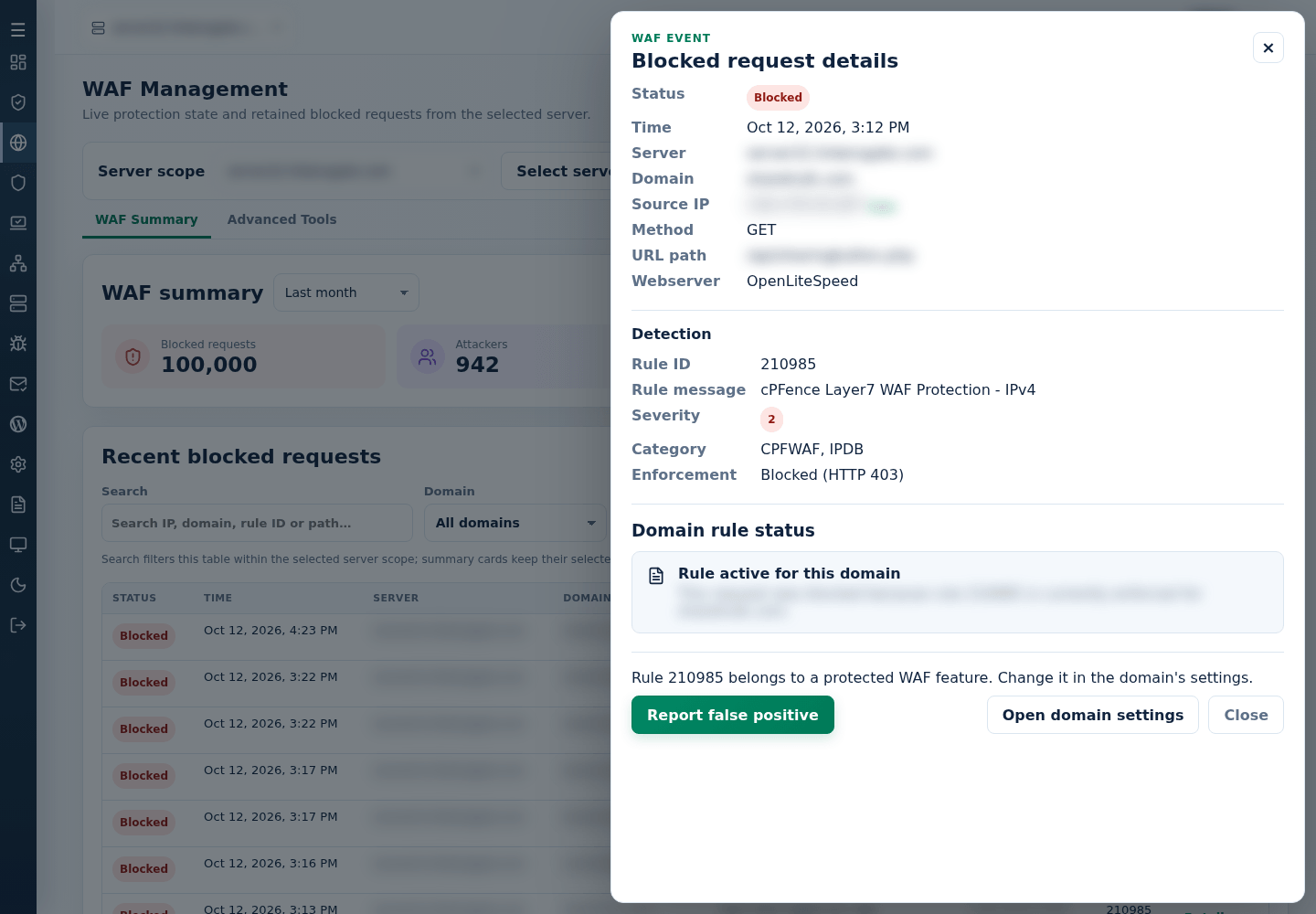
- Open request details and check the server, domain, path, source IP, rule ID, and event time.
Old blocks can remain after policy changes. Use Refresh and current policy details before changing a rule.
Disable one rule for one domain
Section titled “Disable one rule for one domain”After verifying a false positive, follow disable or re-enable a WAF rule. That task covers a narrow domain exception, reversal and the broader global-ID commands.
Change domain or global protection
Section titled “Change domain or global protection”Manage domain → Domain settings contains the domain’s WAF, Layer7, Bot and CAPTCHA switches. Use the focused rule/domain task, domain Layer7 task, domain bot task or CAPTCHA task for steps and CLI equivalents.
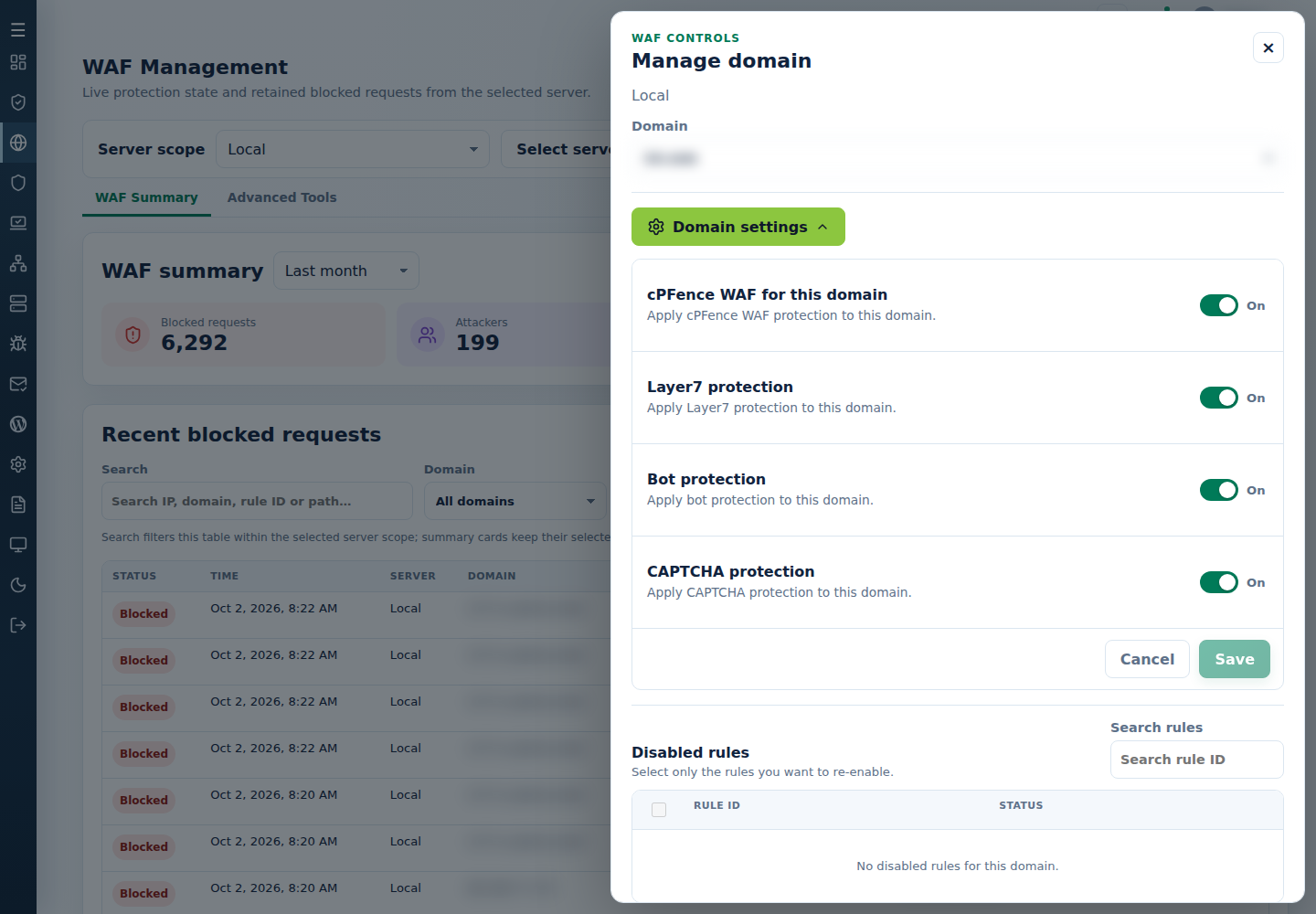
For server-wide changes, use enable/disable WAF, global Layer7, global bot protection or CAPTCHA protection. Domain switches do not activate protection while the master is off.
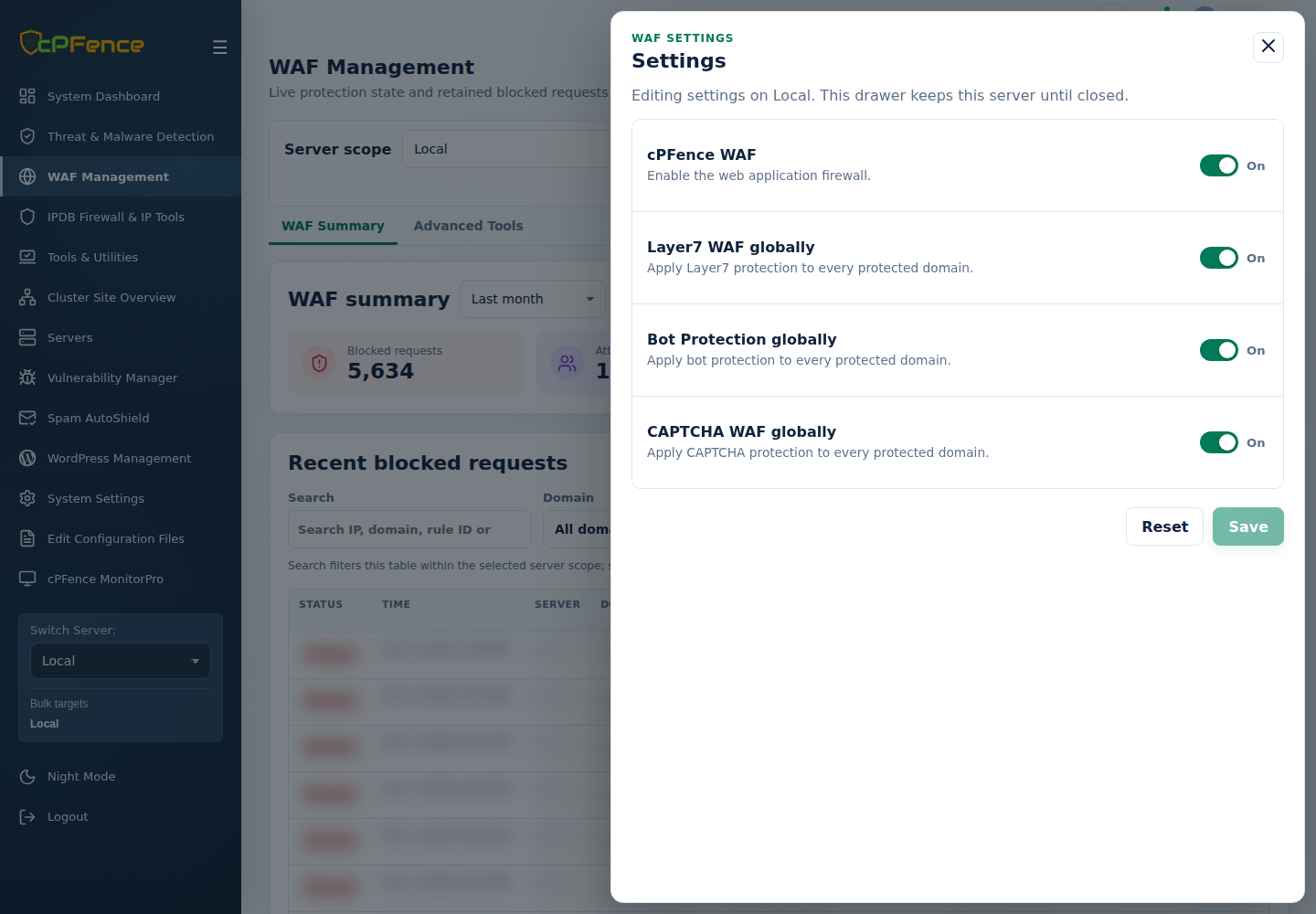
Reset → Confirm reset restores these global settings to packaged defaults; check the affected server before confirming.
The matching Advanced Tools actions use sidebar bulk targets. Check those targets before confirming and read each server’s output; some can succeed while others fail. Disabling the master or a rule removes that protection from the affected scope.
Track and report a false positive
Section titled “Track and report a false positive”Use identify a problematic WAF rule for domain or server-wide live tracking.
To report a legitimate request that WAF blocked:
- In Recent blocked requests, open the request’s Details and select Report false positive.
- Check the summary: rule, domain, request, time, server and source IP. Your license key and main server IP are included so support can identify your installation.
- Optionally describe What was the visitor doing? and enter your Reply email.
- To stop this block right away, check Also disable rule … for …. It is unchecked by default and affects only that rule on that domain; you can re-enable the rule later in Manage domain.
- Select Send report.
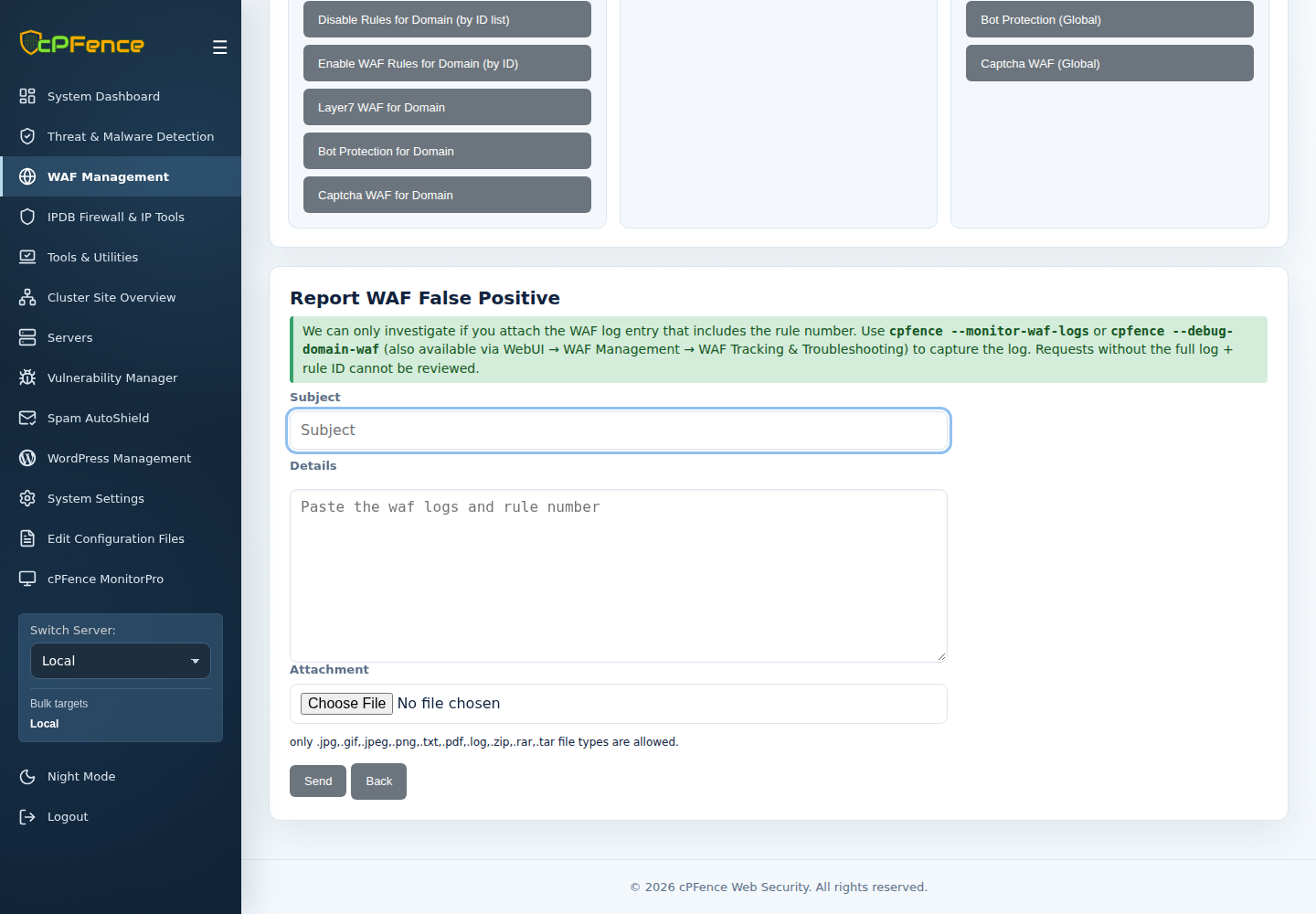
Support reviews the rule and, if it is a false positive, fixes it for every server. The request then shows Reported to cPFence with the date. A rule that belongs to a protected WAF feature offers Open domain settings instead of a rule exception.
If the request is no longer listed in Recent blocked requests, use Send a manual report and include the rule ID, domain, request path and time.
CAPTCHA and engine limits
Section titled “CAPTCHA and engine limits”Hosted WAF CAPTCHA is separate from WordPress math CAPTCHA. Initial requests and cookie/referrer/query exemptions can avoid a challenge. If cPFence Security Check repeats or does not return to the application, preserve the affected URL, time, and web-server version when asking for support.
See configure CAPTCHA for activation and login-cache guidance, or check WAF protection and WAF troubleshooting for an unexpected request. XML-RPC blocking belongs to WordPress bulk security.
Coverage depends on the web-server engine. On Apache, Nginx and OpenLiteSpeed the cPFence WAF checks the request URL, query string, headers and cookies but not request bodies, as in cPFence v3, so large uploads and posts are not refused. LiteSpeed Enterprise also checks POST bodies with its own setting. Current engine limits include:
- LiteSpeed Enterprise 6.3.5 build 5: JSON inspection differs between HTTP/1.1 and HTTP/2; form blocking does not prove correct JSON parsing.
- LiteSpeed Enterprise 6.4 RC2 build 2: target exclusions can cause HTTP 500 for legitimate requests. Do not assume a newer version label proves compatibility.
Preserve the log and exact engine version when asking for support. Do not disable setup guards or lower global thresholds to hide an engine problem.