
Report Enhance website backups
Use the Enhance main control panel server with a valid cPFence license and a Super admin API key. WebUI users need access to the selected websites and permission for this action.
From the WebUI
Section titled “From the WebUI”- Open Tools & Utilities → ApiMachine Bulk Tools.
- Choose Cluster scope or Select servers, apply your filters, then check the intended website rows. Review the selection rules; filtering alone does not select websites.
- Open Choose action → Backups → Bulk report website backups.
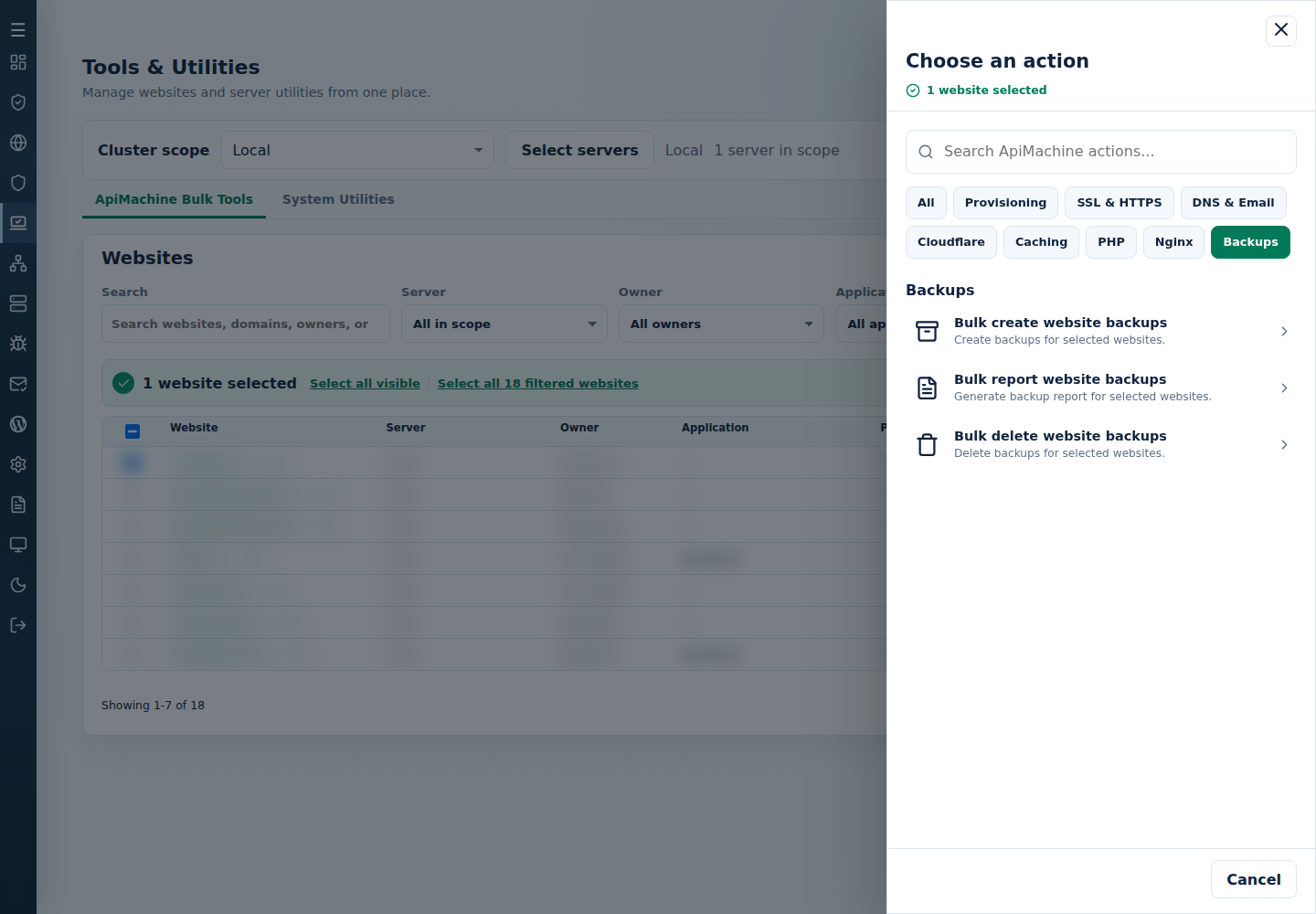
- Review the selected websites and Confirm and run. Read Finished or Needs attention and the per-target output.
Run a fresh report before deletion to see which selected websites have usable recent restore points.
Read the per-target report and its errors. Detailed output is also written to /var/log/cluster-report-website-backups-success.log and /var/log/cluster-report-website-backups-error.log.
From the terminal
Section titled “From the terminal”Use root on the main control panel server. Generate and edit the CLI site list first so that /var/log/cpfenceav/cluster-sites-list.txt contains only your intended targets.
cpfence --bulk-report-website-backupsRead the target list and confirm the action when prompted.
For failures, read each target’s error and check its actual state before retrying. Keep the retry selection limited to the intended websites.