
Generate and save an Enhance API key
Generate this token in Enhance when you want to use ApiMachine website bulk tools. Ordinary cPFence protection does not require it.
Create the token
Section titled “Create the token”- Sign in to your Enhance control panel.
- Open Settings → Access tokens → Create Token.
- Choose Super admin and create the token. Keep it private.
Restrict the token by IP (optional)
Section titled “Restrict the token by IP (optional)”To accept the token only from your server, turn on IP restricted. Then add each of these addresses to Allowed IPs and select Add after each one:
| Address | What to enter |
|---|---|
| The server itself | 127.0.0.1/32 |
| Main control panel server’s public IPv4 | Its IPv4 address with /32, for example 203.0.113.10/32 |
| Main control panel server’s public IPv6 | Its IPv6 address with /128, for example 2001:db8::1/128. Skip this if the server has no IPv6. |
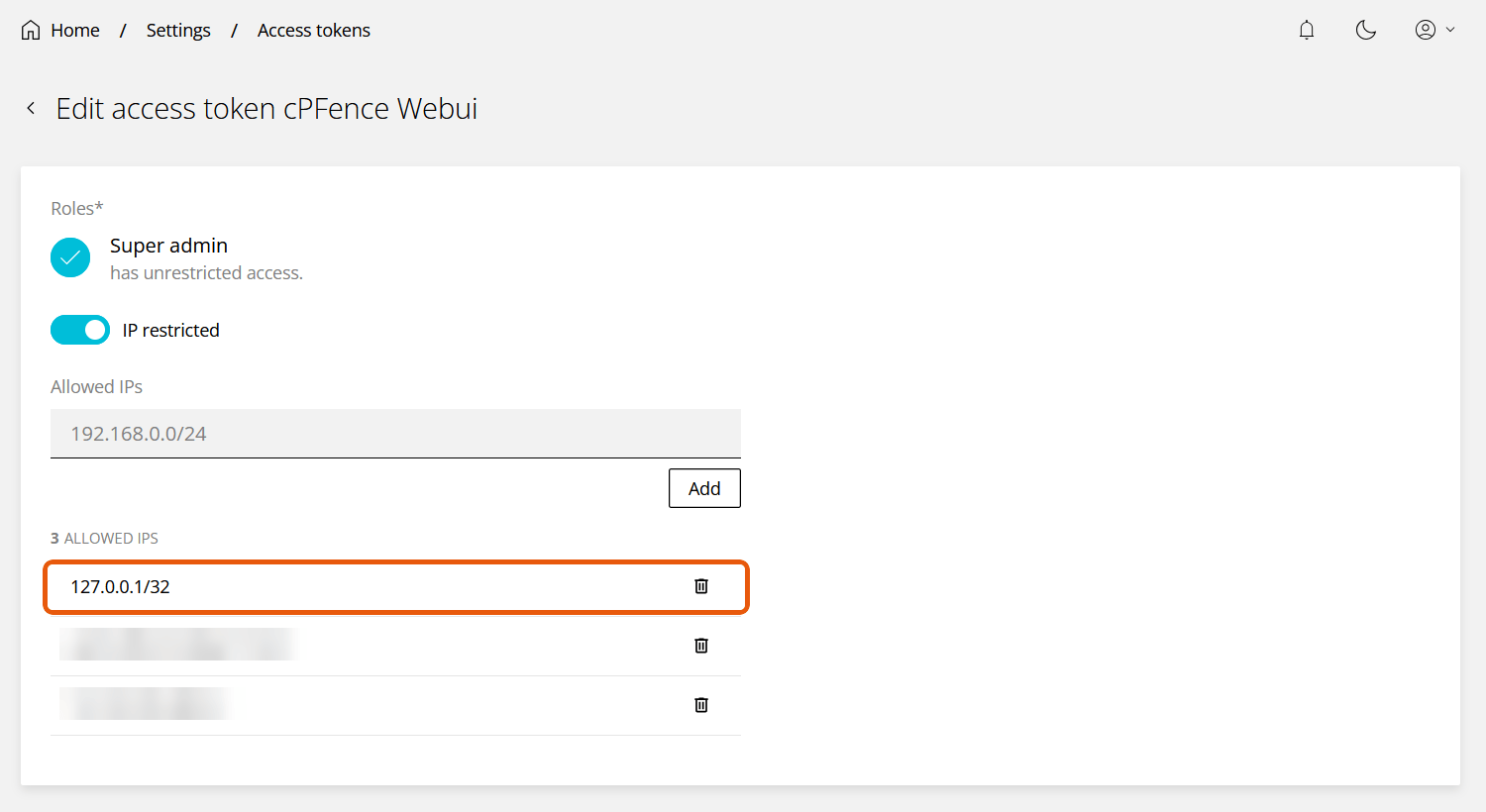
Include 127.0.0.1/32 even though it is not a public address. cPFence sends its requests to your panel’s own address from the main control panel server, so Enhance can see them as coming from the server itself (127.0.0.1) or from its public address, depending on how that address resolves on the server. If the key does not validate while IP restricted is on, check these entries first.
Save it in cPFence
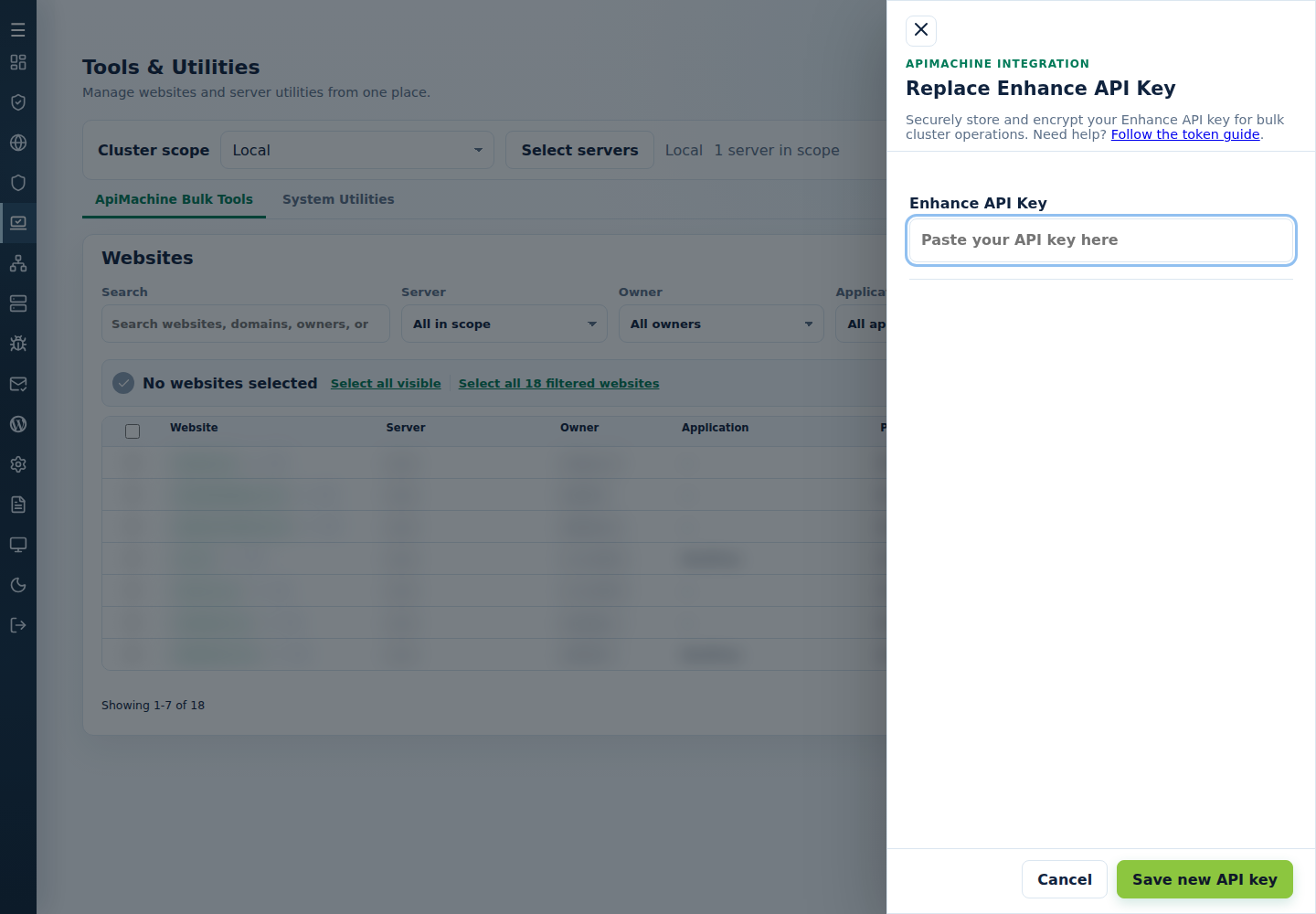
Section titled “Save it in cPFence”- On the main control panel server’s WebUI, open Tools & Utilities → ApiMachine Bulk Tools → API key.
- Select Set a new key if a key is already saved, then enter the token privately.
- Select Save new API key, then check the validation result before running a bulk action.
CLI alternative, from root on the main control panel server:
cpfence --set-enhance-api-keyEnter the key at the private prompt. cPFence validates it and stores the encrypted value locally. Keep the server’s configuration and your original token private.
Next, follow website selection and bulk-action steps. If validation fails, check the token role, IP restriction, Enhance API access, and cPFence license before contacting support.