
Disable or re-enable a WAF rule
Identify the rule ID from an actual blocked request before making an exception in cPFence v4+.
For one domain
Section titled “For one domain”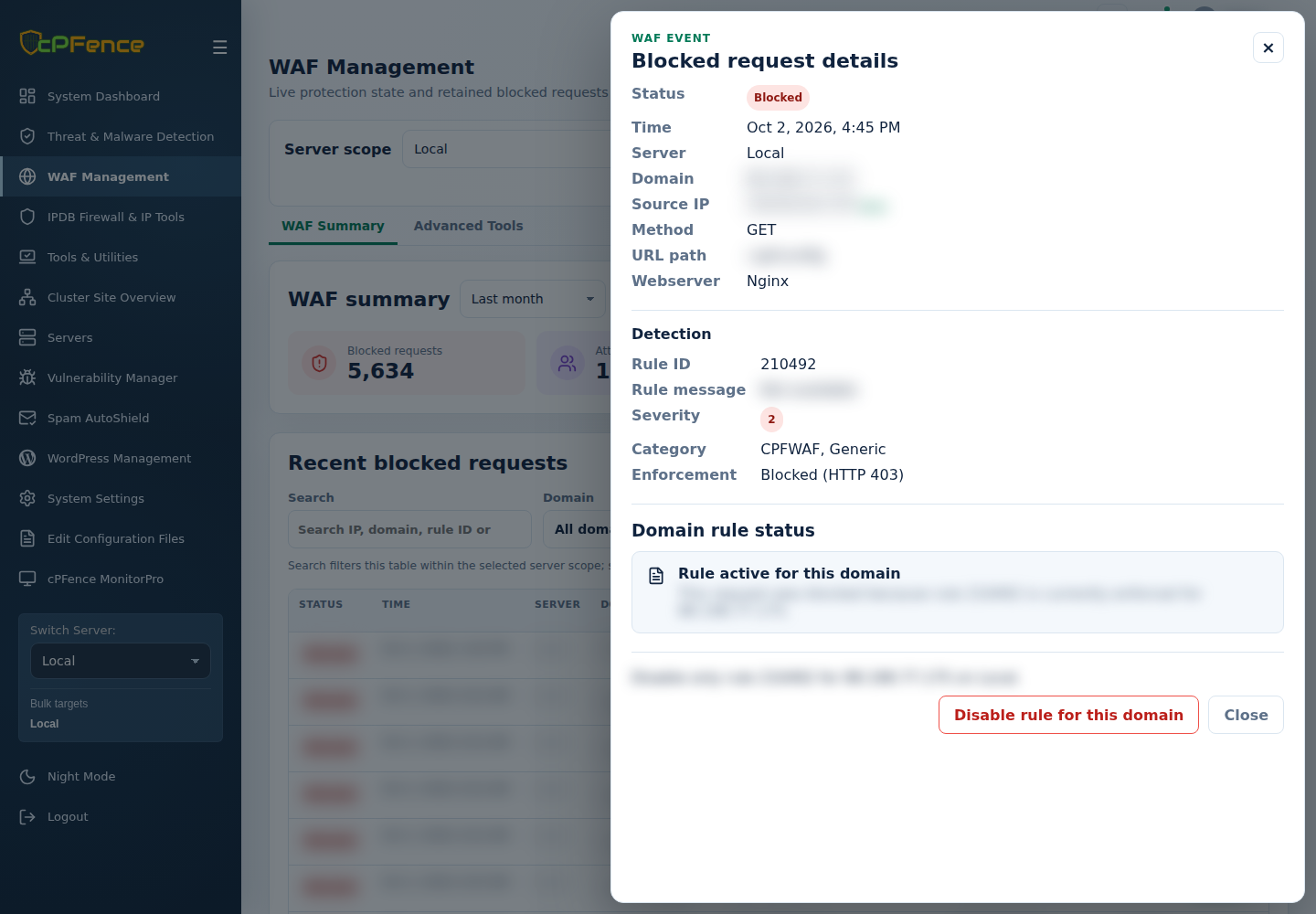
- In WAF Management → WAF Summary, open the blocked request’s details.
- Choose Disable rule for this domain.
- Check server, domain and ID, then Confirm disable.
- Repeat the legitimate request and review the result.
For an ordinary rule in a read-only cluster overview, use Show available actions to open the request’s originating server before changing its rule. If the drawer says the rule belongs to a protected WAF feature group, choose its server, open Manage domain → Domain settings and use that feature’s control.
To reverse an exception, choose one server, open Manage domain, select Domain, and use Disabled rules → Re-enable selected. Support users need rule-management permission.
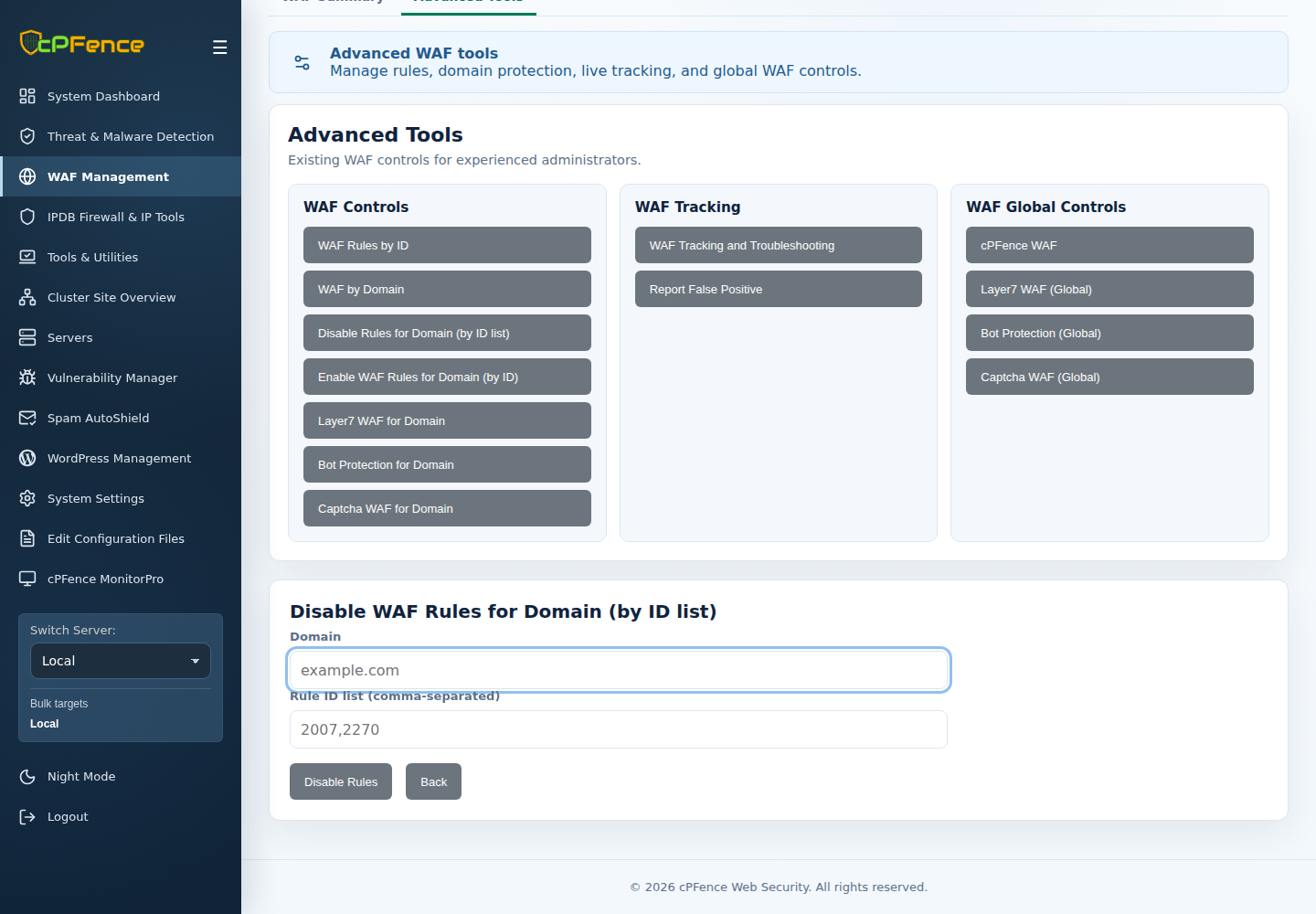
The Advanced Tools → Disable Rules for Domain (by ID list) form accepts Domain and a comma-separated Rule ID list. Check the sidebar targets and use only the IDs verified for that domain.
Using the CLI
Section titled “Using the CLI”As root, substitute the actual domain and numeric IDs:
| Action | Command |
|---|---|
| Disable domain rule | cpfence --disable-waf-domain-byid example.com 941100 |
| Re-enable domain rule | cpfence --enable-waf-domain-byid example.com 941100 |
| Disable rule globally | cpfence --disable-waf-rule 941100 |
| Re-enable rule globally | cpfence --enable-waf-rule 941100 |
Comma-separated IDs are supported for a domain. Omitting IDs from --enable-waf-domain-byid re-enables all disabled rules for that domain.
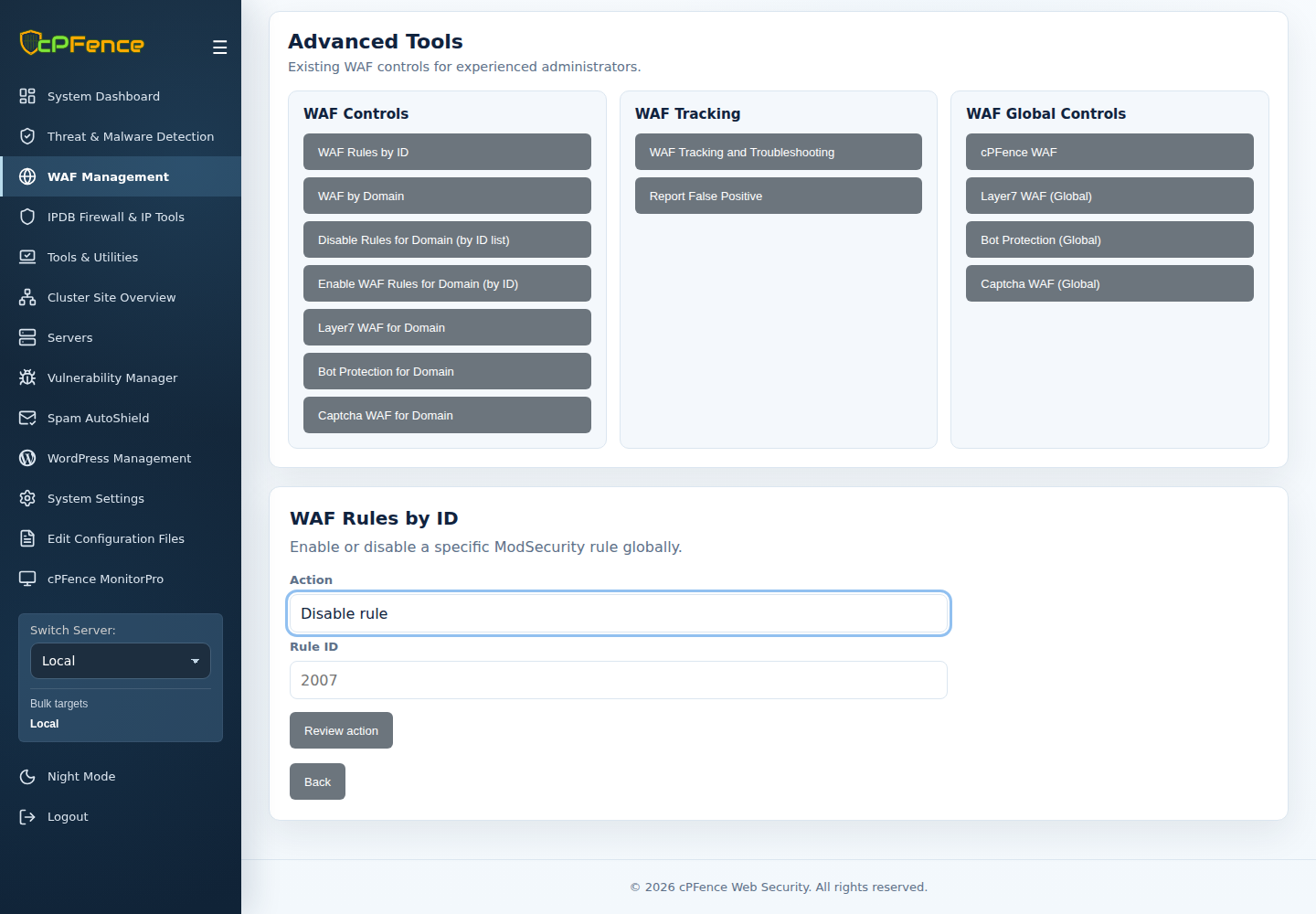
For the global UI equivalent, open Advanced Tools → WAF Rules by ID, choose Action, enter Rule ID, then Review action. Check the selected servers before confirming.
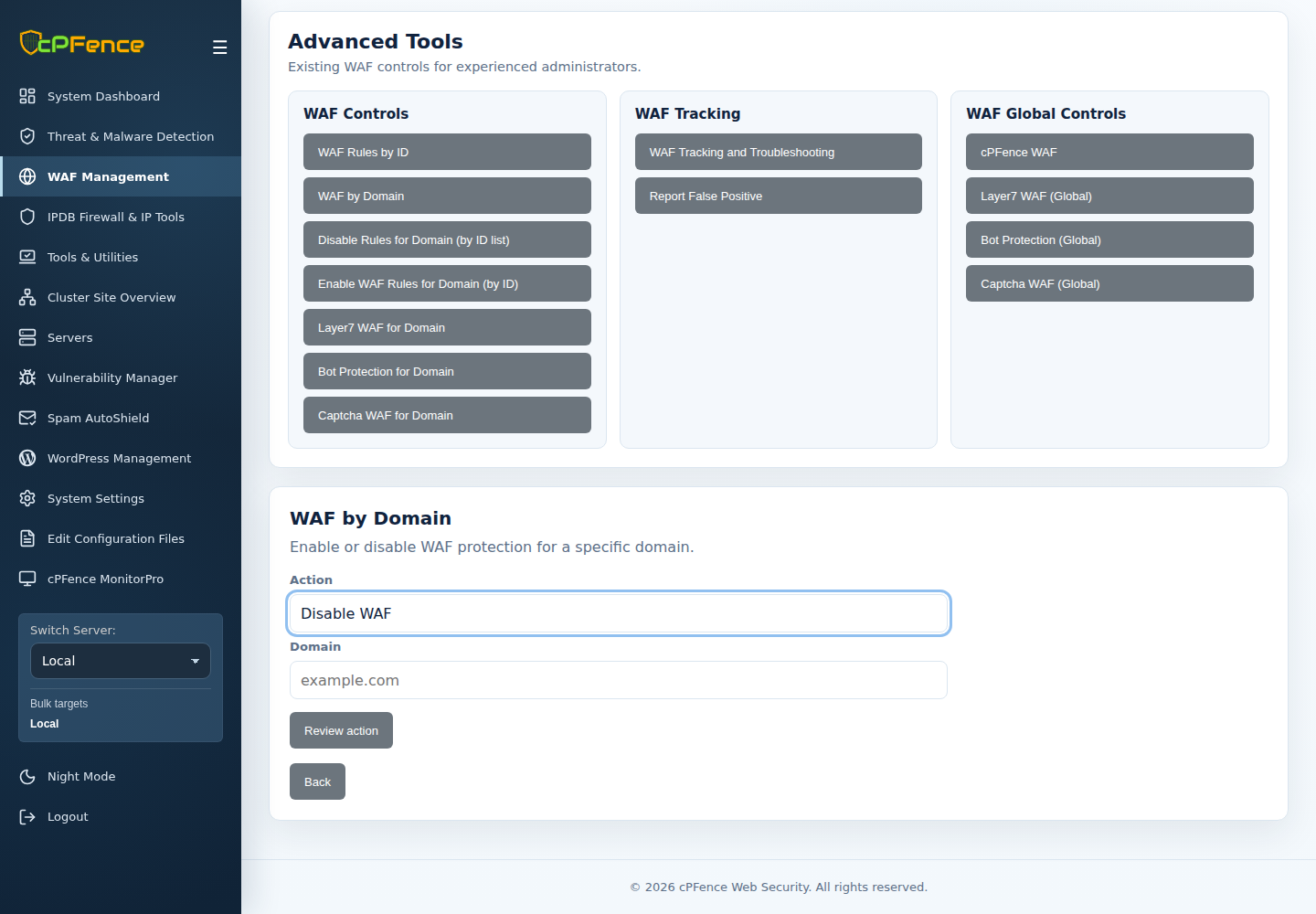
To disable or re-enable WAF entirely for one domain, use Manage domain → Domain settings → cPFence WAF for this domain, or cpfence --disable-waf-domain example.com / cpfence --enable-waf-domain example.com as root. Prefer a single-rule exception where it meets the need.
The Advanced Tools → WAF by Domain equivalent has Action and Domain fields followed by Review action; check the target before confirming.
Do not hand-edit the lines these controls generate. To add your own rules, see custom WAF rules.