
Enable or disable email quarantine
Email quarantine in cPFence v4+ is independent of website-file quarantine.
Using the WebUI
Section titled “Using the WebUI”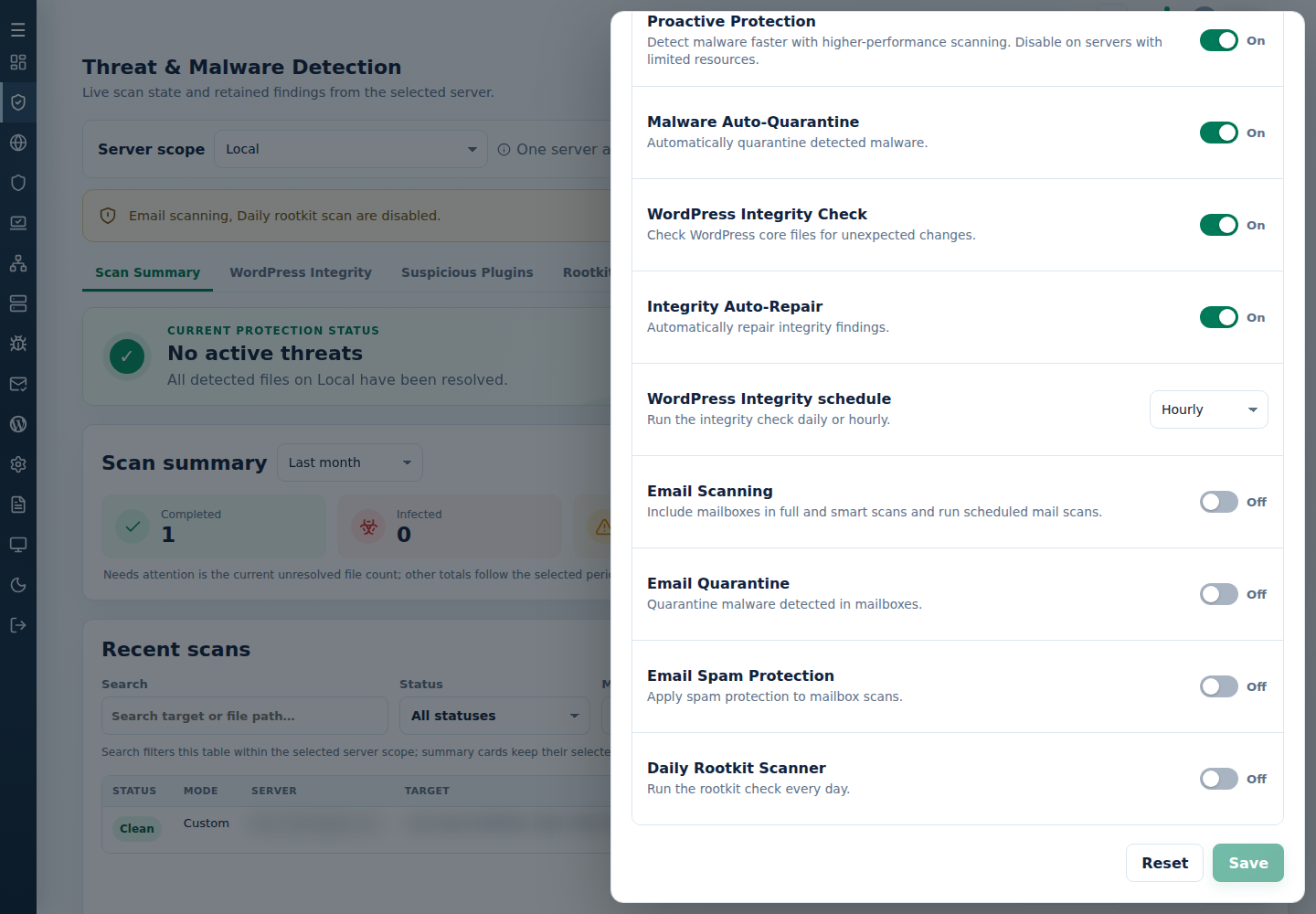
- Open Threat & Malware Detection, choose one server and open Settings.
- Set Email Quarantine, then Save.
- Check the saved value and each detected message’s action in scan output.
Email Scanning must be enabled separately. Support users need target-server access and protection-setting permission.
Using the CLI
Section titled “Using the CLI”Run as root on the target server:
| Action | Command |
|---|---|
| Enable email quarantine | cpfence --enable-email-quarantine |
| Disable email quarantine | cpfence --disable-email-quarantine |
See mailbox scanning and quarantine recovery.