
Remove blacklisted WordPress plugins
- Choose the intended servers and sites. Start with one installation.
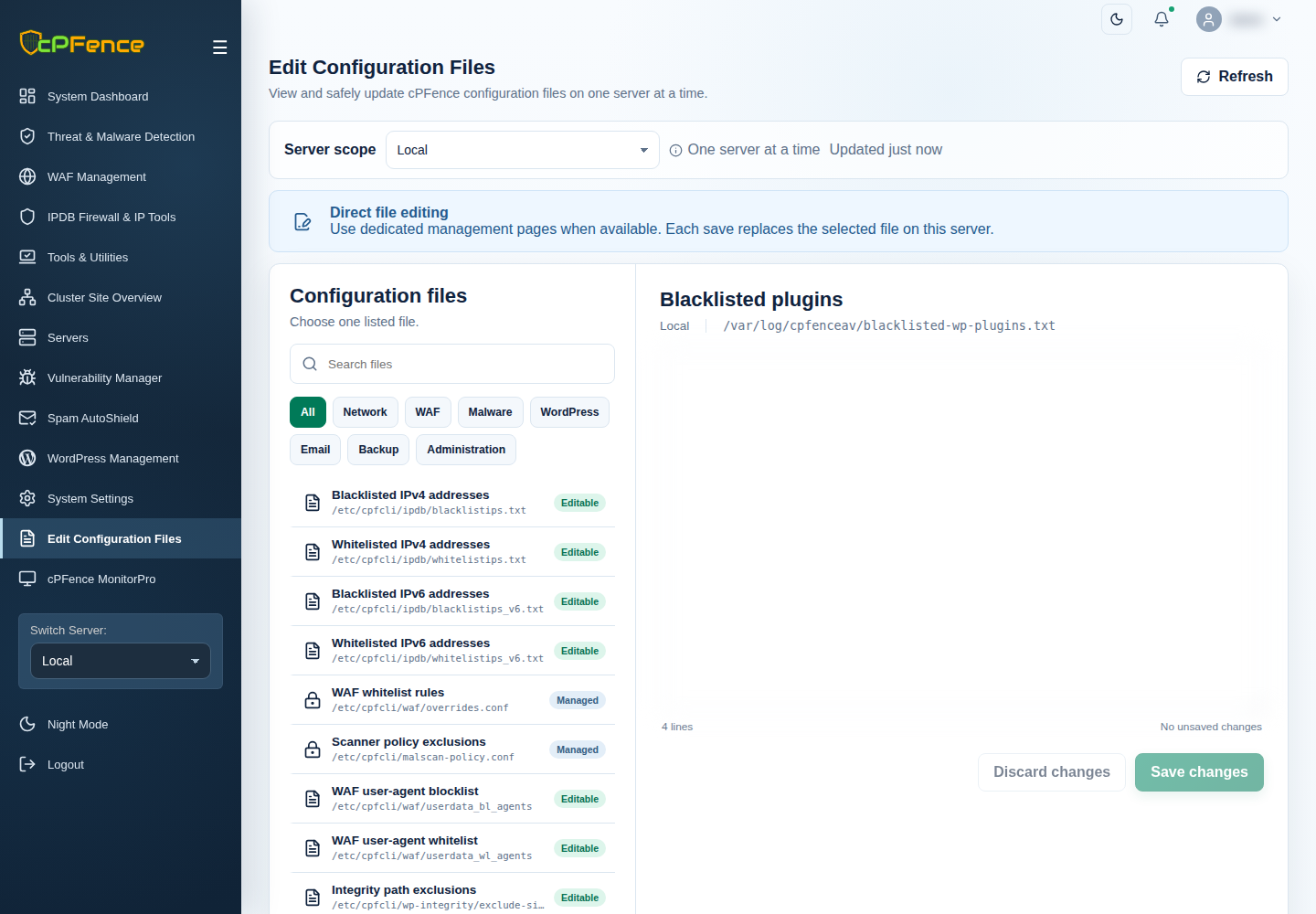
- Review Blacklisted plugins in Edit Configuration Files and preserve customer packages/data before opening the action.
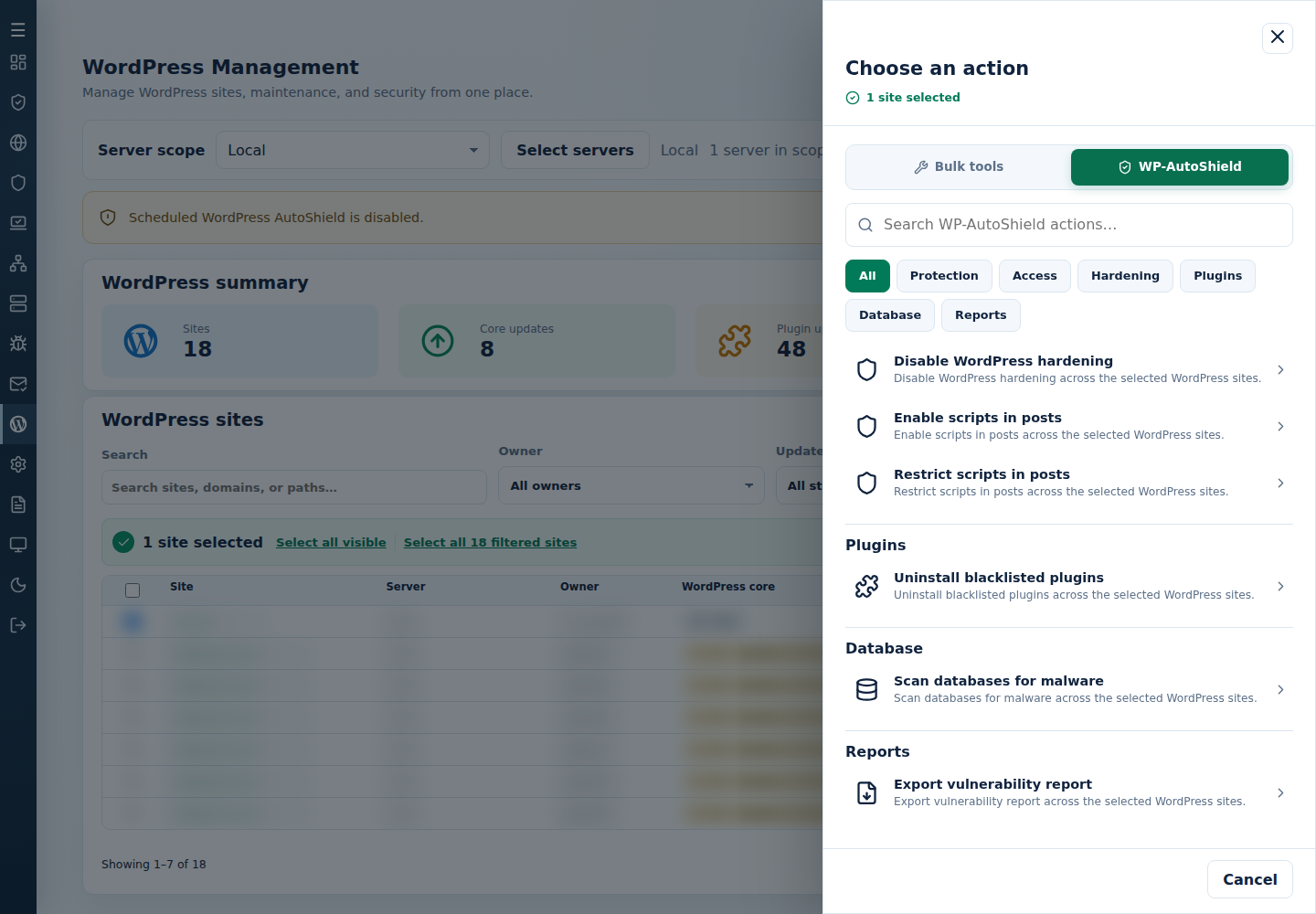
- Open Choose action → WP-AutoShield → Plugins → Uninstall blacklisted plugins.
- Review the action and targets, then confirm. Read every site’s final result, including skips. Finished can include failed sites; see Read the outcome.
Only list intended slugs and preserve customer packages/data for recovery. Read every result; a plugin blacklist is separate from malware signature exclusions.
The Suspicious Activity tab records backdoor plugins and other findings, and the protection actions taken. Reviewing that history does not run this blacklist removal action.
Command-line method
Section titled “Command-line method”From a root terminal on the server hosting the sites, review /var/log/cpfenceav/blacklisted-wp-plugins.txt. Keep only the intended plugin slugs, one per line, then run:
cpfence --bulk-uninstall-bl-pluginsReview /var/log/cpfenceav/wp-sites-list.txt and both the inventory and removal confirmations. The command uses this server’s listed installations, not checked WebUI rows. To limit it, prepare that list first; do not pass another site-list filename as an argument.
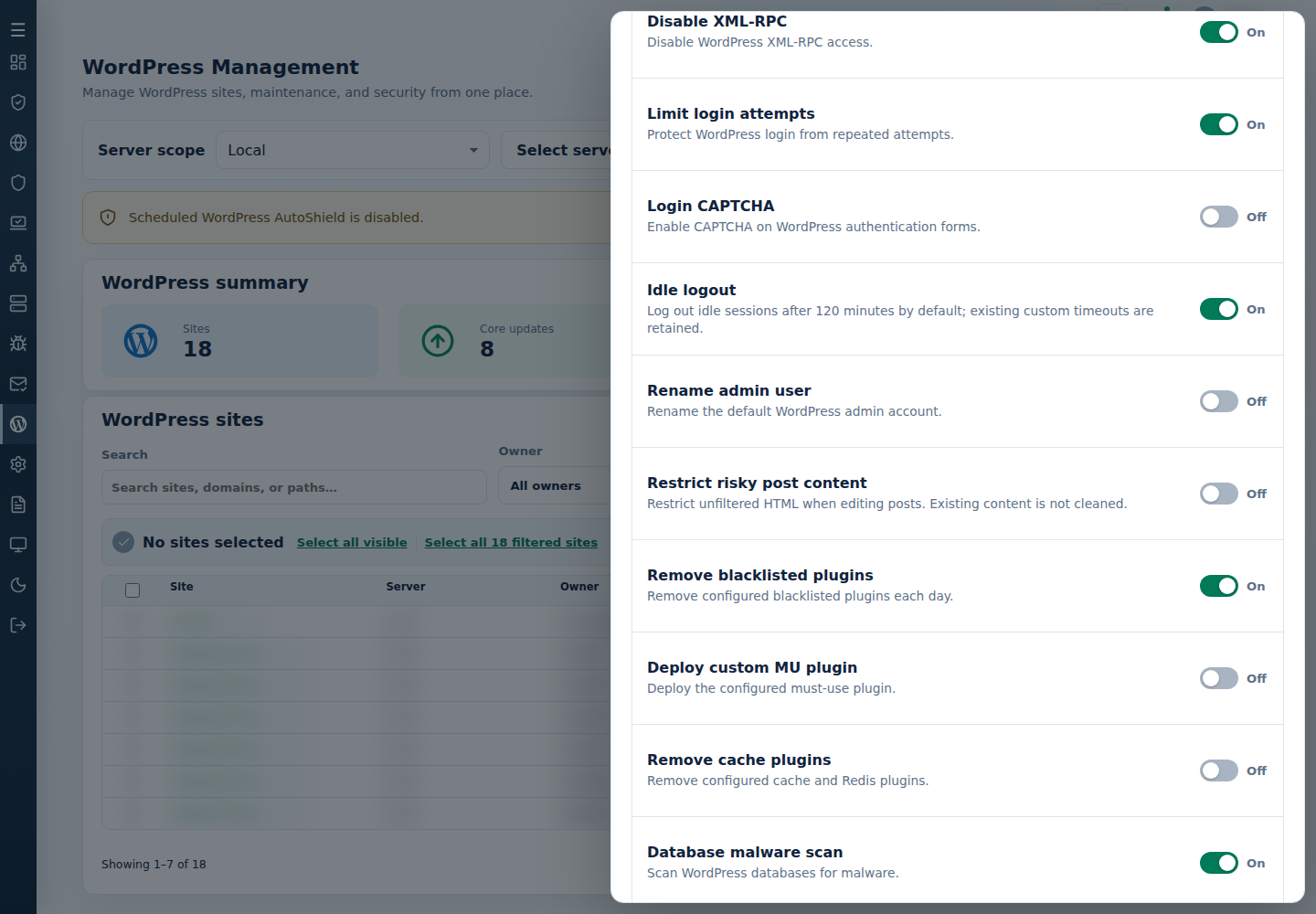
An empty or missing blacklist removes nothing. Read each site’s final result and check the affected pages. Keep backups of plugin packages, settings and data: uninstalling deactivates and removes the listed plugins, and recovery may require more than reinstalling their files. Keep the daily removal policy above consistent so needed plugins are not removed again.