
Set LiteSpeed heartbeat controls
- Choose the intended servers and sites. Start with one installation.
- Confirm the supported heartbeat policy is appropriate.
- Open Choose action → Bulk tools → Performance, then choose Enable LiteSpeed heartbeat under LiteSpeed.
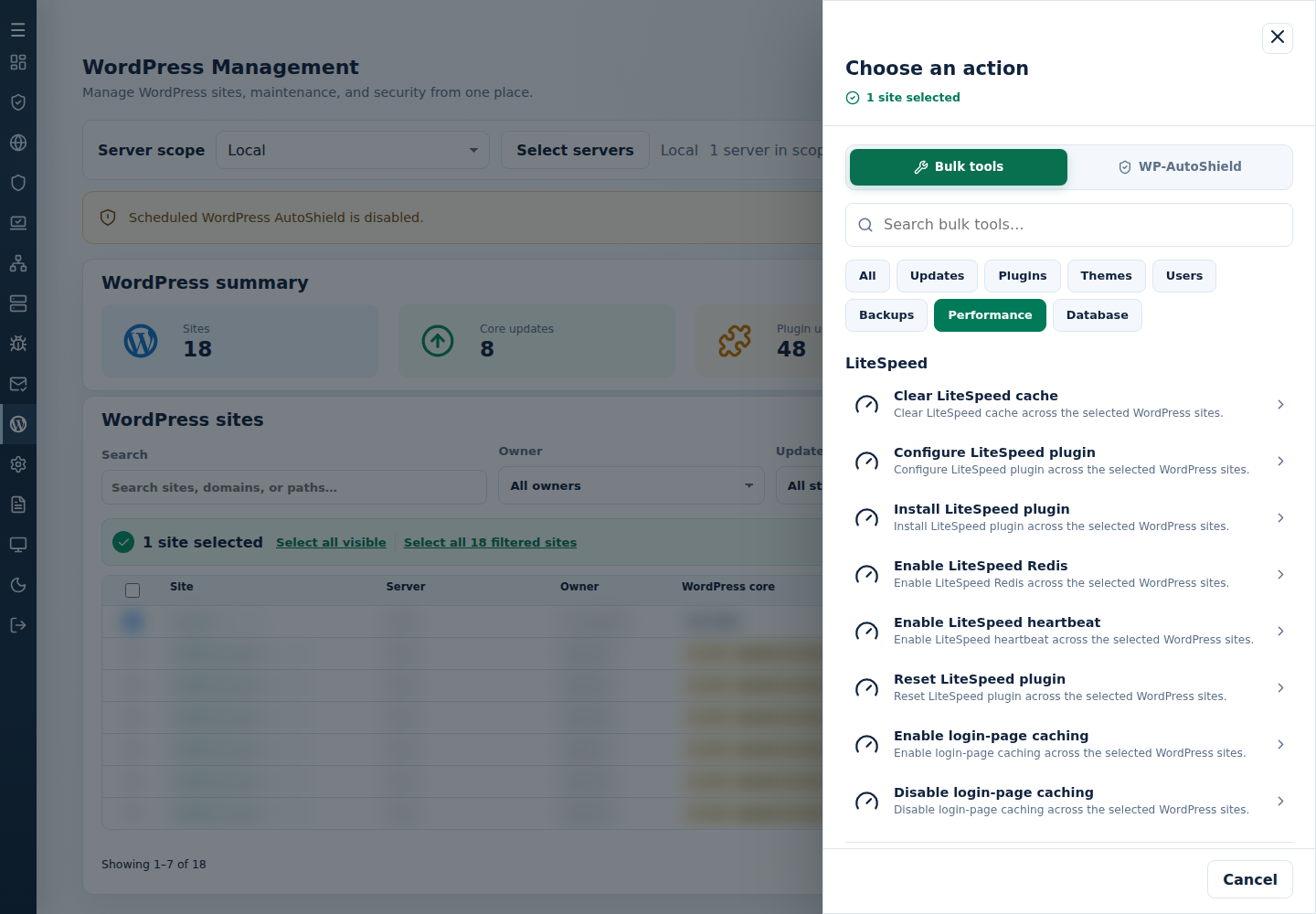
- Review the action and targets, then confirm. Read every site’s final result, including skips. Finished can include failed sites; see Read the outcome.
This applies the plugin’s heartbeat preset. Check frontend and administration behavior, especially plugins relying on background AJAX. It does not establish a measured CPU improvement.
Command-line method
Section titled “Command-line method”From a root terminal on the server hosting the sites, run:
cpfence --bulk-enable-ls-heartbeatReview /var/log/cpfenceav/wp-sites-list.txt and the inventory confirmation first. This uses the server’s listed installations, not the checked WebUI rows.
The preset disables frontend heartbeat and sets the administration and editor intervals to 120 seconds. Check that LiteSpeed Cache is installed and inspect every site’s final output. Then test editing, autosave and any plugins relying on heartbeat. If the preset is unsuitable, restore the site’s previous heartbeat choices in LiteSpeed Cache.